
Best WiFi Router in India 2026
A router's box shouts a big speed number you will almost never see - it is capped by your broadband plan and eaten by your walls. We read the recent verified-owner reviews on India's best-sellers and ranked eight, weighting bands, honest coverage and who services them over the headline figure.
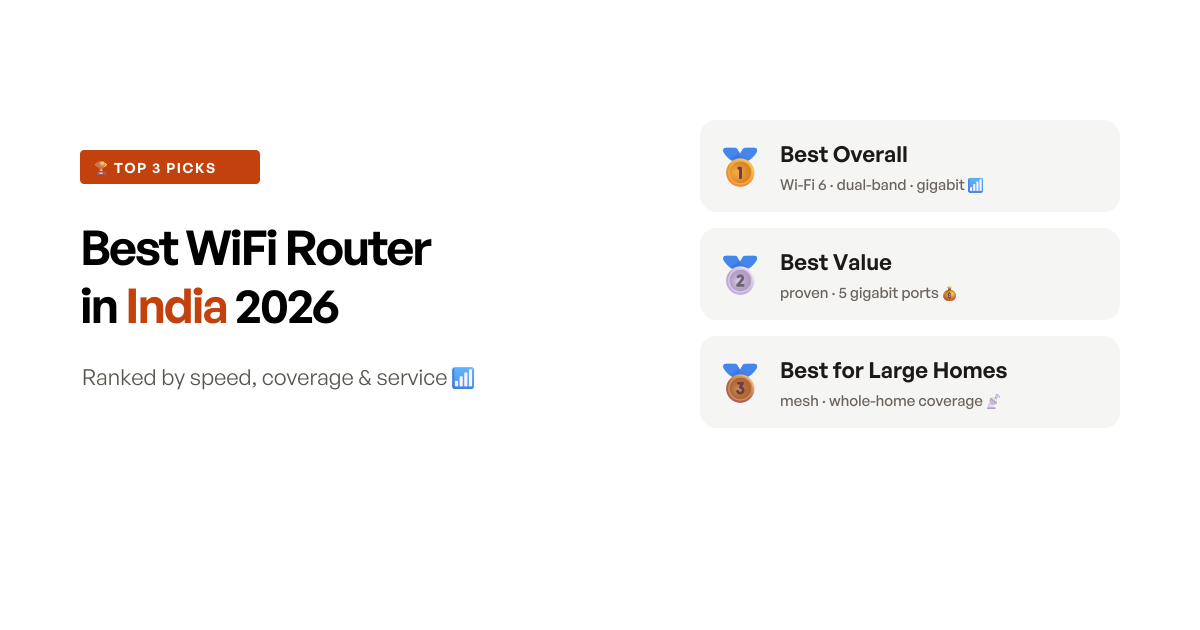
The quick answer
The TP-Link Archer AX12 wins because it is the sensible default a 2026 buyer should reach for: Wi-Fi 6, WPA3 security and OFDMA - the features that keep a device-heavy home from stuttering - for about Rs1,000 more than the ageing AC1200 workhorse, and behind the widest service network of any brand here. On a normal 100-300 Mbps fibre line it has speed to spare, and its gigabit ports and four antennas cover the fundamentals. If you would rather save the money and skip the Wi-Fi 6 badge, the Archer C6 is the proven value pick with five gigabit ports - but the one thing no single router fixes is a big or multi-floor home, and for that the Deco X50 mesh is the honest answer.
Quick comparison
Eight picks side by side, ranked by score - the Wi-Fi standard and bands, the speed class, the ports, the use case each one wins, and a Buy button for the impatient.
- 9.0 scoreBest overall
TP-Link Archer AX12 AX1500 Wi-Fi 6 Router
The sensible 2026 default - Wi-Fi 6, WPA3 and gigabit for barely more than the old AC1200, as long as one router suits your floor plan.
Read the reviewapprox. ₹3,799 - 8.8 scoreBest value
TP-Link Archer C6 AC1200 Dual-Band Router
The proven India value pick - dual-band gigabit with five gigabit ports at under Rs3,000 - if you can live without Wi-Fi 6.
Read the reviewapprox. ₹2,799 - 8.6 scoreBest for large homes
TP-Link Deco X50 AX3000 Whole-Home Mesh (3-Pack)
Real whole-home Wi-Fi 6 for a 2-3 floor or thick-walled house - if you place the nodes well and check which hardware version you get.
Read the reviewapprox. ₹20,499 - 8.3 scoreBest for power users
ASUS RT-AX53U AX1800 Wi-Fi 6 Router
The tinkerer's router - USB port, AiMesh, free-for-life security and OpenWRT/VPN support - if you will actually use the features and can accept slower ASUS service.
Read the reviewapprox. ₹4,999 - 8.1 scoreBest for busy homes
TP-Link Archer AX23 AX1800 Wi-Fi 6 Router
More antennas and airtime than the AX12 for a device-packed home - provided you get a stable unit, as a minority need a reboot habit.
Read the reviewapprox. ₹5,499 - 7.9 scoreBest value mesh
TP-Link Deco M4 AC1200 Whole-Home Mesh (2-Pack)
The cheapest way into a real 2-unit mesh - easy and seamless - if you accept Wi-Fi 5 and only a one-year warranty.
Read the reviewapprox. ₹10,499 - 7.7 scoreBest 4G SIM router
TP-Link TL-MR100 4G LTE SIM Router
The pick for a home with no fixed-line broadband - drop in a 4G SIM and go - as long as you accept modest single-band speed.
Read the reviewapprox. ₹3,599 - 7.6 scoreBest budget basic
TP-Link TL-WR845N N300 Wi-Fi Router
The cheapest genuinely usable router - fine for a 1BHK and a handful of devices, and honest about being nothing more.
Read the reviewapprox. ₹1,029
How we shortlisted
“Best WiFi router” is a deceptively broad search, so the first job was to draw a boundary. We left out the accessories that clutter the results - Wi-Fi range extenders (a different, weaker fix than a proper router), the mini-UPS units that keep a router powered through a cut, wall mounts and EMF “guards” - and focused on actual routers people run as their main connection, from Rs1,000 budget boxes to Rs20,000 mesh kits. We screened for enough verified reviews to judge, then scored the evidence rather than the spec sheet.
The number that misleads most in this category is the one printed largest: the speed rating - AX1500, AX1800, AX3000. It is the theoretical sum of both radio bands under lab conditions, and you will almost never see it. Your real ceiling is whichever is lower of your broadband plan and what survives the trip through a brick wall, so on a 100-300 Mbps line a Rs2,800 router and a Rs5,500 one deliver the same speed to the same laptop in the same room. What actually separates them shows up elsewhere: how many devices they juggle before stuttering (where Wi-Fi 6’s OFDMA earns its keep - a house full of always-on WiFi security cameras is exactly the load that exposes a weak one), whether the 5GHz band reaches the far bedroom at all (a job for mesh, not more antennas), and how they behave in year two.
So we scored on bands, honest coverage for a floor plan, and after-sales, not the headline figure - and that gave us eight distinct archetypes: the Wi-Fi 6 default (AX12), the value workhorse (C6), the large-home mesh (X50), the power-user router (ASUS RT-AX53U), the busy-home Wi-Fi 6 step-up (AX23), the affordable mesh (Deco M4), the no-broadband 4G SIM pick (MR100), and the rock-bottom budget basic (WR845N). What moved the rankings beyond the specs was the failure pattern in the reviews - single-band routers bottlenecking a fast plan, mesh coverage that collapsed with poor node placement, and two popular models whose recent reviews are a wall of dead-on-arrival and short-range complaints, which is why they are in the rejects, not the list.
At a glance: 8 routers, what each one is best for
| Router | Wi-Fi · Bands | Speed class | Ports | Best for | Price (approx.) |
|---|---|---|---|---|---|
| TP-Link Archer AX12 | Wi-Fi 6 · dual-band | AX1500 | Gigabit | Best overall | ₹3,799 |
| TP-Link Archer C6 | Wi-Fi 5 · dual-band | AC1200 | 5x Gigabit | Best value | ₹2,799 |
| TP-Link Deco X50 (3-pack) | Wi-Fi 6 mesh · dual-band | AX3000 | Gigabit | Large homes | ₹20,499 |
| ASUS RT-AX53U | Wi-Fi 6 · dual-band | AX1800 | Gigabit + USB | Power users | ₹4,999 |
| TP-Link Archer AX23 | Wi-Fi 6 · dual-band | AX1800 | Gigabit | Busy homes | ₹5,499 |
| TP-Link Deco M4 (2-pack) | Wi-Fi 5 mesh · dual-band | AC1200 | Gigabit | Value mesh | ₹10,499 |
| TP-Link TL-MR100 | Wi-Fi 4 · single-band 4G | N300 (LTE 150) | 4G SIM | No fixed line | ₹3,599 |
| TP-Link WR845N | Wi-Fi 4 · single-band | N300 | 10/100 | Budget basic | ₹1,029 |
The 8 picks, reviewed
1. TP-Link Archer AX12 - best WiFi router overall
The Archer AX12 wins this round by being the router most people should actually buy in 2026. For years the default answer to “which router” was a dual-band AC1200 like the Archer C6, and it was a good answer. What has changed is the price of Wi-Fi 6: the AX12 brings the newer standard, WPA3 security and - crucially - OFDMA for about Rs1,000 more than the old workhorse. On a normal 100-300 Mbps fibre line the raw speed is identical to a cheaper router, but OFDMA is what keeps a home full of phones, laptops and a TV responsive when they are all online at once, where Wi-Fi 5 begins to choke.
Owners bear out the headline: real gigabit-class speeds on the 5GHz band close to the router - one runs wireless VR off it without complaint - and quick setup through TP-Link’s Tether app. Four antennas with beamforming and gigabit ports on both WAN and LAN cover the fundamentals, and it is backed by the same 3-year warranty and the deepest service network of any brand here, which is not a small thing when a router fails in month ten.
The honest caveat is the one that applies to every single router: range through brick. One owner measured the 5GHz signal dropping to around 20% in the next bedroom of a 600 sq ft flat, and another found it fell short in anything bigger than a 2BHK. That is physics, not a defect - a single unit is single-room-strong, and a 3BHK or a two-floor home will have dead spots no antenna count fixes. Place it centrally and high and it covers a normal flat well; if your problem is a large layout, that is a job for mesh, not this router.
Key specifications
- Wi-Fi
- Wi-Fi 6 (802.11ax), dual-band
- Speed class
- AX1500 (1201 Mbps @ 5GHz + 300 Mbps @ 2.4GHz)
- Antennas
- 4 fixed external + beamforming
- Ports
- Gigabit WAN + 3x Gigabit LAN
- Features
- OFDMA, MU-MIMO, WPA3, QoS, parental controls
- Setup
- TP-Link Tether app / web
- Warranty
- 3 years (TP-Link India)
Pros
- It brings Wi-Fi 6, OFDMA and WPA3 to the sub-Rs4,000 shelf, so a device-heavy home stays smooth where a Wi-Fi 5 router starts to stutter - for barely more than the old AC1200 workhorse
- Owners get real gigabit-class speed on 5GHz close to the router - one runs wireless VR off it happily - which is more than enough headroom for any 100-300 Mbps Indian fibre plan
- Setup through the Tether app is quick, and it is backed by TP-Link's 3-year warranty and the deepest service network of any brand here
- Four antennas with beamforming and gigabit ports on both WAN and LAN cover the fundamentals without you paying for features you will not use
Cons
- The 5GHz range fades through brick - one owner measured signal dropping to around 20% in the next bedroom of a 600 sq ft flat, so it is a single-room-strong router, not a whole-home one
- It is a single unit: a 3BHK or a two-floor home will have dead spots no amount of antennas fixes - that is a job for mesh
- The casing is plain plastic and a couple of buyers felt the build was cheap for the price
- As with any single router, coverage past one or two walls is ordinary; place it centrally and high or you will feel it
Who should buy this
The typical 1BHK or 2BHK household on a fibre or cable line who wants to buy once and stop thinking about the router. Wi-Fi 6, WPA3 and OFDMA are genuinely worth the small premium over a Wi-Fi 5 router if several phones, laptops and a TV are online at once, and TP-Link's service network means a warranty claim is not a lottery. Best as the main router for a normal flat where one well-placed unit can cover the rooms you actually use.
Skip if
Skip if your home is a 3BHK or spans two floors, because a single router's 5GHz simply will not reach every room through brick - the Deco X50 mesh is the honest fix for that layout, even though it costs several times as much.
Ready to buy?
TP-Link Archer AX12 AX1500 Wi-Fi 6 Router
2. TP-Link Archer C6 - best value WiFi router
The Archer C6 is the router that earned the reputation the whole category now measures against. It is a dual-band AC1200 with the largest, most proven owner base in this list, and buyers return to the same verdict over and over: value for money that simply works. For under Rs3,000 you get fast 5GHz Wi-Fi, and unusually, five gigabit ports - one WAN and four LAN - which is more wired connectivity than almost anything at the price, enough for a desktop, a console and a NAS at once.
Its other quiet strength is Access Point mode, which owners single out: plenty of people buy the C6 not to replace their ISP box but to bolt fast 5GHz onto it, and it does that job cleanly. Setup is straightforward, and it carries the same 3-year TP-Link warranty and service reach as the pricier Archer models. For a normal flat on a 100-300 Mbps line, it delivers the same real-world speed to your laptop as routers costing twice as much.
The reasons it sits second, not first, are two. It is Wi-Fi 5, so it lacks the OFDMA future-proofing the AX12 adds for about Rs1,000 more. And there is a real minority of owners who report the unit dropping connection or failing inside the first year - random 15-second timeouts after a couple of months, or a total failure at six. That is not the majority experience, and DOA units are an Amazon logistics risk to catch in the return window, but it is why the score sits a notch below a clean sheet rather than at the top.
Key specifications
- Wi-Fi
- Wi-Fi 5 (802.11ac), dual-band
- Speed class
- AC1200 (867 Mbps @ 5GHz + 300 Mbps @ 2.4GHz)
- Antennas
- 4 external + 1 internal, MU-MIMO
- Ports
- 5x Gigabit (1 WAN + 4 LAN)
- Modes
- Router / Access Point
- Warranty
- 3 years (TP-Link India)
Pros
- It is the proven value benchmark - dual-band gigabit with the largest owner base here, and buyers repeatedly call it value for money that simply works
- Five gigabit ports (one WAN, four LAN) is more wired connectivity than almost anything at the price, handy for a desktop, a console and a NAS at once
- Access Point mode is singled out by owners who use it to add fast 5GHz to an existing ISP router, and setup is straightforward
- It carries the same 3-year TP-Link warranty and service reach as the pricier Archer models
Cons
- It is Wi-Fi 5, not Wi-Fi 6 - fine today, but the AX12 future-proofs you for about Rs1,000 more
- A real minority report the unit dropping connection or dying inside the first year - one saw random 15-second timeouts after two months, another a total failure at six
- 5GHz range through a closed door or a wall is ordinary, as owners note when the signal weakens a room away
- A few units arrive dead or with a missing accessory, an Amazon logistics risk to catch inside the return window
Who should buy this
The value-focused buyer who wants a dependable dual-band router and does not care about the Wi-Fi 6 badge. For a normal flat on a 100-300 Mbps line it delivers the same real-world speed to your laptop as pricier routers, adds four gigabit LAN ports for wired gear, and has the longest track record of anything here. Best for someone who wants a safe, cheap, well-supported router and will happily skip the newest standard.
Skip if
Skip if you want Wi-Fi 6 future-proofing or WPA3 security, because the C6 is Wi-Fi 5 only - for about Rs1,000 more the Archer AX12 gives you both and the OFDMA that keeps a busy home smooth.
Ready to buy?
TP-Link Archer C6 AC1200 Dual-Band Router
3. TP-Link Deco X50 - best for large homes
Everything above this point is a single router, and every one of them hits the same wall: coverage. The Deco X50 is the answer when coverage, not speed, is the problem you are solving. It is a three-unit Wi-Fi 6 mesh - three nodes you place around the home, all sharing one network name - and owners with 2,000-3,000 sq ft concrete-wall homes report seamless whole-house Wi-Fi that no single router could manage. The roaming is genuinely seamless: your phone hands off room to room without dropping a call or a download, which is the entire point of mesh over a range extender.
Each node has gigabit ports, and the set supports Wi-Fi 6, WPA3 and Alexa, so it is a forward-looking backbone rather than a stopgap, backed by the full 3-year TP-Link warranty that some cheaper mesh kits do not match. A 4K stream to a smart TV needs only around 25 Mbps, so this is never about raw throughput - it is about that stream not dropping when you carry the tablet to the far bedroom.
Two caveats keep it honest. Coverage depends heavily on where you place the nodes and on line-of-sight - a couple of owners with poor placement saw disappointing range even in a small flat, which is a setup problem more than a product one. And hardware version matters: some units ship with two internal antennas (V1/V2) and others with three (V3), which changes coverage, so check what you actually receive and update the firmware on all three nodes on day one, as a minority reported instability until they did.
Key specifications
- Wi-Fi
- Wi-Fi 6 (802.11ax), dual-band mesh
- Speed class
- AX3000 per unit
- Pack
- 3 nodes, coverage up to ~6,500 sq ft
- Ports
- Gigabit on each unit
- Features
- AI-driven mesh, WPA3, guest network, Alexa
- Warranty
- 3 years (TP-Link India)
Pros
- It is a genuine whole-home solution - owners with 2,000-3,000 sq ft concrete-wall homes report seamless coverage that a single router could never manage
- Roaming is truly seamless: one SSID across all three nodes, so your phone hands off room to room without dropping the call or the download
- Each node has gigabit ports and the set supports Wi-Fi 6, WPA3 and Alexa, so it is a forward-looking backbone rather than a stopgap
- The 3-year warranty matches TP-Link's standalone routers, unlike some cheaper mesh kits
Cons
- Coverage depends heavily on node placement and line-of-sight - a couple of owners with poor placement saw disappointing range even in a small flat
- Hardware version matters: some units ship with two internal antennas (V1/V2) and others three (V3), which changes coverage, so check what you receive
- It is expensive, and overkill for a single-floor 1-2BHK where one standalone router would do
- A minority report instability until a firmware update, so update all nodes on day one
Who should buy this
The buyer with a large or multi-floor home - a duplex, a 3-4BHK, or a house with thick concrete walls - who is tired of dead zones and repeaters that halve the speed. Three Wi-Fi 6 nodes on one seamless network is the right tool for that layout, and the gigabit ports and 3-year warranty make it a backbone you keep for years. Best where coverage, not price, is the problem you are actually solving.
Skip if
Skip if your home is a single-floor 1-2BHK, because you are paying several times over for coverage you will not use - a single Archer AX12 or AX23 does the job for a fraction, and you avoid the node-placement fiddle entirely.
Ready to buy?
TP-Link Deco X50 AX3000 Whole-Home Mesh (3-Pack)
4. ASUS RT-AX53U - best for power users
The ASUS RT-AX53U is the router for the person who sees a router as network kit to configure, not an appliance to forget. On paper it is an AX1800 Wi-Fi 6 dual-band router like several others here, but what sets it apart is the software and the extras: a USB 2.0 port for network storage or a 4G dongle, AiMesh so you can extend into a mesh with more ASUS units later, dual-WAN for failover between two lines, and AiProtection network security that is genuinely free for life rather than a subscription.
Power users buy it for exactly those features, and the reviews reflect it - “best router for VPN”, “must buy for OpenWRT”, and owners running load-balanced dual-WAN setups all rate it highly. If you want a router you can flash with OpenWRT, run a VPN server on, or grow into a mesh, this is the one here that welcomes it. Wi-Fi 6, gigabit ports and a 3-year warranty sit underneath the enthusiast layer.
It is not for everyone, and the reviews are honest about why. A recurring cluster report the router rebooting itself at random and the ASUSWRT interface feeling sluggish and dated. ASUS after-sales is also slower than TP-Link’s - one owner waited over 25 days for a replacement - which is the kind of India service reality our score has to weight. And if you only want plain, reliable Wi-Fi, this is more router and more money than you need; one owner flatly preferred the cheaper Archer C6, and for their use they were right.
Key specifications
- Wi-Fi
- Wi-Fi 6 (802.11ax), dual-band
- Speed class
- AX1800 (1201 Mbps @ 5GHz + 574 Mbps @ 2.4GHz)
- Ports
- Gigabit WAN + LAN, plus USB 2.0
- Software
- ASUSWRT, AiMesh, AiProtection (free lifetime)
- Extras
- VPN server/client, dual-WAN, OpenWRT-friendly
- Warranty
- 3 years (ASUS India)
Pros
- It carries features the cheaper picks lack - a USB port, AiMesh, dual-WAN failover and free-for-life AiProtection security - that power users specifically buy it for
- Owners running a VPN, an OpenWRT build or a load-balanced dual-WAN setup rate it highly - 'best router for VPN', 'must buy for OpenWRT' recur in the reviews
- AiMesh means you can start with one unit and add ASUS nodes later to build a mesh, rather than replacing the router
- Wi-Fi 6, gigabit ports and a 3-year warranty cover the basics on top of the enthusiast features
Cons
- A recurring cluster report the router rebooting itself at random, and the ASUSWRT management interface as sluggish and dated (no HTTPS even when enabled)
- ASUS after-sales is slower than TP-Link's - one owner waited over 25 days for a replacement
- If you only want plain Wi-Fi, it is more router and more money than you need - one owner flatly preferred the cheaper Archer C6
- Some advanced VPN features (a WireGuard client) are absent despite the price and enthusiast billing
Who should buy this
The tinkerer or work-from-home power user who will genuinely use the extras - a VPN server for remote access, a USB drive shared across the network, dual-WAN failover between two lines, or an OpenWRT build. For that buyer the free lifetime security and AiMesh path are real value. Best for someone who sees the router as a piece of network kit to configure, not an appliance to forget.
Skip if
Skip if you just want plain, reliable Wi-Fi and will never touch VPN, USB sharing or OpenWRT - the features are wasted, and TP-Link's Archer C6 is cheaper, simpler and backed by faster service.
Ready to buy?
ASUS RT-AX53U AX1800 Wi-Fi 6 Router
5. TP-Link Archer AX23 - best for busy homes
The Archer AX23 is the AX12’s bigger sibling: same Wi-Fi 6 standard, but an AX1800 rating and four antennas instead of the entry model’s setup, aimed at the device-dense home. Where it earns its place is airtime headroom - when a dozen-plus phones, laptops, TVs and smart-home gadgets are all fighting for the router’s attention, the extra capacity keeps everything responsive. Owners report high speeds and easy configuration, and like the others it doubles as an access point for an existing network.
For a busy 2-3BHK on a fast line with a lot going on wirelessly, it is a sensible step up from a basic router, with full gigabit ports, WPA3 and OFDMA and the same 3-year TP-Link warranty as the rest of the Archer line. The tablets , laptops, streaming boxes and even the home printer that pile up in a modern home are exactly the load Wi-Fi 6’s airtime handling is built for - and a flaky router is often what a “printer won’t connect” complaint really is.
The reason it sits below the cheaper AX12 rather than above it is reliability signal. A recurring set of owners report the AX23 rebooting or disconnecting at random - some resort to a daily scheduled reboot to keep it steady - and its range is not meaningfully better than the AX12 for most homes, so you are paying mainly for capacity, not reach. The Tether app draws complaints, and a flaky unit is awkward to return where a listing offers no easy replacement. Buy it for the device count, not for coverage, and check it settles in stably over the first week.
Key specifications
- Wi-Fi
- Wi-Fi 6 (802.11ax), dual-band
- Speed class
- AX1800 (1201 Mbps @ 5GHz + 574 Mbps @ 2.4GHz)
- Antennas
- 4 external + beamforming
- Ports
- Gigabit WAN + 4x Gigabit LAN
- Features
- OFDMA, MU-MIMO, WPA3, Access Point mode
- Warranty
- 3 years (TP-Link India)
Pros
- The AX1800 rating and four antennas give more airtime headroom than the AX12, which helps when a dozen-plus devices are online at once
- Owners report high speeds and easy configuration, and it doubles as an access point for an existing setup
- Full gigabit ports, WPA3 and OFDMA make it a capable Wi-Fi 6 router for a larger, busier flat
- Same 3-year TP-Link warranty and service reach as the rest of the Archer line
Cons
- A recurring set of owners report random reboots and disconnects - some resort to a daily scheduled reboot to keep it stable
- Its range is not meaningfully better than the cheaper AX12 for most homes, so you are paying mainly for airtime capacity
- The Tether app draws complaints, and a flaky unit is hard to return since some listings offer no easy replacement
- One owner alleges the device slows after a year or two - unverified, but the reboot pattern is real in the reviews
Who should buy this
The larger, device-dense household - many phones, laptops, a couple of TVs, smart-home gear - where the extra antennas and AX1800 airtime genuinely help everything stay responsive at once. If you have outgrown a basic router and want Wi-Fi 6 with more headroom than the entry model, this is the step up. Best for a busy 2-3BHK on a fast line with a lot going on wirelessly.
Skip if
Skip if you do not have a dozen-plus devices, because the cheaper Archer AX12 delivers the same real-world speed to a normal home - and a minority of AX23 units need a daily reboot you would rather not sign up for.
Ready to buy?
TP-Link Archer AX23 AX1800 Wi-Fi 6 Router
6. TP-Link Deco M4 - best value mesh
The Deco M4 is the cheapest genuine way into mesh, and for a home that is too big for one router but cannot justify the X50’s price, it fills a real gap. It is a two-unit AC1200 mesh, and owners praise the seamless coverage and consistent speed across a mid-sized home when the nodes are placed well - one network name, no manual switching between them. Setup through the Deco app is genuinely easy, and each node has two gigabit ports, so you can wire a node back to your ONT for a faster backhaul or plug in a TV.
At around Rs10,500 it does the mesh job for half the X50’s outlay, which for a lot of 2-3BHK homes with one or two weak rooms is exactly the right amount to spend.
But two compromises keep it in the marginal tier, and both are worth knowing before you buy. It is Wi-Fi 5, not Wi-Fi 6, so it lacks OFDMA for very device-heavy homes. And the warranty is just one year - a third of the three-year cover on almost every other TP-Link router here, and the single biggest catch on an otherwise sensible kit. Coverage also needs decent node placement and struggles through thick walls, and a minority hit units that would not pair or kept reverting to the main node, so confirm the mesh forms correctly the day it arrives.
Key specifications
- Wi-Fi
- Wi-Fi 5 (802.11ac), dual-band mesh
- Speed class
- AC1200 per unit
- Pack
- 2 nodes, coverage up to ~4,000 sq ft
- Ports
- 2x Gigabit per unit
- Features
- Seamless roaming, WPA3, Alexa
- Warranty
- 1 year (TP-Link India)
Pros
- It is the cheapest route into a true two-unit mesh, and owners praise the seamless coverage and consistent speed across a mid-sized home when the nodes are well placed
- Setup is genuinely easy through the Deco app, and roaming between nodes is smooth - one network, no manual switching
- Two gigabit ports per node means you can wire a node to your ONT for a faster backhaul, or plug in a TV or console
- For a home too big for one router but not big enough for the X50, it hits a real price gap
Cons
- It is Wi-Fi 5, not Wi-Fi 6, so it lacks OFDMA for very device-heavy homes
- The warranty is just one year - a third of the cover on most TP-Link routers here, and the single biggest catch
- Coverage needs decent node placement and struggles through thick walls; some owners found range short until they moved the second unit
- A minority hit units that would not pair or kept reverting to the main node, so test the mesh forms correctly on arrival
Who should buy this
The buyer with a home too large for one router but who cannot justify the X50's price - a mid-sized 2-3BHK where a single unit leaves one or two rooms weak. As an easy, seamless, affordable mesh it does the job, provided you place the second node sensibly. Best for stretching coverage on a budget, with eyes open about the Wi-Fi 5 standard and the shorter warranty.
Skip if
Skip if you want Wi-Fi 6 and the full three-year cover, because the M4 is Wi-Fi 5 with only a one-year warranty - the Deco X50 is the longer-term mesh if the budget stretches to it.
Ready to buy?
TP-Link Deco M4 AC1200 Whole-Home Mesh (2-Pack)
7. TP-Link TL-MR100 - best 4G SIM router
The TL-MR100 solves a problem none of the others can: internet where there is no fixed line. Instead of a broadband cable, it takes a 4G SIM and broadcasts Wi-Fi from it - insert the SIM, and you are online, with no fibre installation to wait for. Owners confirm it works with common carriers including BSNL, and it is equally useful as a backup connection for when your fibre goes down. For a home, shop or site off the fibre map, that is genuinely valuable, and it covers up to 32 devices with the same 3-year TP-Link warranty as the rest.
Where it needs honesty is speed and reliability. It is single-band 2.4GHz N300, so real-world speed is modest and entirely dependent on your local 4G signal - fine for browsing and video for a small household, not a router for heavy use. More concerning, a real cluster of owners report early failures, dead within days or a few weeks, and speed collapses where cellular coverage is weak, which is exactly the rural setting where a SIM router is most tempting. Service centres that handle it are also thin outside the cities.
Treat it as a purpose-built tool: buy it sold and shipped by Amazon, test it hard inside the return window, and only reach for it when a fixed line genuinely is not an option. If you have normal broadband, you do not need it at all.
Key specifications
- Type
- 4G LTE SIM router (no broadband line required)
- Cellular
- 4G LTE Cat4, up to 150 Mbps down / 50 Mbps up
- Wi-Fi
- Wi-Fi 4 (802.11n), single-band 2.4GHz N300
- Capacity
- up to 32 devices
- Setup
- Plug and play, parental controls, guest mode
- Warranty
- 3 years (TP-Link India)
Pros
- It solves a real problem the other routers cannot - a home or shop with no fixed-line broadband can run Wi-Fi off any 4G SIM, and owners confirm it works with carriers like BSNL
- Plug-and-play setup means you insert a SIM and you are online, with no fibre installation to wait for
- It doubles as a dependable backup line for when your fibre goes down, and covers up to 32 devices
- The Wi-Fi range is decent for its class and it carries the same 3-year TP-Link warranty
Cons
- It is single-band 2.4GHz N300 only, so real-world speed is modest and capped by your local 4G signal - not a router for a heavy-usage household
- A real cluster of owners report early failures - dead within days or a few weeks - which drags the score down
- Speed collapses where cellular coverage is weak, exactly the rural areas where a SIM router is most tempting
- Service centres that handle it are thin outside the cities, so lean on the Amazon return window if a unit is faulty
Who should buy this
The household, shop or site with no fibre or cable line - or anyone who wants a backup connection for fibre outages. If your only internet is a mobile network, dropping a SIM into this and getting Wi-Fi for the family is exactly its job, and it is simple to set up. Best where a fixed line is unavailable or unreliable and a 4G SIM is the practical source of internet.
Skip if
Skip if you already have a normal fibre or cable connection, because you do not need a SIM router at all - any dual-band pick like the Archer C6 will be faster and steadier; the MR100 only makes sense when there is no fixed line to plug into.
Ready to buy?
TP-Link TL-MR100 4G LTE SIM Router
8. TP-Link WR845N - best budget basic
The WR845N is the cheapest router here that is genuinely usable, and it earns its place by being honest about what it is. For around Rs1,000 you get a single-band 2.4GHz N300 router with three high-gain antennas that, for a 1BHK with a couple of phones and a laptop on a modest plan, does the basic job. Setup is plug-and-play, it supports Access Point, Repeater and WISP modes so it can extend a network rather than only replace one, and it still carries a 3-year warranty, which is unusual at this price.
The limits are exactly what the price implies, and you should go in knowing them. It is single-band 2.4GHz Wi-Fi 4 with 10/100 - not gigabit - ports, so it physically caps a wired connection at 100 Mbps and bogs down when many devices pile on. There is no 5GHz band at all. And a real minority report the network dropping and needing frequent resets, or the unit failing within months, with owners noting sustained speeds under 50 Mbps and weak signal a room away.
None of that disqualifies it for genuinely light, cheapest-possible needs - a hostel room, a spare, a second bedroom. It just means you should buy it for those, and not ask it to run a busy household on a fast plan.
Key specifications
- Wi-Fi
- Wi-Fi 4 (802.11n), single-band 2.4GHz
- Speed class
- N300 (up to 300 Mbps)
- Antennas
- Three 5dBi high-gain
- Ports
- 10/100 (not gigabit) - 1 WAN + 4 LAN
- Modes
- Router / Access Point / Repeater / WISP
- Warranty
- 3 years (TP-Link India)
Pros
- At around Rs1,000 it is the cheapest router here that is genuinely usable, and for a 1BHK with a few phones it does the basic job
- Three high-gain antennas and simple plug-and-play setup make it an easy first router or a spare
- It supports Access Point, Repeater and WISP modes, so it can extend an existing network rather than only replace one
- It still carries a 3-year warranty, unusual at this price
Cons
- It is single-band 2.4GHz Wi-Fi 4 with 10/100 (not gigabit) ports, so it caps well below what a 100 Mbps-plus plan can deliver and bogs down with many devices
- A real minority report the network dropping and needing frequent resets, or the unit failing within months
- Range and sustained speed are basic - owners note speeds under 50 Mbps and weak signal a room away
- The extender mode is unreliable for some, and there is no 5GHz band at all
Who should buy this
The buyer who needs the cheapest possible working router for a small flat, a hostel room or a second bedroom - a 1BHK with a couple of phones and a laptop on a modest plan. Within those limits it is fine and honestly priced, and the mode options make it a handy spare. Best only where the demands are genuinely light and the budget is the hard constraint.
Skip if
Skip if you have more than a handful of devices or a plan above about 100 Mbps, because its single 2.4GHz band and 10/100 ports will bottleneck you - step up to the dual-band gigabit Archer C6, which is the value pick for a reason.
Ready to buy?
TP-Link TL-WR845N N300 Wi-Fi Router
The features explained, in plain English
Router listings lean on a handful of terms that sound technical but decide everything about how the thing performs. Here is what actually matters.
Bands - single-band versus dual-band, and 2.4GHz versus 5GHz. A Wi-Fi router broadcasts on radio frequencies called bands. The 2.4GHz band travels far and passes through walls better, but it is slow and crowded - every neighbour’s router and every microwave is on it. The 5GHz band is much faster and far less congested, but its range is shorter and it fades through brick. A single-band router (the budget WR845N, the 4G MR100) has only 2.4GHz - fine for a few devices, a bottleneck for anything more. A dual-band router runs both at once, so your fast devices use 5GHz while older ones stay on 2.4GHz. Dual-band is the sensible floor for any real home.
Wi-Fi generations and OFDMA - what Wi-Fi 6 actually adds. Wi-Fi 4, 5 and 6 (you will also see 802.11n, 802.11ac and 802.11ax) are successive standards. The jump most people care about is Wi-Fi 5 to Wi-Fi 6, and the real benefit is not top speed - it is a feature called OFDMA that lets the router serve many devices in the same airtime slot instead of one at a time. In a home with a dozen-plus connected things, that is the difference between smooth and stuttering. On a light network, Wi-Fi 5 is still perfectly fine.
The speed rating - why AX1500 is not the speed you get. That AX1500, AX1800 or AX3000 on the box is the theoretical combined maximum of both bands under lab conditions. You will never see it on a device, because your real ceiling is whichever is lower of your broadband plan and what survives the walls. On a 300 Mbps line, an AC1200 and an AX3000 router deliver the same speed to your laptop in the same room. Do not buy a bigger number expecting a faster internet; buy the right bands and good placement.
Gigabit versus 10/100 ports. The wired ports on the back matter more than people expect. Gigabit ports carry up to 1,000 Mbps; the older 10/100 ports (on the budget WR845N) cap at 100 Mbps. If your plan is above 100 Mbps and you plug a device in with a cable, a 10/100 router throttles it to 100 regardless of your plan or the Wi-Fi rating. For any modern plan, gigabit ports are the ones to want.
Complete buying guide
How much should you actually spend on a WiFi router?
Router prices span a huge range, and most of it is coverage and capacity, not internet speed - so match your spend to your home and your device count, not to the biggest number you can afford. Here is the honest map:
- Under Rs1,500 - single-band basics (WR845N). A 1BHK and a handful of devices, nothing more. Fine within those limits, a bottleneck beyond them.
- Rs2,500-4,000 - the value sweet spot (Archer C6, Archer AX12). Dual-band gigabit, either proven Wi-Fi 5 or entry Wi-Fi 6. This is where most people should shop.
- Rs5,000-6,000 - more capacity or features (Archer AX23, ASUS RT-AX53U). Higher Wi-Fi 6 airtime for device-heavy homes, or a feature router for VPN, USB and OpenWRT tinkerers.
- Rs10,000-20,000+ - mesh for coverage (Deco M4, Deco X50). For large or multi-floor homes where one router leaves dead zones. You are buying reach, not speed.
- Around Rs3,600 - a 4G SIM router (MR100). A separate case entirely: only if you have no fixed-line broadband, or want a mobile backup.
For the overwhelming majority of Indian homes on a normal fibre line, the Rs2,500-4,000 dual-band tier is the right answer, and spending more only makes sense to solve a coverage problem or a specific feature need.
Single router or mesh - matching the router to your floor plan
The most important decision is not which brand, it is whether you need one router or a mesh, and your floor plan settles it. One good router covers a typical single-floor 1BHK or 2BHK comfortably - the constraint is never how much data a router can push, it is how far the signal travels before walls absorb it, and 5GHz in particular does not pass through brick well. If you have a 3-4BHK, two floors, a long layout or thick concrete walls, a single unit will leave dead zones no matter how many antennas it waves, and the fix is mesh: two or three nodes placed around the home on one seamless network. A range extender is the cheaper-looking alternative, but it typically halves the speed on the extended band and creates a second network to switch between - which is exactly why the Deco kits, which roam seamlessly, are the better answer for real coverage problems. If your problem really is one dead corner rather than a patchy house, our best WiFi extenders round-up covers that cheaper fix and is honest about what it costs you in speed.
Specs that matter, specs that don’t
Three specs genuinely drive the decision: the bands (dual-band is the floor), the Wi-Fi generation if your home is device-heavy (Wi-Fi 6 for the OFDMA, not the speed), and gigabit ports if your plan is above 100 Mbps. Everything else is mostly noise. The headline speed rating is theoretical and capped by your plan and your walls. Antenna count looks impressive but does not reliably predict range - placement matters far more than whether a router has three antennas or four. “Coverage up to X sq ft” figures are best-case, open-plan numbers that brick walls demolish. And processor or RAM specs almost never matter for a home router. Buy the bands, the generation and the ports that fit your home, place the router centrally and high, and ignore the rest of the carton.
Service, warranty and buying it right
Almost every router here carries a 3-year warranty - the notable exception is the Deco M4 at just one year, which is a real mark against it - but a warranty is only as good as the service behind it, and that is where the brands diverge. TP-Link has the deepest and most responsive network of the lot, which is a genuine reason it dominates this list; ASUS is capable but slower, with one owner waiting over 25 days for a replacement. The practical rules that these reviews reward: buy from a listing sold and shipped by Amazon or the brand’s own store, not a random reseller; keep the invoice and treat the first week as your real test window, because an Amazon return is far more reliable than a manufacturer claim; and film the unboxing, since dead-on-arrival units are the most common single complaint across every model. For smaller towns, a quick check that your brand has a reachable service centre before you buy is worth the two minutes.
When to buy and when to wait
Routers do not follow the fast upgrade cycle phones do - a good model stays on sale and relevant for years, so there is little fear of buying just before something far better lands. The real lever is price. The big sale events - the Great Indian Festival around October, and the Republic Day and summer sales - reliably knock a useful chunk off routers, and several owners noted buying theirs on a sale for noticeably less. If your need is not urgent, timing the purchase to one of those windows is the easy saving. The one genuine “wait” case is Wi-Fi 7: it exists at the top of the market now but is expensive and pointless for anyone on a sub-gigabit plan - there is no reason to pay for it today, and by the time it matters it will be far cheaper.
What we don’t recommend (and why)
Two popular routers came up in the search that we deliberately left off the list. The first is the Tenda AC10, an AC1200 dual-band router that looks like a value rival to the Archer C6 on paper and at the price - but its recent verified reviews are a wall of trouble: a large share are dead-on-arrival or “stopped working within a month”, with repeated complaints of weak 2.4GHz transmit power. When half the recent feedback is failure, no amount of spec-sheet value redeems it, and the C6 is the safer buy for similar money. The second is the D-Link M30, a Wi-Fi 6 router marketed on covering up to 2,800 sq ft - a claim its own owners demolish, with “hardly covers 200 sq ft” and poor range in a mesh recurring again and again, alongside slow real-world throughput. A router whose single selling point is coverage, and which fails on coverage, does not belong on a best list. If you want Wi-Fi 6 at that budget, the Archer AX12 is the honest pick; if you want real coverage, spend up to a proper mesh.
Frequently asked questions
Which is the best WiFi router in India in 2026?
For most homes it is the TP-Link Archer AX12. It brings Wi-Fi 6, WPA3 security and OFDMA - the things that keep a device-heavy home smooth - to the sub-Rs4,000 shelf, for only about Rs1,000 more than the older AC1200 workhorse, and TP-Link's service network is the widest here. If you would rather save that money and skip the Wi-Fi 6 badge, the Archer C6 is the proven value pick with five gigabit ports. And if your problem is coverage rather than speed - a large or multi-floor home with dead zones - no single router fixes that, and the Deco X50 mesh is the right answer instead.
Is a Wi-Fi 6 router worth it over Wi-Fi 5 in India?
Mostly yes now, because the price gap has closed - the Wi-Fi 6 Archer AX12 costs only about Rs1,000 more than the Wi-Fi 5 Archer C6. But be clear about what Wi-Fi 6 does and does not give you. It does not make a single laptop download faster on a 100-300 Mbps line; both standards saturate that easily. What it adds is OFDMA, which lets the router talk to many devices at once more efficiently, so a home with a dozen-plus phones, laptops, TVs and smart-home gadgets stays responsive where Wi-Fi 5 starts to stutter. If your home is device-light, Wi-Fi 5 is genuinely fine; if it is busy, Wi-Fi 6 is worth the small premium.
Do I need a single-band or dual-band router?
Dual-band, unless your needs are very light. A single-band router uses only the 2.4GHz frequency, which travels far but is slow and crowded - fine for a 1BHK with a couple of phones, like the budget WR845N. A dual-band router adds the 5GHz band, which is much faster over short range and far less congested, and lets your fast devices use it while older ones stay on 2.4GHz. For anything beyond basic browsing on a handful of devices - streaming, video calls, several people online - dual-band is the sensible floor, which is why every pick above the budget tier here has it.
Do I need a mesh WiFi system or is one router enough?
Your floor plan decides, not your internet speed. A single good router covers a typical 1BHK or 2BHK on one floor comfortably - the issue is never how much a router can push, it is how far the signal travels before walls kill it. If you have a 3-4BHK, two floors, a long layout, or thick concrete walls, one router will leave dead zones no matter how many antennas it has, because 5GHz especially does not pass through brick well. That is what mesh solves: two or three units placed around the home, all on one network name, handing your phone off seamlessly as you move. For a big or multi-floor home, mesh like the Deco M4 or X50 is the right tool; for a normal flat, a single Archer AX12 or C6 is enough and far cheaper.
Which WiFi router is best for JioFiber, Airtel or ACT broadband?
Almost any dual-band gigabit router here works with JioFiber, Airtel Xstream or ACT - the ISP gives you an ONT (the fibre box), and you connect your own router to it, usually running the ISP box in bridge mode and letting your router handle Wi-Fi. The Archer C6 or AX12 are the natural pairings: gigabit ports to match a gigabit-capable ONT, and dual-band Wi-Fi that comfortably carries any current plan. The main thing to get right is that your router's WAN port is gigabit if your plan is above 100 Mbps, which all the dual-band picks here have. If your fibre box already gives good Wi-Fi across your whole flat, you may not need a separate router at all - but most ISP-supplied units are basic, and a better router noticeably improves range and stability.
What WiFi router speed do I need for a 100 Mbps or 300 Mbps plan?
Less than the box numbers suggest. A router's AX1500 or AC1200 rating is the theoretical combined speed of both bands under lab conditions - your real ceiling is whichever is lower of your plan and what survives the walls. For a 100 Mbps plan, any dual-band router with gigabit ports is ample; even the AC1200 Archer C6 has huge headroom. For 300 Mbps, the same routers are fine - just make sure the WAN and LAN ports are gigabit, because a router with 10/100 ports (like the budget WR845N) physically caps a wired connection at 100 Mbps regardless of your plan. You do not need an AX3000 or AX5400 router for a 300 Mbps line; you need a dual-band gigabit one placed well.
Which is the best 4G SIM WiFi router in India?
Of the ones we read, the TP-Link TL-MR100 is the pick for a home with no fixed-line broadband - you insert a 4G SIM and it broadcasts Wi-Fi, no fibre installation needed, and owners confirm it works with carriers including BSNL. It is genuinely useful where a wired line is unavailable, or as a backup for fibre outages. Two honest caveats: it is single-band 2.4GHz N300, so speeds are modest and entirely dependent on your local 4G signal, and there is a real cluster of early-failure reports, so buy it sold and shipped by Amazon and test it inside the return window. If you have a normal broadband line, you do not need a SIM router at all.
How many devices can a WiFi router handle?
More than the marketing 'up to 32 devices' figure implies in theory, but fewer than you would like in practice on an older router. The real limit is not a hard device count, it is airtime - how well the router juggles many devices all wanting data at once. This is exactly where Wi-Fi 6 and its OFDMA feature help: they let the router serve many clients in the same airtime slot, so a home full of phones, laptops, TVs and smart-home gadgets stays responsive. A Wi-Fi 5 router like the C6 handles a normal family fine, but if you have a genuinely device-dense home, a Wi-Fi 6 router with more antennas like the Archer AX23 holds up better under the load.
Do I need to buy a router if my ISP already gave me one?
Not always, but often it is worth it. The box your ISP supplies is usually a basic ONT-router combo tuned for cost, not coverage, and its Wi-Fi frequently struggles to reach every room of a flat. Buying your own router - and running the ISP box in bridge mode so it just passes the internet through - typically gives you noticeably better range, more stable connections and features like proper parental controls and guest networks. If your ISP unit already covers your home well and you have few devices, you can save the money. But weak Wi-Fi in the far bedroom is the single most common reason people buy a router like the Archer C6 or AX12, and it usually fixes it.
Which is the best budget WiFi router in India?
It depends how tight the budget is. At the very bottom, around Rs1,000, the TP-Link WR845N is the cheapest genuinely usable router - fine for a 1BHK with a couple of phones, but single-band 2.4GHz with 10/100 ports, so it bottlenecks quickly. The smarter budget buy for a few hundred rupees more is the dual-band gigabit Archer C6 at under Rs3,000: it adds the fast 5GHz band and gigabit ports, handles a real family's devices, and has the longest proven track record here. Unless money is the hard constraint, the C6 is the value pick; the WR845N is for genuinely light, cheapest-possible needs only.
The bottom line
There is no single best router, only the right one for your home and your device count - and for most people that is the TP-Link Archer AX12: Wi-Fi 6, WPA3 and the OFDMA that keeps a busy home smooth, for barely more than the old AC1200 standard, behind the widest service network here. If you would rather save the money, the Archer C6 is the proven value pick with five gigabit ports; if your home is large or multi-floor, no single router will do and the Deco X50 mesh is the honest answer, with the Deco M4 the cheaper mesh if the budget is tighter. The ASUS RT-AX53U is for tinkerers, the Archer AX23 for device-dense homes, the MR100 for homes with no fixed line, and the WR845N for the cheapest genuinely usable basics. Whichever you pick, place it centrally and high, pair it with a mini-UPS, and test it in the first week - those three habits fix more Wi-Fi complaints than a bigger number on the box ever will. We will refresh this review after the next big sale season with a fresh read of the verified reviews.