
Best Printer for Home in India 2026
A printer's box shouts print speed and page yield - numbers a home rarely uses. We read the recent verified-owner reviews on India's best-sellers and ranked seven, weighting true cost per page, whether it clogs or drops WiFi when idle, and who services it.
The quick answer
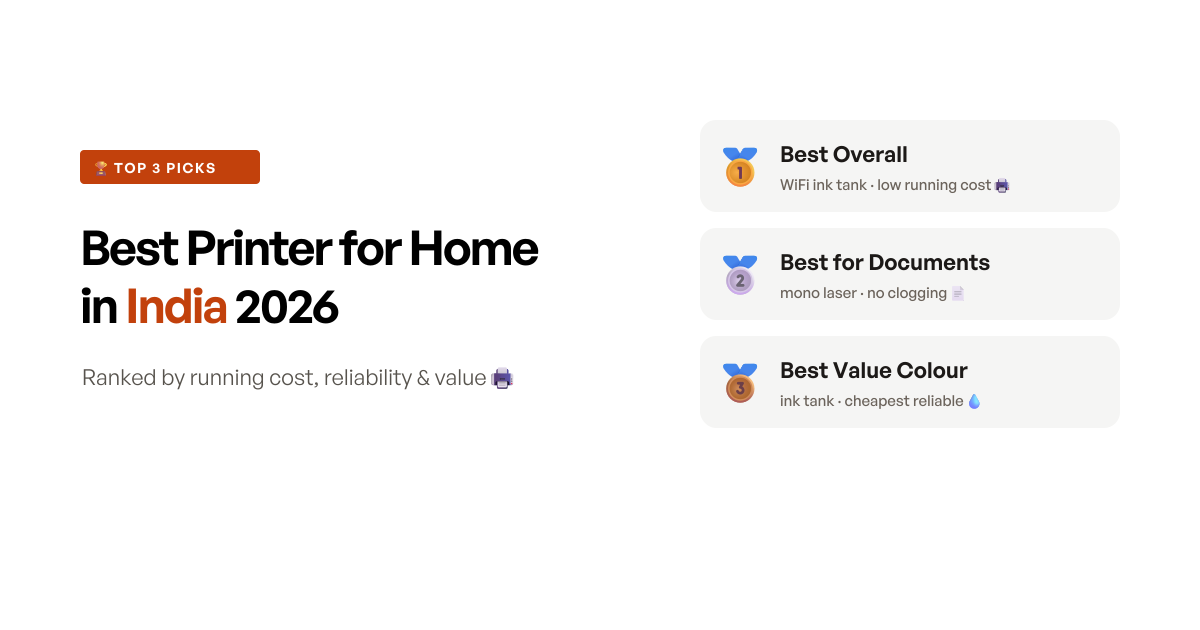
The Epson EcoTank L3250 wins because it does the boring things a home printer has to get right: refillable ink tanks that cost a fraction per page to run, WiFi that actually connects instead of fighting you, and print-scan-copy in one body - all backed by an Epson service network owners rate when a fault turns up. The single condition is that you use it occasionally, because like any ink-tank inkjet its head can clog if it sits idle for weeks. If your home mostly prints black-and-white documents and might go a while untouched, the Brother HL-L2321D laser never clogs and is the smarter buy; and if the budget is tight but you still want colour, the USB-only Canon PIXMA G2012 is the value pick.
Quick comparison
Seven picks side by side, ranked by score - the print technology, whether it does colour and scanning, how it connects, the use case each one wins, and a Buy button for the impatient.
- 9.0 scoreBest overall
Epson EcoTank L3250 A4 WiFi All-in-One Ink Tank Printer
The sensible home default - genuine EcoTank ink economy, WiFi that works and a scanner - as long as it does not sit unused for weeks at a stretch.
Read the reviewapprox. ₹15,499 - 8.6 scoreBest for text-heavy homes
Brother HL-L2321D Automatic Duplex Mono Laser Printer
The printer that outlasts everything - a mono laser that never clogs and runs for years - if you only ever print black-and-white documents.
Read the reviewapprox. ₹12,749 - 8.4 scoreBest value colour
Canon PIXMA MegaTank G2012 All-in-One Ink Tank Printer
The cheapest colour all-in-one worth trusting - a proven MegaTank with a huge track record - if you can live without WiFi and some speed.
Read the reviewapprox. ₹12,299 - 8.3 scoreBest do-everything
Brother DCP-T830DW WiFi Auto Duplex Colour Ink Tank Printer
The most complete home machine - colour ink tank, auto duplex, ADF and WiFi/LAN in one - if your printing justifies the highest price here.
Read the reviewapprox. ₹21,639 - 8.1 scoreBest wireless mono laser
Brother HL-L2440DW WiFi Auto Duplex Mono Laser Printer
A laser you can print to from your phone - no clogging, WiFi and auto duplex - if you can accept the noise and mono-only, print-only limits.
Read the reviewapprox. ₹13,779 - 7.9 scoreBest-selling WiFi megatank
Canon PIXMA MegaTank G3000 WiFi All-in-One Ink Tank Printer
The proven colour megatank with WiFi and the huge owner base - good value - if you can tolerate its fiddly wireless and year-two reliability odds.
Read the reviewapprox. ₹13,749 - 7.7 scoreCheapest pure economy
Epson EcoTank L3211 A4 All-in-One Ink Tank Printer
The lowest-cost way into Epson's ink economy - same cheap-to-run tanks, less money - if you print from a computer and skip WiFi and idle spells.
Read the reviewapprox. ₹11,999
How we shortlisted
“Best printer for home” pulls in everything from Rs800 pocket thermal gadgets to Rs50,000 photo machines, so the first job was to draw a boundary. We left out the thermal label and receipt printers, the inkless pocket novelties and the barcode units that clutter the results - none of them is a document printer for a home - and focused on the machines a family actually buys to print school work, forms, tickets and the occasional photo. We screened for enough verified reviews to judge, then scored the evidence rather than the spec sheet.
The two numbers printed largest - print speed in pages per minute, and page yield per bottle - are the two that mislead most for a home. Almost no household prints fast enough for ppm to matter, and the yield figures are lab best-case that owners routinely fall short of; one Canon owner called the rated 6,000-page black yield a plain overstatement. What actually decides whether you still like the printer in year two is duller: the true cost per page once the cheap starter ink runs out, whether the machine clogs or loses its WiFi when left idle, and whether the brand services the unit you bought online. Those are the axes we scored on.
That gave us seven distinct picks rather than seven versions of the same one: the everyday colour ink-tank winner (Epson L3250), the never-clogs document laser (Brother HL-L2321D), the value colour all-in-one (Canon G2012), the do-everything office-at-home machine (Brother DCP-T830DW), the wireless laser (Brother HL-L2440DW), the proven WiFi megatank (Canon G3000), and the cheapest route into ink economy (Epson L3211). What moved the rankings beyond specs was the failure pattern in the reviews - inkjet heads clogging after idle spells, colour drifting over months, and one whole brand’s home models buried under WiFi-connectivity complaints, which is why the popular HP Smart Tanks are in the rejects rather than the list.
At a glance: 7 printers, what each one is best for
| Printer | Technology | Colour / Scan | Connectivity | Best for | Price (approx.) |
|---|---|---|---|---|---|
| Epson EcoTank L3250 | Ink tank inkjet | Colour + scan/copy | WiFi + USB | Best overall | ₹15,499 |
| Brother HL-L2321D | Mono laser | Mono, print only | USB | Text-heavy homes | ₹12,749 |
| Canon PIXMA G2012 | Ink tank inkjet | Colour + scan/copy | USB | Best value colour | ₹12,299 |
| Brother DCP-T830DW | Ink tank inkjet | Colour + scan/copy + ADF | WiFi + LAN + USB | Do-everything | ₹21,639 |
| Brother HL-L2440DW | Mono laser | Mono, print only | WiFi + LAN + USB | Wireless laser | ₹13,779 |
| Canon PIXMA G3000 | Ink tank inkjet | Colour + scan/copy | WiFi + USB | Best-selling megatank | ₹13,749 |
| Epson EcoTank L3211 | Ink tank inkjet | Colour + scan/copy | USB | Cheapest economy | ₹11,999 |
The 7 picks, reviewed
1. Epson EcoTank L3250 - best printer for home overall
The EcoTank L3250 wins this round by getting the fundamentals of a home printer right and the wireless part right too, which is rarer than it should be. It is an ink-tank all-in-one, so the running cost is the story: you refill from bottles that cost a few hundred rupees and print thousands of pages, and Epson - the brand that started the ink-tank category - does the economy as well as anyone. On top of that it prints, scans and copies, which is what most homes actually need rather than a print-only box.
The reason it beats the equally cheap-to-run Canon megatanks is the WiFi. Wireless setup and connection drops are the single most common complaint across the popular home tanks, and the L3250’s WiFi simply works for most owners - you print from a phone or a laptop without the pairing fight. The other quiet strength is service: the owners who did hit a fault rate Epson highly, one describing a same-day service visit, which is not something you can say of every brand in this list. Black text is sharp, and for a household that prints regularly it is the sensible default.
The honest caveat is the one shared by every ink-tank inkjet, and it matters most for a home: leave it idle for weeks and the print head can clog, sometimes permanently. One owner reported exactly that after long disuse. Colour can also drift over time - another found some colour prints patchy after six months while black stayed clean - and Epson charges for service once the first free year ends, around Rs649 a visit for one owner. Print with it once a week and none of that bites; buy it for a home that prints twice a year and the clog risk is real.
Key specifications
- Type
- Ink tank inkjet (refillable), colour
- Functions
- Print, Scan, Copy (all-in-one)
- Connectivity
- WiFi + USB 2.0
- Print speed (rated)
- 33 ppm black / 15 ppm colour
- Scanner
- Flatbed, 600 x 600 dpi
- Paper
- A4, 100-sheet tray, manual duplex
- Warranty
- 1 year or 30,000 pages
- Made in Philippines
Pros
- The EcoTank refillable tanks bring the running cost per page down to a fraction of any cartridge printer - the whole reason to buy an ink tank, and Epson does it as well as anyone
- WiFi that genuinely connects and stays connected, so you print from a phone or laptop without the wireless-setup fight the popular HP tanks are known for
- A true all-in-one - print, scan and copy with a flatbed scanner - which is what most homes actually need, not just a printer
- Owners who did hit a fault rate Epson's service highly - one had a same-day service visit - which is not something you can say of every brand here
Cons
- Like every ink-tank inkjet, the print head can clog if the printer sits idle for weeks - one owner reported a permanent clog after long disuse, the defining risk for a low-volume home
- Colour output can drift over time - one owner found some colour prints patchy after six months, with colour missing in places, though black text stayed clean
- Epson charges for service once the first year is up - one owner reported paying around Rs649 per quarterly visit, which adds up
- A few owners found borderless printing harder to access than the listing implies, and the unit grows noisier with age
Who should buy this
The typical home that prints something most weeks - school work, tickets, forms, the occasional photo - and wants colour, a scanner and the lowest possible running cost. EcoTank economy pays back over a couple of years of regular use, the WiFi works without a fight, and Epson's service network means a fault is not a dead end. Best for a household that will actually use the printer, not one that prints twice a year.
Skip if
Skip if the printer will sit unused for weeks between jobs, because an idle ink-tank head can clog permanently - a mono laser like the Brother HL-L2321D never clogs and is the safer choice for genuinely occasional printing.
Ready to buy?
Epson EcoTank L3250 A4 WiFi All-in-One Ink Tank Printer
2. Brother HL-L2321D - best for text-heavy homes
Everything above the ink tanks assumes you will keep them printing. The Brother HL-L2321D is the pick for the home that will not. It is a mono laser, and a laser has no liquid ink and no print head to dry out, so it never clogs - switch it on after months untouched and it simply prints. That single property is why it sits second on a list of otherwise more versatile machines: for a student around exam season, or a home that prints in bursts and then nothing for weeks, reliability through idle spells beats colour and a scanner.
It backs that up with the document basics done well: 30 pages a minute, automatic two-sided printing built in, and a large 250-sheet tray that clears a thesis or a stack of forms without babysitting. The strongest signal is longevity - one owner is still printing on a unit bought in 2018, calling it a beast that runs like the day it arrived. For black-and-white text, this is the format that makes sense, and this is the model that has earned the trust.
The trade-offs are firm and worth stating plainly. It prints black only, and it is print-only - there is no scanner and no copier, so it cannot be your single do-everything home machine. There is no WiFi either; it connects to a PC by USB cable. And while the printer is cheap to buy, the toner refills are pricier per page than the ultra-cheap ink tanks, with a few owners finding the real toner yield short of the rating. Buy it for what it is - a document workhorse - and it will outlast everything else here.
Key specifications
- Type
- Mono laser (black-and-white only)
- Functions
- Print only (no scan or copy)
- Connectivity
- USB (no WiFi)
- Print speed
- 30 ppm
- Duplex
- Automatic (two-sided)
- Paper
- 250-sheet tray
- Toner
- TN-2365
- Warranty
- 1 year
Pros
- A laser has no print head and no ink to dry out, so it never clogs - one owner's unit is still printing 'like the day I bought it' eight years on, which no inkjet here can claim
- Automatic two-sided printing is built in, and the large 250-sheet tray means it handles study material and document batches without constant refilling
- Crisp, fast black text at 30 ppm - for a home that mostly prints documents, this is the format that makes sense
- It is the reliability benchmark of this list: switch it on after months idle and it simply works, where an idle inkjet would need head cleaning
Cons
- Black-and-white only, and print-only - there is no colour, no scanner and no copier, so it cannot be your one do-everything home machine
- No WiFi at all - it connects to a PC by USB cable, so no printing straight from a phone
- Running cost per page is higher than the ultra-cheap ink tanks, and some owners found the real toner yield well short of the rated pages
- A few units arrive in torn or opened packaging - an Amazon logistics risk to check on delivery, not a fault of the printer
Who should buy this
The student, home office or household that mainly prints black-and-white documents and wants a machine that just works for a decade. With no head to clog it shrugs off long idle spells, the auto-duplex saves paper on long documents, and 30 ppm clears a thesis or a stack of forms quickly. Best where reliability and text matter more than colour or a scanner.
Skip if
Skip if you need colour, or a scanner and copier, because this prints black text and nothing else - the Canon PIXMA G2012 or the Epson L3250 give you colour plus a flatbed scanner for similar money.
Ready to buy?
Brother HL-L2321D Automatic Duplex Mono Laser Printer
3. Canon PIXMA G2012 - best value colour printer
The PIXMA G2012 is the cheapest colour all-in-one on this list that you can actually trust, and it earns that on a long track record rather than a spec sheet. It is a MegaTank ink-tank printer, so colour, scanning and copying all cost very little per page, and it ships with two extra black bottles to stretch the first refill. Buyers return to the same three words over and over - value for money - and mean it.
Its defining choice is that it is USB-only, and counter-intuitively that is part of why it is reliable. With no WiFi radio there is nothing to pair, nothing to drop and nothing to re-setup - you cable it to a computer and it prints when you send a job, sidestepping the single biggest source of frustration on the wireless tanks. The longevity backs it up: owners report seven years and well over 15,000 prints from one unit, which for a budget printer is remarkable.
The compromises are the flip side of that simplicity. USB-only means no printing from a phone and no placing it across the room from your laptop. It is slow, at a rated 8.8 pages a minute in black and 5 in colour - fine for a few pages, tedious for a big job. Paper feeding is the recurring niggle, with several owners hitting occasional jams that needed a nudge, and the rated bottle yields are optimistic. As with any inkjet, keep it printing so the head does not clog. Within those limits, nothing here gives you reliable colour for less.
Key specifications
- Type
- Ink tank (MegaTank) inkjet, colour
- Functions
- Print, Scan, Copy (all-in-one)
- Connectivity
- USB (no WiFi)
- Print speed (rated)
- 8.8 ppm black / 5 ppm colour
- Scanner
- Flatbed
- Ink
- GI-790 bottles (2 extra black in box)
- Warranty
- 1 year or 15,000 prints, on-site
- Made in Vietnam
Pros
- It is the value benchmark for colour - one of the cheapest ink-tank all-in-ones with a genuinely long track record, and buyers return to 'value for money' over and over
- USB-only sounds like a limitation but is a quiet strength: there is no WiFi to drop, so it simply prints when you send a job, with none of the wireless frustration that plagues the tank printers with radios
- A real workhorse - owners report seven years and well over 15,000 prints from a single unit - and it comes with two extra black bottles to start
- Colour, scan and copy in one compact body covers what a budget home actually needs
Cons
- USB-only means no printing from a phone and no wireless - it has to sit next to, and be cabled to, a computer
- Slow by modern standards at a rated 8.8 ppm black and 5 ppm colour - fine for a few pages, tedious for a big job
- Paper feeding is the recurring niggle - several owners hit occasional paper jams or feed misses that needed a nudge
- The rated bottle yields are optimistic - one owner flatly called the 6,000-page black claim a big overstatement - and like any inkjet the head can clog with long disuse
Who should buy this
The budget-first home that wants colour, scan and copy at the lowest reliable price and does not care about wireless. Cabled to a desktop or laptop it is dependable, cheap to run and proven over years, and the two spare black bottles stretch the first refill. Best for someone who prints from one computer and wants colour without paying for features they will not use.
Skip if
Skip if you want to print from your phone or across the house over WiFi, because the G2012 is USB-only - the Epson L3250 adds working wireless for a few thousand rupees more.
Ready to buy?
Canon PIXMA MegaTank G2012 All-in-One Ink Tank Printer
4. Brother DCP-T830DW - best do-everything home printer
The DCP-T830DW is the machine to buy when you want a printer to do genuinely everything a small home office needs. It is a colour ink tank, so running cost stays low, but it adds the features the cheaper tanks leave out: automatic two-sided printing, an automatic document feeder that scans and copies a stack of pages hands-off, and WiFi, wired LAN and USB so it drops onto a home network however you like to connect. In one body it covers printing, scanning and copying at a level the rest of this list only partly reaches.
Owners who use it hard reward it. Several single out its network connectivity as noticeably better than the rival tank printers they had owned, one explicitly rating it above the HP alternatives, and another running it happily for a year and a half including photo prints. Ink consumption per page is low, and the ADF turns multi-page scanning from a chore into a button press. For a home that treats the printer as office equipment, it is the most complete option here.
Two things keep it fourth rather than higher. It is comfortably the most expensive printer on the list, which only pays off if you actually use the ADF and duplex. And there is a real cluster of reliability and service complaints - units dead within a few months, repeated head cleaning needed, and slow responses to service tickets - alongside real-world speed that falls short of the rated figures. It is a lot of capable machine, but buy it for the features you will use, not the ones that look good on the box.
Key specifications
- Type
- Ink tank inkjet, colour
- Functions
- Print, Scan, Copy (all-in-one) + ADF
- Connectivity
- WiFi + Ethernet (LAN) + USB
- Print speed (rated)
- 30 ppm black / 26 ppm colour
- Duplex
- Automatic (two-sided)
- Scanner
- Flatbed + sheet-fed ADF
- Paper
- 150-sheet capacity, LCD display
- Made in Philippines
Pros
- It is the most complete home machine here - colour ink tank, automatic two-sided printing, an automatic document feeder, and WiFi, wired LAN and USB all in one body
- Owners single out its network connectivity as noticeably better than the rival tank printers, calling it more reliable than the HP alternatives they had used
- Low ink consumption per page and an ADF that automates multi-page scans and copies make it a genuine small-home-office tool, not just a printer
- A robust build - one owner running it a year and a half rates it highly, photo prints included - and it ships with extra black ink
Cons
- It is the most expensive printer in this list by a clear margin, which only makes sense if you use its features
- Real-world speed falls short of the rated figures - one owner found it printing well under the claimed 30 ppm
- There is a real cluster of reliability and service complaints - units dead within a few months, repeated head cleaning, and slow responses to service tickets
- Warranty registration is fiddlier than it should be, which a few owners flagged early on
Who should buy this
The busy household or work-from-home setup that genuinely needs colour, hands-off two-sided printing and automatic multi-page scanning and copying, and prints enough to justify spending up. With WiFi and wired LAN it drops onto a home network cleanly and serves several devices. Best for the home that treats the printer as office equipment, not an occasional convenience.
Skip if
Skip if you print lightly or mostly black text, because you would be paying over Rs21,000 for an ADF and duplex you rarely touch - the Epson L3250 covers a normal home for far less, and a Brother laser handles documents for less still.
Ready to buy?
Brother DCP-T830DW WiFi Auto Duplex Colour Ink Tank Printer
5. Brother HL-L2440DW - best wireless mono laser
The HL-L2440DW answers a specific want: laser reliability, but wireless. The cheaper HL-L2321D never clogs and is rock-solid, but it is USB-only; this model keeps the no-clog laser engine and adds WiFi, WiFi Direct and wired LAN, so you can print to it from a phone or a laptop anywhere in the house. For a document-first home that wants to cut the cable without taking on an inkjet’s clogging risk, that is the combination.
It carries the document basics over intact - 30 pages a minute, automatic two-sided printing, a 250-sheet tray and a 3,000-page inbox toner for a long first run - and owners report clean output and, for most, genuinely easy WiFi setup, with iOS and Mac support noted. As a wireless workhorse for black-and-white printing, it does exactly what it sets out to do.
The reasons it sits below the do-everything Brother are its limits and its manners. It is mono only and print-only, so no colour and no scanner. Noise is the recurring complaint - several owners flatly call it a very noisy printer, which matters if it lives in a shared room. Toner refills are pricey and the per-page cost climbs faster than owners expect, the WiFi occasionally needs re-pairing, and the Brother app is basic, with one owner flagging no Ubuntu support. Buy it for wireless document printing that never clogs, and accept that it is loud and colourless.
Key specifications
- Type
- Mono laser (black-and-white only)
- Functions
- Print only (no scan or copy)
- Connectivity
- WiFi + WiFi Direct + LAN + USB
- Print speed
- 30 ppm
- Duplex
- Automatic (two-sided)
- Paper
- 250-sheet tray, 3,000-page inbox toner
- Warranty
- 1 year
- Made in Vietnam
Pros
- It pairs laser reliability - nothing to clog, works after long idle spells - with the WiFi the cheaper HL-L2321D lacks, so you can print from a phone or laptop wirelessly
- Automatic two-sided printing and a 250-sheet tray handle document batches, and owners report clean, long-lasting output with iOS and Mac support
- WiFi setup is genuinely easy for most owners, and the 3,000-page inbox toner gives it a long first run
- For a home that mostly prints documents but wants to print wirelessly, it is the no-clog answer an inkjet cannot be
Cons
- Mono only and print-only - no colour, no scanner, no copier
- Noise is the recurring complaint - several owners flatly call it a very noisy printer
- Toner refills are pricey, and owners note the ongoing per-page cost adds up faster than they expected
- The WiFi occasionally needs a re-setup, the Brother app is basic, and one owner flagged no Ubuntu support
Who should buy this
The document-first home that wants wireless printing and two-sided output without the clogging risk of an inkjet. It prints from phones and laptops over WiFi, never dries out between jobs, and clears long documents fast. Best for someone who prints black text regularly, wants it wireless, and does not need colour or a scanner.
Skip if
Skip if you need colour or a scanner, or if noise matters in a shared room, because this is a loud, mono, print-only machine - the Brother DCP-T830DW does colour, scan, copy and duplex if you want the lot.
Ready to buy?
Brother HL-L2440DW WiFi Auto Duplex Mono Laser Printer
6. Canon PIXMA G3000 - best-selling WiFi megatank
The PIXMA G3000 is the most proven colour megatank on the market - it has the largest owner base in this whole category - and it adds WiFi to the same cheap-to-run formula as its USB sibling. Colour print, scan and copy plus wireless, at a low per-page cost and with two extra black bottles in the box, is a lot of capable and well-understood hardware for the money. Its on-site first-year warranty is a genuine plus too: a fault brings a technician to you rather than a courier round-trip.
For a buyer who prints regularly and wants maximum ink economy, it remains a sensible option, and the sheer weight of its history means most niggles are known quantities rather than surprises. When it is set up and running, it does the full-home job cheaply.
The catch, and the reason it sits sixth, is the WiFi and the year-two odds. Owners describe the wireless setup as near-impossible for a layperson and the connection as prone to dropping off the network and needing re-pairing - the exact friction the Epson winner avoids. Reliability past the first year is a real gamble: one owner replaced the motherboard twice, and clogged colour heads after long use or third-party ink recur across the reviews. It is slow, with the same paper-handling niggles as the G2012. Buy it for the ink economy and the track record, with clear eyes about the wireless and the longevity lottery - or take the steadier-WiFi Epson, or the no-WiFi-to-break G2012, instead.
Key specifications
- Type
- Ink tank (MegaTank) inkjet, colour
- Functions
- Print, Scan, Copy (all-in-one)
- Connectivity
- WiFi + USB
- Print speed (rated)
- 8.8 ppm black / 5 ppm colour
- Scanner
- Flatbed
- Ink
- GI-790 bottles (2 extra black in box)
- Warranty
- 1 year or 15,000 prints, on-site
- Made in Vietnam
Pros
- It is the most proven colour megatank on the market - an enormous owner base, WiFi, and the same very low running cost that makes ink tanks worth buying
- Colour print, scan and copy plus wireless covers a full home's needs, and it ships with two extra black bottles to stretch the first refill
- The on-site warranty (a year or 15,000 prints) means a first-year fault brings a technician to you rather than a courier round-trip
- For the price it is a lot of capable, well-understood hardware with a long history behind it
Cons
- WiFi is its weak point - owners describe setup as near-impossible for a layperson and the connection as prone to 'moving out of network' and needing re-pairing
- Year-two reliability is a real gamble - one owner replaced the motherboard twice, and clogged colour heads after long use or third-party ink recur in the reviews
- Slow at a rated 8.8 ppm black, with the same paper-handling niggles as its USB sibling
- The head can clog with disuse like any inkjet, and getting original ink and service is a complaint for some owners
Who should buy this
The value buyer who wants a proven colour megatank with WiFi and the lowest running cost, and will accept a fiddlier wireless setup for it. If you can get past the initial pairing, it prints colour, scans and copies cheaply for a full home, backed by an on-site first-year warranty. Best for someone who prints regularly and wants maximum ink economy over polish.
Skip if
Skip if you want painless WiFi, because its wireless setup and connection are a known frustration - the Epson L3250's WiFi is steadier, and the USB-only G2012 avoids the problem entirely.
Ready to buy?
Canon PIXMA MegaTank G3000 WiFi All-in-One Ink Tank Printer
7. Epson EcoTank L3211 - cheapest route into ink economy
The EcoTank L3211 is the same idea as our winner with the wireless stripped out to hit a lower price. It is an Epson ink tank, so you get the genuine EcoTank economy - the same very low cost per page as the L3250 - for a few thousand rupees less, along with colour print, scan and copy and high page yields per refill. For a cost-first home that prints from one computer, it is the cheapest honest way into ink-tank running costs.
USB-only keeps it simple: there is no wireless to configure or drop, so it just prints from the connected machine, and it is compact enough for a small desk. Black text is clean and the core home-printing job is covered without frills. Priced at the bottom of this list, it does what it promises.
It sits last for two reasons. First, the missing WiFi and the all-manual operation - manual duplex, no display - make it the most basic experience here. Second, and more important, reliability past the first year is the recurring worry: a cluster of owners report it working well for about a year and then developing faults, with some service centres slow to respond, and a couple found their warranty running from the manufacture date rather than purchase, quietly shortening their cover. Like every ink tank it also clogs if left idle. It is a fine economy pick for a single-computer home that will use it regularly - just go in knowing it is the no-frills end of the range.
Key specifications
- Type
- Ink tank inkjet (refillable), colour
- Functions
- Print, Scan, Copy (all-in-one)
- Connectivity
- USB (no WiFi)
- Print speed (rated)
- 33 ppm black / 15 ppm colour
- Scanner
- Flatbed, 600 x 600 dpi
- Paper
- A4, 100-sheet tray, manual duplex
- Warranty
- 1 year or 30,000 pages
- Made in Philippines
Pros
- It is the cheapest entry into Epson's genuine EcoTank economy - the same very low cost per page as the L3250, for a few thousand rupees less
- Colour print, scan and copy in one, with high page yields per refill and clean black text
- USB-only keeps it simple - no wireless to configure or drop, it just prints from the connected computer
- Compact enough for a small desk, and it does the core home-printing job without frills
Cons
- No WiFi at all - it is USB-only, so no printing from a phone or across a room
- Everything is manual, from duplex to the basic controls, with no display to guide you
- Reliability past the first year is the worry - a cluster of owners report it working well for about a year then developing faults, with some service centres slow to respond
- Like every ink tank it can clog if left idle, and a couple of owners found the warranty ran from manufacture rather than purchase, shortening their effective cover
Who should buy this
The cost-first home that wants Epson's real ink economy at the lowest price and prints from a computer over USB. If you do not need WiFi and will use it regularly enough to keep the head healthy, it delivers cheap colour, scan and copy for less than anything else Epson makes. Best as a no-frills economy pick for a single-computer household.
Skip if
Skip if you want WiFi, or expect to leave it idle for long stretches, because it is USB-only and, like all ink tanks, clogs when unused - the L3250 adds wireless, and a mono laser sidesteps the clog risk entirely.
Ready to buy?
Epson EcoTank L3211 A4 All-in-One Ink Tank Printer
The features explained, in plain English
Printer listings lean on a few terms that sound technical but decide everything about how the thing lives in your home. Here is what actually matters.
Ink tank versus cartridge versus laser. These are the three ways a printer puts marks on paper, and the choice matters more than any spec. A cartridge inkjet is cheap to buy and ruinous to run - the replacement cartridges cost a large slice of the printer and empty fast. An ink-tank inkjet (EcoTank, MegaTank, Smart Tank) refills from cheap bottles that print thousands of pages, so the per-page cost collapses - it is the sensible modern default for colour. A laser uses toner powder fused by heat, prints black-and-white fast and reliably, and never clogs, which makes it the pick for document-heavy homes. Buy an ink tank or a laser; skip the cartridge trap.
Print head clogging - the inkjet’s weak spot. An inkjet fires liquid ink through microscopic nozzles. Leave the printer idle for weeks and that ink dries and blocks the nozzles - the prints come out streaky or missing a colour. This is the single most important thing to understand before buying an ink tank for a low-volume home. You prevent it by printing something in colour roughly weekly and running the built-in head-cleaning cycle if output degrades. A laser has no liquid ink, so it does not clog - which is exactly why a rarely-used home is often better off with one.
Page yield and print speed - why the big numbers mislead. The “up to 6,000 pages per bottle” and “33 pages per minute” figures on the box are lab best-case. Real yields run lower - owners here routinely reported falling short - and almost no home prints fast enough for the speed rating to matter. Do not choose a printer on these numbers; choose it on the technology, the true running cost and the reliability.
Duplex and ADF - the convenience features worth knowing. Duplex means two-sided printing; automatic duplex does it without you flipping the paper, which halves paper use on long documents. An ADF (automatic document feeder) is the tray on top that pulls in a stack of pages to scan or copy hands-free, instead of you placing each sheet on the glass. Neither is essential for a basic home, but for a home office that prints long documents or copies multi-page forms, auto-duplex and an ADF - as on the Brother DCP-T830DW - are the features that save real time.
Complete buying guide
How much should you actually spend on a printer for home?
Printer prices look wide, but for a home the useful band is narrow, and the cheapest options are usually the false economy. Match your spend to how you print, not to the lowest sticker:
- Under Rs8,000 - cartridge inkjets (avoid for a home that prints regularly). Cheap to buy, punishing to run once the starter cartridges empty. Only sensible if you print a handful of pages a year.
- Rs11,000-13,000 - the value tier (Epson L3211, Canon G2012, Brother HL-L2321D). A colour ink-tank all-in-one over USB, or a rock-solid mono laser. Where most homes should shop.
- Rs13,000-16,000 - the sweet spot (Epson L3250, Canon G3000, Brother HL-L2440DW). Adds working WiFi to the ink tanks, or WiFi and duplex to the laser. The best all-round home buys sit here.
- Rs20,000+ - do-everything (Brother DCP-T830DW). Colour, auto-duplex, ADF and wired networking - worth it only for a home office that will use the extras.
For most Indian homes, the Rs11,000-16,000 range is the right answer, and the money saved by going cheaper on the printer is spent back several times over on ink.
Ink tank or laser - matching the printer to how you print
The most important decision is not the brand, it is the technology, and how often you print settles it. If your home prints a mix of colour and black - school projects, photos, forms - and does so most weeks, an ink-tank all-in-one is right: cheap per page, with a scanner, and the regular use keeps its head from clogging. If your home mostly prints black-and-white documents and does it in bursts with long gaps between - the classic student or occasional-office pattern - a mono laser is the better match, because it never clogs during the idle spells and prints text faster. The mistake to avoid is buying a colour ink tank for a home that prints twice a year: it will clog between jobs and you will spend on head cleaning what you thought you saved on ink.
Specs that matter, specs that don’t
Three things genuinely drive the decision: the print technology (ink tank for cheap colour, laser for document reliability), whether the WiFi actually works if you want wireless (on the evidence here, favour Epson and Brother over the HP tanks and the Canon G3000 for that), and the true running cost per page rather than the headline yield. Everything else is mostly noise. Print resolution in dpi is far higher than a home eye needs on all of these. Print speed rarely matters for home volumes. Page-yield claims are optimistic across the board. And “all-in-one” is worth checking literally - some models labelled for home are print-only, like the Brother lasers, so confirm there is a scanner if you need one. Buy the technology and the connectivity that fit how you print, and ignore the rest of the carton.
Service, warranty and the running-cost reality
Every printer here carries a one-year warranty, but the two things that actually decide your cost of ownership are what happens after that year, and what a page really costs to print. On service, the pattern in the reviews is worth heeding: Epson owners rate the brand’s response when a fault appears, and Canon’s on-site first-year warranty is a genuine convenience, but several owners across brands flagged paid service after year one - one Epson owner reported around Rs649 per quarterly visit. On running cost, an ink tank or a laser is far cheaper per page than a cartridge inkjet, but “cheap to run” still assumes genuine ink or toner; grey-market or refilled supplies are a common cause of the clogged heads and voided warranties in these reviews. Budget for real consumables, keep the invoice, and factor the post-warranty service charge into the decision rather than just the sticker price.
When to buy and when to wait
Printers do not follow the fast upgrade cycle phones do - a good model stays on sale and relevant for years, so there is no need to wait for a better one to land. The real lever is price. The big sale events - the Great Indian Festival around October, and the Republic Day and summer sales - reliably knock a useful chunk off printers, and several owners noted buying theirs cheaper on a sale. If your need is not urgent, timing the purchase to one of those windows is the easy saving. The one genuine “wait” case is if you are between technologies: do not rush a cartridge inkjet now if you will print enough to want an ink tank - the higher up-front cost of the tank pays back fast, and buying the cheap machine first just means buying twice.
What we don’t recommend (and why)
The obvious names missing from this list are the HP Smart Tanks, and their absence is deliberate. The HP Smart Tank 580, 589 and 670 are among the best-selling home printers in the country, and on paper they are exactly what we recommend - colour ink tanks with WiFi and a scanner. But their recent verified reviews carry one complaint too consistently to ignore: WiFi that fails to connect or drops repeatedly, and real-world speed that owners find far slower than the 24-plus pages a minute on the box, with the 670 also showing recurring print-head errors within a few months. Those are daily frustrations for a home, and they outweigh the models’ genuine strengths. The HP Laser 1008w falls the same way, with owners reporting the WiFi frequently non-functional and settling for a USB cable. If you want a WiFi colour ink tank, the Epson L3250 or the Brother DCP-T830DW are the steadier buys; if you want a wireless laser, the Brother HL-L2440DW is the pick. And whatever you do, skip the sub-Rs6,000 cartridge inkjets - the shelf price is the cheapest thing about them.
Frequently asked questions
Which is the best printer for home in India in 2026?
For most homes it is the Epson EcoTank L3250. It hits the combination a home actually wants: refillable ink tanks that cost a fraction per page to run, WiFi that connects and stays connected without the setup fight the popular HP tanks are known for, and print-scan-copy in one body. The one condition is that you use it at least occasionally - like every ink-tank inkjet, its head can clog if it sits unused for weeks. If your home mostly prints black-and-white documents and might sit idle, a mono laser like the Brother HL-L2321D never clogs and is the smarter buy. And if the budget is tight but you still want colour, the USB-only Canon PIXMA G2012 is the value pick.
Should I buy an ink tank or a laser printer for home?
It comes down to what you print and how often. An ink-tank inkjet gives you colour and a scanner and costs very little per page, which suits a home that prints a mix of documents, photos, forms and school work - but its print head can clog if the printer is left idle for weeks. A mono laser prints black-and-white only and usually has no scanner, but it never clogs, runs for years untouched, and is faster for text - which makes it the better pick for a student or a home office that mainly prints documents and may go a while between jobs. If you print regularly and want colour, buy the ink tank; if you print occasionally and only need black text, buy the laser.
Is an ink tank printer cheaper to run than a cartridge printer?
Far cheaper, and it is not close. A cartridge inkjet - the sort that sells cheap on the shelf - makes its money on the replacement cartridges, which cost a large fraction of the printer every time and run dry quickly. An ink-tank printer (Epson EcoTank, Canon MegaTank, HP Smart Tank, Brother ink tank) uses refillable bottles that cost a few hundred rupees and print thousands of pages, so the cost per page drops dramatically. You pay more up front for an ink tank and save it back within a year or two of regular printing. Unless you print only a handful of pages a year, an ink tank or a laser is the sensible choice, and a cartridge inkjet is the trap to avoid.
Why do ink tank printers clog, and how do I stop it?
An inkjet works by firing liquid ink through microscopic nozzles in the print head. If the printer sits unused for weeks, ink in those nozzles dries and blocks them - that is a clog, and it shows up as missing colours or streaky prints. It is the single defining weakness of ink-tank printers for a low-volume home, and several owners in these reviews hit it. The prevention is simple: print something in colour once a week or so to keep ink moving through the head, run the printer's built-in head-cleaning cycle if prints start streaking, and do not leave it switched off at the wall for months. If your home genuinely prints only a few times a year, a laser printer - which has no liquid ink to dry - avoids the problem entirely.
Do I need a WiFi printer for home?
It is genuinely useful, but not essential, and on some models it is a liability. WiFi lets you print from a phone, a tablet or any laptop in the house without cables, which for a family with several devices is a real convenience. The catch is that WiFi is also where the popular home printers fail most - flaky wireless setup and connection drops are the most common complaint on the HP Smart Tanks and the Canon G3000. So if you want wireless, buy a model whose WiFi actually works, like the Epson L3250 or the Brother ink tank and laser models. If you print from a single computer that sits next to the printer anyway, a cheaper USB-only model like the Canon G2012 or Epson L3211 sidesteps the whole problem. Printing from a phone reliably also leans on your home network, so a weak router shows up as a 'printer' problem - our [best WiFi routers](/reviews/best-wifi-router-in-india) cover that side.
Which is the best printer for a student or for printing documents?
The Brother HL-L2321D mono laser. A student mostly prints black-and-white text - notes, assignments, question papers - often in bursts around exams and then not at all for weeks, and that pattern is exactly where a laser beats an inkjet. It never clogs during the idle spells, it prints fast at 30 ppm, its automatic two-sided printing halves the paper on long documents, and owners report units still working after seven or eight years. The trade-offs are that it prints black only and has no scanner or copier. If you also need to scan or want colour for the occasional project, step to a colour ink tank like the Epson L3250 instead, and just remember to print with it regularly.
Which is the best colour printer for home use?
Among these, the Epson EcoTank L3250 is the best colour all-in-one for a normal home - reliable WiFi, low running cost and clean output. If you want the same colour capability for less and can do without WiFi, the Canon PIXMA G2012 is the value pick over USB. And if you need colour plus automatic two-sided printing and an automatic document feeder for a small home office, the Brother DCP-T830DW does the lot, at a higher price. All three are ink-tank printers, so colour costs little per page - just keep whichever you choose printing occasionally so the colour head does not clog.
Are Epson, Canon, Brother or HP printers most reliable in India?
No brand is flawless, but the pattern in the verified reviews is fairly clear. Brother's lasers earn the strongest longevity reports - owners describe units running for years without trouble, helped by having no ink to dry out. Epson's EcoTank models are well regarded for print quality and ink economy, and owners rate Epson's service when a fault appears, though the head can clog if idle. Canon's MegaTanks are proven and cheap to run but draw more WiFi-setup and year-two reliability complaints. HP's Smart Tank inkjets, despite strong sales, draw the most consistent complaints in recent reviews - flaky WiFi and slow real-world speed - which is why none made this list. Reliability also depends on buying a genuine unit sold and shipped by Amazon or the brand's own store, and on whether your city has a reachable service centre.
Why are HP printers not on this list?
It is not a blanket rule against HP - it is what the recent verified reviews showed for the specific home models. The popular HP Smart Tank 580, 589 and 670, and the HP Laser 1008w, all drew a recurring, specific complaint that outweighed their strengths: WiFi that fails to connect or drops constantly, and real-world speed slower than the ratings suggest, with the 670 also showing repeated print-head errors within months. Those are exactly the failure modes a home buyer feels every day, so on our scoring they landed below the picks above. HP sells a lot of these printers, and some owners are happy, but on the balance of the verified feedback we would point a home buyer at the Epson, Brother or Canon options here first.
How much should I spend on a printer for home?
For a home, roughly Rs11,000 to Rs16,000 buys the sweet spot - a colour ink-tank all-in-one (Epson L3211 or L3250, Canon G2012 or G3000) or a reliable mono laser (Brother HL-L2321D or HL-L2440DW). That tier gives you the low per-page cost that makes a printer cheap to live with, plus either colour and a scanner or laser reliability. Below about Rs8,000 you are usually looking at cartridge inkjets whose running cost is punishing, so the up-front saving is a false economy. Above about Rs20,000 you are paying for do-everything features - an automatic document feeder, auto duplex and wired networking, as on the Brother DCP-T830DW - which only make sense for a home office that will use them. Most homes should shop the middle tier and spend the difference on genuine ink or a mini-UPS.
The bottom line
There is no single best printer, only the right one for how your home prints - and for most people that is the Epson EcoTank L3250: cheap-to-run ink tanks, WiFi that actually works, and print-scan-copy in one, provided you use it regularly enough to keep the head from clogging. If your home mostly prints black-and-white documents in bursts, the Brother HL-L2321D laser never clogs and outlasts everything; if the budget is tight but you want colour, the USB Canon PIXMA G2012 is the value pick. The Brother DCP-T830DW is the do-everything office-at-home machine, the HL-L2440DW the wireless laser, the Canon G3000 the proven megatank if you can live with fussy WiFi, and the Epson L3211 the cheapest way into ink economy. Whichever you choose, buy it shipped by Amazon, film the unboxing, and if it is an ink tank, print a colour page every week - those habits fix more printer complaints than any spec on the box. We will refresh this review after the next big sale season with a fresh read of the verified reviews.