
Best Wireless Keyboard in India 2026
A wireless keyboard's box sells you dual-mode pairing, RGB and month-long battery. What decides whether you still like it at month ten is duller - the right feel, a battery you don't fight, and who fixes it when a key dies in year two. We read the recent verified reviews and ranked six.
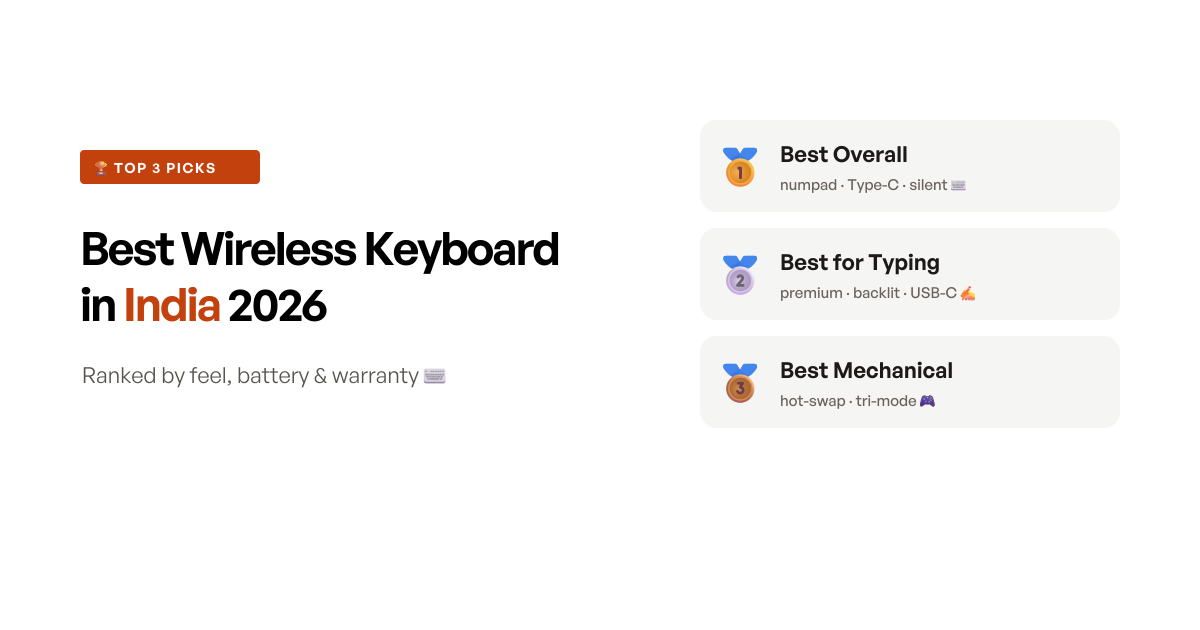
The quick answer
The Portronics Bubble 3.0 wins because it does the most for the least money, without a single big compromise. For around ₹999 it pairs over both Bluetooth 5.3 and a 2.4GHz dongle, switches across three devices, keeps an integrated numpad that most compact boards drop, and recharges over Type-C so there are no AAA cells to buy. The one thing to check is the layout - it is a compact 78-key board rather than a true full-size one, so a few keys sit in unfamiliar places. If you type all day and want the best feel regardless of price, the Logitech MX Keys Mini is the better board - it just carries a 1-year warranty and no out-of-warranty repair in India, which is why it does not win outright.
Quick comparison
Six picks side by side, ranked by score - the connection type and layout, the use case each one wins, and a Buy button for the impatient.
- 8.5 scoreBest overall
Portronics Bubble 3.0 Wireless Keyboard
The most wireless keyboard for the least money - dual-mode, rechargeable and quiet, with a numpad most compact boards drop.
Read the reviewapprox. ₹999 - 8.4 scoreBest for typing
Logitech MX Keys Mini Wireless Illuminated Keyboard
The best wireless typing experience here in a premium compact board - as long as you buy within warranty and don't need a numpad.
Read the reviewapprox. ₹9,995 - 8.2 scoreBest wireless mechanical
AULA F75 Wireless Mechanical Keyboard
A genuinely good gasket-mount mechanical you can go wireless with - the enthusiast pick, if you accept the odd unit-quality gamble.
Read the reviewapprox. ₹5,999 - 8.0 scoreBest for multi-device travel
Logitech Pebble Keys 2 K380s Multi-Device Wireless Keyboard
One slim wireless board for your laptop, tablet and phone - superb for travel, if you can live without a numpad or a caps-lock light.
Read the reviewapprox. ₹3,195 - 7.8 scoreBest keyboard and mouse combo
Dell KM3322W Wireless Keyboard and Mouse Combo
The full-size wireless combo with a 3-year warranty - the value setup, as long as you treat the mouse as the weak link.
Read the reviewapprox. ₹1,499 - 7.6 scoreBest budget wireless mechanical
EvoFox Katana S Mini Wireless Mechanical Keyboard
A tri-mode hot-swap mechanical for under ₹2,500 that keeps its arrow keys - a big step up from membrane, if you test it early.
Read the reviewapprox. ₹2,349
How we shortlisted
“Best wireless keyboard” hides three different buyers, so the first job was to separate them: someone who wants one affordable standalone board for a desk, someone who wants a keyboard and mouse together, and someone who wants a mechanical feel without a cable. We set aside the ₹15,000-plus enthusiast custom boards (a hobby, not a mainstream buy) and the wall of no-name sub-₹500 combos whose reviews are a stream of dead keys and dropped connections, and scored what a normal buyer is actually choosing between.
The number that misleads most in this category is battery life, quoted in confident “36-month” and “3-year” figures that tell you nothing about whether the keys still work when the cells run out. The reviews are blunt about the real failure mode, and it is not the battery: keys or the Bluetooth chip die somewhere between month eight and year two, often just after a 1-year warranty lapses, and Logitech and HP India both offer replacement only within warranty and no paid repair afterwards. So we weighted the things that actually predict satisfaction - whether the feel and layout suit how you type, whether the board survives past its first year, and whether there is a warranty and a service path behind it - over dual-mode pairing counts and RGB modes.
That gave us six picks covering the real choices a buyer faces: the affordable all-rounder that keeps a numpad (Portronics Bubble 3.0), the premium board for people who type for a living (MX Keys Mini), the best mechanical you can run wireless (AULA F75), the slim multi-device traveller (Pebble Keys 2 K380s), the full-size keyboard-and-mouse combo with the longest warranty (Dell KM3322W), and the budget wireless mechanical that keeps its arrow keys (EvoFox Katana S). What moved the rankings beyond feel was that after-sales reality - which is why an affordable standalone board with fewer moving parts outscored pricier boards that fail quietly in year two with nobody to fix them.
At a glance: 6 wireless keyboards, what each one is best for
| Keyboard | Connection | Layout | Power | Best for | Price (approx.) |
|---|---|---|---|---|---|
| Portronics Bubble 3.0 | BT 5.3 + 2.4GHz | Compact 78-key, numpad | Type-C rechargeable | Best overall | ₹999 |
| Logitech MX Keys Mini | Bluetooth | Compact 75%, no numpad | USB-C rechargeable | Best for typing | ₹9,995 |
| AULA F75 | BT + 2.4GHz + wired | 75%, 80 keys | Rechargeable | Best wireless mechanical | ₹5,999 |
| Logitech Pebble Keys 2 K380s | Bluetooth | Compact, no numpad | 2x AAA | Multi-device travel | ₹3,195 |
| Dell KM3322W | 2.4GHz (combo) | Full-size, numpad | 2x AA | Best kb + mouse combo | ₹1,499 |
| EvoFox Katana S | 3x BT + 2.4GHz + wired | 65%, 68 keys | Rechargeable | Budget mechanical | ₹2,349 |
The 6 picks, reviewed
1. Portronics Bubble 3.0 - best wireless keyboard overall
The Bubble 3.0 wins this round by refusing to make you choose. Most affordable wireless keyboards force a compromise - Bluetooth or a dongle, a numpad or a compact size, rechargeable or affordable - and this one quietly gives you both sides of each. It pairs over Bluetooth 5.3 and a 2.4GHz USB receiver, hops across three devices, keeps an integrated numpad and multimedia keys, and charges over Type-C so you are never buying AAA cells. One owner who switches between devices every few minutes said flatly it was the reason they bought it, and buyers keep returning to the same word for the whole package: value.
At around ₹999 that is a lot of wireless keyboard, and the day-to-day experience earns its keep. The keys are quiet enough for a shared room, the build is sturdier and heavier than the price suggests, and the dual-angle stand is a small comfort on long sessions. For a home or office desk where you want one cable-free board that does everything, it is the sensible default.
The honest caveats are about the layout and the odd unit. This is a compact 78-key board, not a true full-size one, so several keys are shifted from where your fingers expect them, and owners coming off a standard keyboard describe a real adjustment period - one found the compressed layout stuck keys until they got used to it. A minority of units mistype or repeat keys even after a replacement, the listing is non-returnable, and one owner reported the built-in battery draining within a day. None of that unseats it as the best-value wireless board here, but it is the reason to run through every key in the first days rather than assume.
Key specifications
- Type
- Wireless - Bluetooth 5.3 + 2.4GHz USB receiver
- Layout
- Compact 78 keys with integrated numpad
- Keys
- Membrane, low-noise
- Power
- Built-in battery, Type-C rechargeable
- Multi-device
- Up to 3 (Windows, macOS, Android, iOS, smart TV)
- Extras
- Multimedia and Copilot key, dual-angle stand
- Warranty
- 1 year
Pros
- Genuinely versatile connectivity - Bluetooth 5.3 and a 2.4GHz dongle, with owners who switch devices every few minutes calling it the reason they bought it
- Type-C rechargeable rather than AAA-powered, so there are no cells to keep buying, and it keeps working while charging
- Keeps an integrated numpad and multimedia keys in a compact body - rare at this size and price - with quiet, silent-typing membrane keys
- Sturdy for the money at around ₹999, with owners repeatedly flagging it as clear value and a clean fit on a desk
Cons
- It is a compact 78-key layout, not a true full-size board, so several keys are shifted and owners used to a standard keyboard report an adjustment period
- A minority of units mistype or have a stuck key - one owner had keys repeating and typing on their own even after a replacement
- The listing is non-returnable, and one owner reported the built-in battery draining within a day - a defective-unit risk you cannot send back easily
- The power button is stiff, the board is heavier than it looks, and a couple of buyers received a used-looking unit in sealed packaging
Who should buy this
The buyer who wants one affordable wireless keyboard that does everything - pairs over Bluetooth or a dongle, hops between a laptop, tablet and phone, keeps a numpad, and recharges over Type-C instead of eating AAA cells. The keys are quiet and the price is around ₹999, which is a lot of wireless keyboard for the money. Best as the default cable-free board for a home or office desk where you value the numpad and the recharging.
Skip if
Skip if you type fast on a standard layout and won't relearn key positions - the compact 78-key body shifts several keys, and a minority of units mistype on a listing you cannot return. If you want a proven standard layout, the Dell KM3322W combo is full-size, or the MX Keys Mini is the premium typing board.
Ready to buy?
Portronics Bubble 3.0 Wireless Keyboard
2. Logitech MX Keys Mini - best wireless keyboard for typing
If your hands are on a keyboard for eight hours a day, the MX Keys Mini is the one to want, and it is not close. The dished, spherical keycaps are shaped so your fingers settle into them, and owner after owner - including self-described enthusiasts who have used mechanical and membrane boards for years - rate the typing above Apple’s Magic Keyboard. The compact 75% metal body looks and feels premium, the proximity backlight lights as your hands approach, and it recharges over USB-C so there are no AAA cells to hunt for. One long-term owner reported roughly four years of heavy daily use with the typing still, in their words, a dream.
For a writer, coder or editor who will genuinely put in the hours, that experience is worth paying for, and the multi-device switching across three machines and operating systems makes it easy to live with on a mixed Mac-and-Windows desk. If you have already read our best keyboard in India round-up, this is the same board that took the premium-typing slot there - it is simply the best wireless board to type on, full stop.
The reason it does not win outright is the ownership risk, and it is a real one in India. The board carries only a 1-year warranty at around ₹10,000, and owners who hit dead keys or a keycap coming loose in year two report the same wall: Logitech India replaces within warranty but offers no paid out-of-warranty repair afterwards, so a board with a couple of failed keys becomes effectively unrepairable. On top of that, the smart backlight switches off aggressively and cannot easily be kept always-on, there are scattered Bluetooth-drop and grey-market serial-mismatch reports, and there is no numpad. Buy it for the typing, within warranty, from a seller you trust, and know what you are signing up for after year one.
Key specifications
- Type
- Wireless (Bluetooth), USB-C rechargeable
- Layout
- Compact 75%, no numpad (84 keys)
- Keys
- Dished low-profile (scissor), spherical keycaps
- Backlight
- Smart proximity backlight (auto-adjusting)
- Build
- Metal top plate
- Multi-device
- Up to 3, via Logi Options+ (Windows, macOS and more)
- Warranty
- 1 year
Pros
- The best wireless typing experience in this list - enthusiasts and Mac users repeatedly rate the dished, low-profile keys above Apple's Magic Keyboard for comfort and speed
- A premium metal build, a compact 75% footprint that frees desk space, and USB-C recharging so there is no AAA hunting
- A proximity backlight that lights as your hands approach, plus quick switching across up to three devices and operating systems
- Long-term owners report around four years of heavy use with the typing still, in one word, a dream
Cons
- Only a 1-year warranty on a roughly ₹10,000 board, and owners who hit dead keys or a keycap coming off in year two report Logitech India offers no out-of-warranty repair - only replacement while under warranty
- The smart backlight switches off aggressively and cannot easily be kept always-on, a repeated complaint from buyers who bought it partly for the lighting
- Scattered reports of Bluetooth dropping or Logi Options+ shortcuts breaking after an OS update, plus grey-market serial-mismatch cases - buy from a reputable seller
- On the graphite finish the key legends are hard to read in low light, and there is no numpad
Who should buy this
The professional who types all day - writers, coders, editors - and wants the most comfortable, precise wireless typing they can get, in a compact metal board that looks and feels premium. If you are weighing it against Apple's Magic Keyboard, owners here consistently prefer this. Best for someone who will genuinely use it for years and buys within warranty from a reputable seller.
Skip if
Skip if you want a numpad or long-term repair security, because it is a 75% board with a 1-year warranty and no out-of-warranty service in India - if a key fails in year two you are on your own. The Portronics Bubble 3.0 keeps a numpad for a tenth of the price, and a wired 3-year board is the safer money if peace of mind beats feel.
Ready to buy?
Logitech MX Keys Mini Wireless Illuminated Keyboard
3. AULA F75 - best wireless mechanical keyboard
The AULA F75 is the surprise of this round - the highest-rated board here, and the closest thing to an enthusiast custom keyboard at a mainstream price. For around ₹6,000 you get a gasket-mount 75% board with hot-swappable, pre-lubed switches, a volume knob, PBT keycaps and full RGB, running over Bluetooth, a 2.4GHz dongle or USB-C. Owners describe a smooth, thocky, cushioned typing feel that punches well above the price, and several note the reaper switches are quieter in the hand than the online demos led them to expect. The connection is stable and the battery backup drew specific praise.
The hot-swap sockets are the quiet sweetener - they take 3- and 5-pin switches, so a failed switch is a cheap fix rather than a dead board, and you can retune the feel later without buying a new keyboard. For someone who wants a real mechanical experience without a cable, this is the most board for the money in the list.
The reason it lands here rather than at the top is unit-quality variance. The most careful long-term review flagged double-keystroke on some keys after about a year, a handful of owners hit early failures - one board dead within 45 days, one volume knob that never worked - and a few report weaker battery backup than they hoped. It is a gaming-styled board with Windows-first software and no numpad. This is a keyboard to buy from a returnable listing and test hard in the first weeks; do that, and it is a genuinely lovely thing to type on. If you would rather have a plain quiet board, the best mechanical keyboard in India round-up covers the wired options in more depth.
Key specifications
- Type
- Wireless - Bluetooth, 2.4GHz, USB-C wired (tri-mode)
- Layout
- 75%, 80 keys, with volume knob
- Switch
- Hot-swappable pre-lubed linear (3/5-pin sockets)
- Build
- Gasket structure, PBT keycaps
- Backlight
- RGB, 16 preset effects
- Power
- Rechargeable battery
- Warranty
- 1 year
Pros
- The highest-rated board here - owners describe a smooth, thocky, gasket-cushioned typing feel that punches well above the price, with the reaper switches quieter than the online demos suggest
- True tri-mode connectivity - Bluetooth, a 2.4GHz dongle and USB-C wired - with stable connection and good battery backup that owners specifically praise
- Hot-swappable, pre-lubed switches on 3- and 5-pin sockets, so a failed switch is a cheap fix and you can retune the feel later
- A 75% layout that keeps the arrow keys and a volume knob, with PBT keycaps and full RGB - a lot of custom-keyboard for around ₹6,000
Cons
- The standout complaint is double-keystroke - one careful owner found some keys registering twice after about a year of use
- A handful of units fail early - one owner reported it dead within 45 days, another a volume knob that never worked - so unit quality is the gamble
- A few owners report weaker-than-expected battery backup, which stings on a board bought partly to run wireless
- It is a gaming-styled board with software that is Windows-first, and the 75% layout still drops the numpad
Who should buy this
The buyer who wants a real mechanical typing experience without a cable - a gasket-mount, hot-swap 75% board with a thocky feel, a volume knob and RGB, that runs over Bluetooth, a dongle or USB-C. It is the best-rated board in this round and the closest thing here to an enthusiast custom keyboard at a mainstream price. Best for someone who wants mechanical feel and wireless freedom and will test it thoroughly in the first weeks.
Skip if
Skip if you cannot risk a unit-quality lottery or you need a numpad - a few owners hit double-typing or an early failure, and it is a 75% board. If you want the safest wireless typing feel, the MX Keys Mini is more consistent (at a higher price); if you want mechanical on a tighter budget, the EvoFox Katana S is the cheaper gamble.
Ready to buy?
AULA F75 Wireless Mechanical Keyboard
4. Logitech Pebble Keys 2 K380s - best for multi-device travel
The Pebble Keys 2 K380s is the board to buy if you type across more than one device. It pairs with up to three - a laptop, a tablet and a phone, across Windows, macOS, iPadOS and Android - and switches between them with a single tap, which owners who juggle a work laptop and an iPad describe as the feature that sold them. It is slim, light and quiet, the scissor keys feel close to a MacBook’s, and the battery life on a pair of AAA cells is measured in months, with some owners reporting a year or more. For students, hybrid workers and anyone in the Apple ecosystem who wants one keyboard for everything, it is a genuinely useful, portable tool.
It is also where the wireless caveats bite, which is why it sits mid-pack. The most serious is durability: a real cluster of owners report keys failing within the first year or two - one described six keys including backspace dying in the eighth month of light office use - and because Logitech India offers no support once the 1-year warranty ends, there is no repair path afterwards. Beyond that, there is no caps-lock indicator light, a small omission owners find genuinely irritating because you cannot tell the state without typing, and the round keycaps take real getting used to - people used to square keys report mis-pressing at first. It has no numpad. Buy it for what it is best at - portable, multi-device typing - and keep the invoice and your return window in mind.
Key specifications
- Type
- Wireless (Bluetooth), multi-device
- Layout
- Compact, no numpad, round keycaps
- Keys
- Scissor-switch, quiet
- Multi-device
- Up to 3 (Easy-Switch) - Windows, macOS, iPadOS, Android, Chrome OS
- Power
- 2x AAA (up to 3-year battery)
- Customisation
- Logi Options+ shortcuts
- Warranty
- 1 year
Pros
- The best compact multi-device board here: it switches instantly between three devices across Windows, macOS, iPadOS and Android, which owners lean on daily
- Slim, light and genuinely portable - a favourite for iPads, Mac minis and travel, with quiet scissor keys owners say feel close to a MacBook's
- Very long battery life on 2x AAA - owners report months, and some years, on a single set - with a solid, well-finished build
- Customisable shortcuts via Logi Options+, and thoughtful dual Windows and Mac shortcut layouts
Cons
- A real cluster of owners report keys failing within the first year or two - one had six keys including backspace die in the eighth month - with no Logitech India support once the 1-year warranty lapses
- There is no caps-lock indicator light, a repeated frustration since you cannot tell the state without typing
- The round keycaps take real getting used to; people used to square keys report mis-presses at first
- It is compact with no numpad and a reduced layout - fine for travel, cramped for heavy number or spreadsheet work
Who should buy this
The buyer who moves between a laptop, a tablet and a phone - or lives in the Apple ecosystem - and wants one slim, quiet keyboard that hops between all three with a tap and travels in any bag. Battery life is measured in months, the build is good, and the multi-OS shortcuts are genuinely handy. Best for students, hybrid workers and iPad or Mac users who value portability.
Skip if
Skip if you need a numpad, a caps-lock light, or long-term reliability without a service backstop - a real share of owners hit dead keys in year one or two with no Logitech India repair after the 1-year warranty. If you type heavy spreadsheets, the full-size Dell KM3322W serves you better.
Ready to buy?
Logitech Pebble Keys 2 K380s Multi-Device Wireless Keyboard
5. Dell KM3322W - best wireless keyboard and mouse combo
If you want a complete cable-free setup rather than just a keyboard, the Dell KM3322W is the value pick - a full-size wireless keyboard with a numpad and a matching mouse for around ₹1,499, backed by a 3-year advance-exchange warranty that is unusually long for this segment. Owners call it their most useful purchase and rate the keyboard as quiet and dependable, with soft plunger keys, spill-resistant keycaps and a battery life measured in years. For a home or office desktop where you want a standard layout, a numpad and a warranty you can lean on, it is the sensible one-box answer.
The honest reason it sits below the standalone boards is the mouse. Across the reviews, the bundled mouse is the first thing to fail - owners report the sensor or scroll wheel going dead anywhere from a couple of hours to a few months in, more often than the keyboard itself. There are no caps-lock or num-lock indicator lights, a cluster of owners find the keys hard or the batteries draining fast, and Dell’s after-sales is thin outside the metros, with buyers in smaller cities reporting a struggle to reach support. The saving grace is that 3-year cover - longer than almost anything else here - so a failed mouse is usually a warranty exchange rather than a write-off. Treat the mouse as the weak link, and it is a lot of dependable keyboard for the money.
Key specifications
- Type
- Wireless combo - 2.4GHz USB receiver
- Layout
- Full-size keyboard with numpad, plus mouse
- Keys
- Plunger-type, spill-resistant, anti-fade
- Power
- 2x AA (keyboard), up to 36-month battery life
- Compatibility
- Windows, macOS, Linux, Chrome OS, Android
- Warranty
- 3 years (advance exchange)
Pros
- A complete full-size wireless setup - keyboard with numpad plus a mouse - for around ₹1,499, which owners repeatedly call their most useful purchase
- A 3-year advance-exchange warranty, unusually long for a wireless combo and a genuine reason to trust it
- Soft, fairly silent plunger keys and a long keyboard battery life owners rate highly, with spill-resistant, anti-fade keycaps
- Plug-and-play over a single 2.4GHz receiver, and broadly compatible across Windows, macOS, Linux and Chrome OS
Cons
- The mouse is the weak link - owners report the sensor or scroll wheel failing within hours to months, more often than the keyboard
- There is no caps-lock or num-lock indicator light, which several owners find genuinely awkward
- A cluster report keys feeling hard or loose and batteries draining fast, and a few say the keyboard stopped working within weeks
- Dell's after-sales is thin outside metros - owners in smaller cities report struggling to reach support or claim the warranty
Who should buy this
The buyer who wants one affordable, cable-free package for a home or office desktop - a full-size keyboard with a numpad and a matching mouse - and values a long warranty over premium feel. The 3-year advance-exchange cover and the multi-year keyboard battery are the real draws, and the keys are quiet. Best as a no-fuss wireless combo for a desktop where a standard layout and a warranty matter more than the mouse.
Skip if
Skip if you rely on the mouse for precise work or want lock-key indicator lights - the bundled mouse is the most common early failure, and there are no caps or num-lock lights. If you only need a keyboard, the standalone Portronics Bubble 3.0 or MX Keys Mini avoid the weak-mouse problem entirely.
Ready to buy?
Dell KM3322W Wireless Keyboard and Mouse Combo
6. EvoFox Katana S - best budget wireless mechanical
The EvoFox Katana S is the cheapest way into a wireless mechanical keyboard, and on paper it is remarkable value. For under ₹2,500 you get a tri-mode board - three Bluetooth channels, a 2.4GHz dongle and USB-C wired - with hot-swappable Jixian Red switches, a rechargeable battery, 1000Hz polling and bright RGB. Crucially it is a 68-key layout that keeps the arrow keys that a true 60% drops, so the jump from a full-size board is small, and owners moving off a cheap membrane keyboard are repeatedly surprised that a board this cheap feels this good to type on. The hot-swap sockets take 3- and 5-pin switches, so it doubles as a cheap platform to tinker with later.
The reason it sits at the bottom of the list - while still clearing our bar - is reliability, and at this price it is a genuine gamble. Some units fail early: one owner reported the W key dead within a month, another the board not working after a week. The pre-installed “silent” reds are louder than the name suggests, the board can wobble on the desk, and some units arrive missing the extra switches, keypuller or braided cable listed on the box. It is a 65% layout with no numpad and no configuration software. Buy this if you specifically want a wireless mechanical on a tight budget and you will test it thoroughly in the return window; if you want a more consistent one, the AULA F75 is the safer step up.
Key specifications
- Type
- Wireless - 3x Bluetooth, 2.4GHz, USB-C wired (tri-mode)
- Layout
- Compact 65%, 68 keys (keeps arrow keys)
- Switch
- Hot-swappable Jixian Red (linear), 3/5-pin sockets
- Backlight
- RGB, 18 effects
- Power
- Rechargeable battery
- Features
- 1000Hz polling, all-key anti-ghosting, braided cable
- Warranty
- 1 year
Pros
- A genuine wireless hot-swappable mechanical for under ₹2,500 - owners are repeatedly surprised by the build and the typing feel at the price
- True tri-mode connectivity - three Bluetooth channels, a 2.4GHz dongle and USB-C wired - plus a rechargeable battery, so you can run it any way you like
- The compact 68-key layout keeps the arrow keys, so it is a smaller jump from a full-size board than a true 60%, and the sockets take 3- and 5-pin switches for later mods
- 1000Hz polling, all-key anti-ghosting, bright RGB and a braided USB-C cable in the box - a lot of specification for the money
Cons
- Reliability is the real worry - some units fail early, with owners reporting a dead W key within a month or the board not working after a week
- The pre-installed 'silent' red switches are louder than expected, and the board can wobble on the desk while typing
- Some units arrive missing the extra switches, keypuller or braided cable listed on the box, and a few had Bluetooth or dongle trouble out of the box
- It is a 65% layout with no numpad, the RGB is faint to some eyes, and there is no configuration software
Who should buy this
The buyer who wants their first wireless mechanical keyboard - hot-swap sockets, tri-mode connectivity, RGB and a rechargeable battery - without spending more than ₹2,500. The typing feel is a clear step up from a cheap membrane board, and the 68-key layout keeps the arrow keys. Best for a budget desk setup or a student curious about mechanical keyboards who will test it hard inside the return window.
Skip if
Skip if you need proven long-term reliability, a quiet board or a numpad - some units fail early and the 'silent' reds are not that silent. If you want a more consistent wireless mechanical, the AULA F75 is the safer step up; if you want a quiet everyday board, the Portronics Bubble 3.0 is the calmer buy.
Ready to buy?
EvoFox Katana S Mini Wireless Mechanical Keyboard
The features explained, in plain English
Wireless keyboard listings lean on a handful of terms that sound technical but are simple once you know what they change for you.
Bluetooth versus 2.4GHz - the two kinds of wireless. This is the choice that shapes how you connect. A 2.4GHz connection uses a small USB dongle: it is effectively plug-and-play, stable, low-latency, and works even at a BIOS or login screen before the operating system loads - the catch is it uses a USB port and the dongle can be lost. Bluetooth uses no dongle, pairs directly with laptops, tablets and phones that may have no spare USB port, and lets you register several devices - but it can drop or lag a little more and does not work before the OS loads. The best boards here (the Portronics, AULA and EvoFox) give you both; pick the dongle for a desktop and Bluetooth for a tablet.
Multi-device switching. Also called Easy-Switch on the Logitech boards, this means the keyboard remembers up to three paired devices and jumps between them with a dedicated key - the reason one Pebble Keys 2 can serve your laptop, tablet and phone in turn. If you work across a computer and a tablet, this is the single most useful wireless feature; if the keyboard never leaves one machine, you will not miss it.
Rechargeable versus replaceable batteries. Wireless boards either have a built-in battery you charge over USB-C (the Portronics, AULA and EvoFox) or run on AAA or AA cells you swap (the Pebble Keys 2, Dell combo). Rechargeable means no cells to buy and a cleaner setup, but the battery is a wear part and a faulty one can drain in a day. Replaceable cells last many months to years and are trivially swapped, at the cost of buying batteries - and a few poorly-tuned boards eat them far faster than claimed. Neither is simply better; it is a preference.
Layout size and the numpad. Wireless boards come full-size (the Dell combo, with everything including a numpad), compact-with-numpad (the Portronics squeezes a numpad into a 78-key body), 75% (the MX Keys Mini and AULA, which keep the function row and arrows but drop the numpad), and smaller 65% boards (the EvoFox keeps the arrow keys; many go smaller still). Smaller is not automatically better - pick the smallest layout that still has the keys you use daily, and if you do spreadsheet or data-entry work, prioritise a numpad.
Complete buying guide
How much should you actually spend on a wireless keyboard?
There is a sensible floor and a sensible ceiling, and most people are best served in the middle. The tiers, roughly:
- Below ₹700: mostly no-name membrane boards and combos whose reviews are a stream of dropped connections and dead keys. A false economy - skip.
- ₹900 to ₹1,500: the value sweet spot. A genuinely good standalone board like the Portronics Bubble 3.0 (₹999) or a full-size combo like the Dell KM3322W (₹1,499) lives here, and this is all most people need.
- ₹2,000 to ₹3,500: budget wireless mechanicals (EvoFox Katana S) and slim multi-device travellers (Pebble Keys 2 K380s) - worth it for a specific need, not a default.
- ₹5,000 to ₹6,000: a proper wireless mechanical like the AULA F75, if the mechanical feel matters to you.
- ₹9,000-plus: the premium MX Keys Mini, which only makes sense if you type for a living and will keep it for years.
The honest rule: spend for the feature you actually use - a numpad, multi-device switching, a mechanical feel - and stop. Past ₹6,000 you are paying for build and typing polish, not function.
Wired or wireless, and when wireless is the wrong call
Wireless is worth it when you genuinely benefit from no cable: a keyboard you carry between a laptop, tablet and phone, or a clean desk with nothing trailing across it. That is exactly what the Pebble Keys 2 K380s and the dual-mode Portronics are built for. But wireless is the wrong call in two cases. The first is competitive gaming and typing exams, where you want zero variables - no battery, no pairing, no latency - and a wired board is simply the safer tool. The second is a keyboard that never moves: if it sits on one desk forever, a wired board is cheaper, needs no charging, and in the budget tier usually carries a longer warranty. An external keyboard also turns a laptop into a proper workstation - pair one of these with a mouse from our best wireless mouse in India picks and a screen from our best monitor in India round-up and you have a full setup.
The warranty and service reality check
This is the single most India-specific thing in this review, and it should shape your choice. The recurring, damning pattern across these boards is what happens in year two: individual keys or the Bluetooth chip stop working, often just after a 1-year warranty ends, and owners of the Logitech boards and the HP boards we rejected report the same wall - replacement only while under warranty, and no paid out-of-warranty repair afterwards. A ₹10,000 board with three dead keys and no repair path is worse value than a ₹1,000 one you can simply replace. So the practical takeaways: match the warranty to how long you expect to keep the board; the Dell combo’s 3-year advance-exchange cover is genuinely worth paying a little more for; keep your invoice and register the product; and for any board on a 1-year warranty, treat that first year as your real safety net and buy from a seller you can return to.
What we don’t recommend (and why)
Two popular wireless boards were close enough to test and did not make it, for reasons worth knowing. The first is the HP 350 Compact - a tidy multi-device Bluetooth board with a genuine 3-year warranty, let down by one design decision owners flag over and over: it has no Home, End, Page Up or Page Down keys, which makes editing documents and spreadsheets a constant irritation, and there is a cluster of units failing right around the one-year mark. If you want a compact wireless board, the Pebble Keys 2 K380s is the more complete choice. The second is the Amkette Optimus BT 4-in-1 - a cheap, well-specified multi-device board on paper, undone in practice by a chronic connection fault: a run of owners report the Bluetooth disconnecting every 30 to 60 seconds while typing, plus fast battery drain and a flimsy on/off switch that breaks off. A keyboard that drops its connection mid-sentence is not a keyboard, however cheap, and it is why the Amkette stayed off this list.
Frequently asked questions
Which is the best wireless keyboard in India in 2026?
For most buyers, the Portronics Bubble 3.0. At around ₹999 it is the most complete affordable wireless keyboard here: it pairs over both Bluetooth 5.3 and a 2.4GHz dongle, switches across three devices, keeps an integrated numpad most compact boards drop, and recharges over Type-C so there are no AAA cells to buy. The main thing to check is the layout - it is a compact 78-key board, not a true full-size one, so a few keys are shifted. If you type all day and want the best feel regardless of price, the Logitech MX Keys Mini is the better board (with the catch of a 1-year warranty and no out-of-warranty repair in India). If you want a mechanical feel wirelessly, the AULA F75 is the pick, and if you want a keyboard and mouse together, the Dell KM3322W combo has a 3-year warranty.
Is a wireless keyboard as good as a wired one?
For everyday typing, yes - a good wireless keyboard is functionally as good as a wired one, and modern 2.4GHz and Bluetooth 5.x connections have no lag you will notice while writing or working. What you trade is money, batteries and, in this segment, warranty length: wireless boards cost more than an equivalent wired one, you either recharge them or replace AAA/AA cells, and several here carry only a 1-year warranty against the 3 years common on budget wired boards. The one place wired still wins outright is competitive gaming and typing exams, where you want zero variables. For a clean, cable-free desk or a keyboard you carry between devices, wireless is worth it; for a keyboard that never moves, a wired board is cheaper and simpler.
Bluetooth or 2.4GHz - which wireless keyboard connection is better?
They solve different problems, and the best boards here offer both. A 2.4GHz connection uses a small USB dongle and is effectively plug-and-play - it is the more stable, lower-latency option and works before an operating system loads (useful for BIOS and login screens), but it occupies a USB port and the dongle can be lost. Bluetooth uses no dongle, pairs directly with laptops, tablets and phones that have no spare USB port, and lets you switch between several devices - but it can drop or lag more often and does not work at a BIOS screen. The Portronics Bubble 3.0, AULA F75 and EvoFox Katana S give you both, which is the ideal: use the dongle at a desktop for stability, and Bluetooth for a tablet or phone. If a board is Bluetooth-only, like the Logitech Pebble Keys 2 K380s, it ships no dongle - that is by design, not a missing part.
Which is the best wireless keyboard and mouse combo in India?
The Dell KM3322W, at around ₹1,499. It is a full-size wireless keyboard with a numpad plus a matching mouse, and its real draw is a 3-year advance-exchange warranty and a keyboard battery rated for up to 36 months - both unusual in a budget combo. Owners rate the keyboard as quiet and dependable. The honest caveat is that the mouse is the weak link - the sensor or scroll wheel is the most common early failure - and there are no caps-lock or num-lock indicator lights. If the combo's mouse fails you are typically still covered by the long warranty, which is more than most rivals offer. If you would rather not depend on a bundled mouse at all, a standalone keyboard like the Portronics Bubble 3.0 plus a separate wireless mouse is the more reliable setup.
Which is the best wireless keyboard for typing and office work?
The Logitech MX Keys Mini, if your budget stretches to around ₹10,000. Its dished, low-profile keys are the most comfortable to type on here - writers, coders and Mac users repeatedly rate them above Apple's Magic Keyboard - and the metal build, USB-C recharging and smart proximity backlight make it a pleasure for long sessions. The two things to accept are the price and the 1-year warranty with no out-of-warranty repair in India, so buy it within warranty from a reputable seller. If ₹10,000 is too much for a keyboard, the Portronics Bubble 3.0 at around ₹999 is the sensible office board, and the Dell KM3322W combo adds a mouse and a 3-year warranty for a little more.
Do wireless keyboards have a numpad?
Some do, but many compact and premium wireless boards drop it to save space, so check before you buy. In this list, the Portronics Bubble 3.0 keeps an integrated numpad in a compact body, and the Dell KM3322W combo is full-size with a proper numpad - those are your numpad picks. The Logitech MX Keys Mini (75%), Pebble Keys 2 K380s (compact) and the two mechanicals are all numpad-less to stay small and portable. If you do heavy spreadsheet or data-entry work, a numpad is worth prioritising - either choose one of the two boards above, or pair a numpad-less keyboard with a separate wireless number pad. Don't assume a wireless keyboard has a numpad just because it looks full-width in the photo.
How long does a wireless keyboard battery last, and are rechargeable or AAA better?
It depends on the type. AAA or AA boards like the Logitech Pebble Keys 2 K380s and Dell KM3322W can run for many months to a couple of years on a set of cells, because a simple keyboard sips very little power - the trade-off is buying and swapping batteries, and a few boards here (the HP and Amkette boards we rejected) drain cells far faster than claimed. Rechargeable boards like the Portronics Bubble 3.0, AULA F75 and EvoFox Katana S charge over USB-C and never need new cells, but the built-in battery is a wear part and a defective one can drain in a day, which is harder to deal with on a non-returnable listing. Neither is simply better: choose rechargeable to avoid buying cells and keep a cleaner setup, and AAA if you want the reassurance of just swapping a battery when it dies and never thinking about charge cycles.
Why do wireless keyboards stop working after a year or two?
The pattern across the reviews we read is consistent and worth knowing before you buy: individual keys or the Bluetooth chip stop working somewhere between month eight and year two, often just after a 1-year warranty ends. It shows up on budget and premium boards alike - owners of the Logitech Pebble Keys 2 K380s and MX Keys Mini both report it - and the damaging part is what happens next. Multiple owners say Logitech India, and HP, offer replacement only while the board is under warranty and no paid out-of-warranty repair afterwards, so a board with a couple of dead keys becomes effectively unrepairable. The practical defences are to match the warranty to how long you plan to keep the board, keep your invoice and register the product, buy from a seller you can return to, and treat the first year as your real safety net. A longer warranty, like the Dell combo's 3 years, is genuinely worth paying a little more for.
Are wireless mechanical keyboards worth it?
They are, if you specifically want the mechanical feel and the freedom of no cable - and this year they have become genuinely affordable. The AULA F75 at around ₹6,000 gives you a gasket-mount, hot-swappable board with a thocky typing feel that owners rate very highly, running over Bluetooth, a dongle or USB-C, and the EvoFox Katana S brings tri-mode wireless mechanical down under ₹2,500. What you accept in the budget tier is less certain reliability - a share of owners hit early failures or double-typing - and, on wireless mechanicals, more battery drain than a simple membrane board because of the RGB and the switches. Buy a wireless mechanical if the feel matters to you and you will test it hard in the first weeks; if you just want quiet, dependable typing, a membrane board like the Portronics Bubble 3.0 is cheaper and calmer.
Do these wireless keyboards work with a Mac, iPad or Android phone?
Most do, and well. The Logitech Pebble Keys 2 K380s and MX Keys Mini both support Windows, macOS, iPadOS and Android, switch between devices, and offer Mac-specific shortcut layouts through Logi Options+ - Mac and iPad owners are among their most satisfied buyers. The Portronics Bubble 3.0 and AULA F75 also pair with iOS, Android, Windows and macOS over Bluetooth. Two things to check: on Bluetooth-only boards you pair directly with no dongle, and on some boards the keys are labelled for Windows, so a few keys (like the command and option keys) will not match Mac conventions until you get used to them or remap them in software. If Mac or iPad use is your main reason to buy, the two Logitech boards are the most polished choice.
Is a wireless keyboard good for gaming?
For casual and most everyday gaming, yes - a 2.4GHz wireless connection has low enough latency that you will not feel it. For competitive or fast-paced gaming, the wireless mechanicals here (AULA F75, EvoFox Katana S) are the ones to consider, because they use a 2.4GHz dongle rather than only Bluetooth and have mechanical switches with anti-ghosting - use the dongle, not Bluetooth, for the lowest latency. The membrane and scissor boards on this list (Portronics, Pebble Keys 2, Dell combo) are built for typing and office use, not gaming, and their key feel and response are not designed for it. That said, if you are a serious gamer, a dedicated wired gaming keyboard is still the safer choice for zero latency and no battery to manage - our gaming-keyboard picks cover those.
Should I buy a wireless keyboard from a third-party seller to save money?
No - buy from a listing sold and shipped by Amazon or the brand's own store, even if a third-party reseller is a few hundred rupees cheaper. Across these reviews, the grey-market and serial-number-mismatch complaints cluster specifically on the Logitech boards, and warranty claims on those units are a known nightmare. On a wireless keyboard, where the 1-year warranty is often your only safety net against the year-two key failures these boards are prone to, a valid warranty and an easy return path are worth more than the small saving. Keep the invoice, register the product where the brand allows it, and run through every key in the first two weeks so any fault is an easy Amazon return rather than a warranty battle.
The bottom line
There is no flawless wireless keyboard - this is a category where every board asks you to accept something - so the right pick is the one whose compromise you can live with. For most buyers that is the Portronics Bubble 3.0: a dual-mode, rechargeable board that keeps a numpad, for around ₹999, as long as the compact 78-key layout suits you. If you type for a living and want the best feel, the Logitech MX Keys Mini is the more comfortable board within its 1-year warranty; the AULA F75 is the mechanical to run wireless; the Pebble Keys 2 K380s is the multi-device traveller; the Dell KM3322W is the value combo with the longest warranty; and the EvoFox Katana S is the budget mechanical for a buyer who will inspect it on arrival. Whichever you choose, run through every key in the first two weeks - that is the one habit these reviews most reward. We will refresh this review after the next big sale season with a fresh read of the verified reviews and whatever new stock has landed.