
Best Webcam in India 2026
Webcam boxes shout 4K and megapixels, but looking decent on a call comes down to duller things - what the lens resolves at desk distance, whether the autofocus sits still, and who answers when it dies in month five. We ranked eight, from ₹1,899 to ₹20,995.
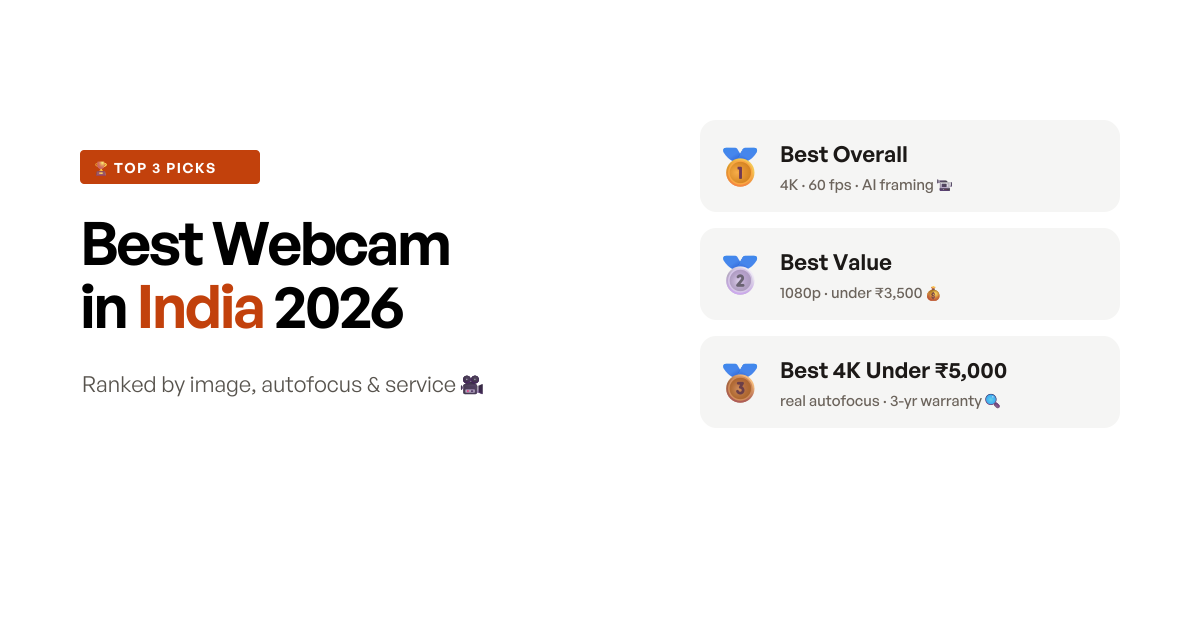
The quick answer
The OBSBOT Meet 2 4K wins on the thing a webcam is actually for: it has the largest sensor here, and owners who moved to it from Logitech cameras do not describe the difference as marginal - sharper detail, readable text held near the lens, and low light that stays natural instead of turning to grain. It does real 4K at 60 fps in a 41-gram body, and the India importer on the listing is a named company rather than a trader’s mobile number. It also runs hot enough that some owners have had it freeze, and its magnetic mount will not settle on a curved monitor.
Most people do not need a ₹13,000 webcam. If this is for meetings and classes, the Logitech Brio 100 at ₹3,199 is the sensible buy - bright in dim rooms, no autofocus hunting, and a service line to ring. If you want the best picture under ₹5,000, the eMeet NOVA 4K has the fastest autofocus in that band and a three-year warranty, at the cost of an importer who is one individual.
Quick comparison
Eight picks side by side, ranked by score - the resolution, the frame rate, the use case each one wins, and a Buy button for the impatient.
- 9.1 scoreBest overall
OBSBOT Meet 2 4K Webcam
The best-looking image on this list by a clear margin, in a 41-gram body - as long as you can live with a camera that runs hot and a mount that doesn't grip.
Read the reviewapprox. ₹12,980 - 8.9 scoreBest value
Logitech Brio 100 Full HD 1080p Webcam
The one most people should buy - ₹3,199, a real India service path, and no autofocus hunting - as long as you never need to hold a document up to it.
Read the reviewapprox. ₹3,199 - 8.8 scoreBest 4K under ₹5,000
eMeet NOVA 4K Webcam
Real 4K and the fastest autofocus here for ₹4,798, with a three-year warranty on paper - and an India importer who is one person with a mobile number.
Read the reviewapprox. ₹4,798 - 8.6 scoreBest for 1080p60 streaming
Kreo Owl Full HD 1080p 60 fps Webcam
Genuine 1080p at 60 fps for ₹3,699 from an Indian company - smooth enough for streaming, if you can tolerate autofocus you cannot switch off.
Read the reviewapprox. ₹3,699 - 8.4 scoreBest for fine-tuning
Logitech C920 HD Pro Webcam
The glass-lens veteran with the deepest software control and the widest Logitech framing - and a price in India that is hard to defend.
Read the reviewapprox. ₹8,995 - 8.3 scoreBest premium 4K
Logitech MX Brio Ultra HD 4K Webcam
Logitech's best sensor, the only detachable cable here, and Show Mode - wrapped around a flicker problem nobody warns you about at ₹20,995.
Read the reviewapprox. ₹20,995 - 8.2 scoreLongest-lasting budget pick
Logitech C270 HD Webcam
The only camera here with owners at the five-year mark still using it - as long as you accept 720p, tight framing and a real need for light.
Read the reviewapprox. ₹2,295 - 8.1 scoreCheapest true 1080p
eMeet C950 1080p Webcam
Native 1080p for ₹1,899 with a fixed lens that never hunts - the honest floor of this list, provided you never use its microphone.
Read the reviewapprox. ₹1,899
How we shortlisted
The webcam aisle is unusual in how completely one number has taken over the marketing. Almost every listing leads with resolution, and resolution is close to the least useful thing on the page. A ₹1,999 camera claiming 4K UHD is interpolating a small, cheap sensor upward; the sensor is what decides how you look, and the difference between a 1/2-inch sensor and the pinhole in a budget camera is visible in a way that 3840 versus 1920 pixels is not. Compounding it, the platforms most people use compress video hard enough that a good deal of that resolution never reaches the other end of the call. So we read the resolution claim last, and looked at sensor size, lens quality and what owners said the picture actually looked like in their own room.
Two failure modes moved the rankings more than picture quality did. The first is focus behaviour, which splits this category cleanly and which no listing explains honestly. Cheap autofocus hunts: it drifts mid-sentence and leaves you briefly soft, and on the Kreo Owl and the Zebronics models it cannot be switched off at all - Zebronics reportedly told one owner outright that there is no way to disable it. Fixed-focus cameras never hunt, which is a real virtue, but they are tuned for a face at desk distance and will blur a document held up to the lens. That matters far more in India than the brochures assume, because online exams, remote interviews and video KYC all ask you to hold up an ID card, and three separate Brio 100 buyers found out the hard way. The second is the importer of record, which is printed on every Amazon listing and tells you the service story better than the warranty length does: some of these cameras are backed by a distributor and a toll-free line, others by one individual’s mobile number in a district town.
That gave eight picks covering the choices a buyer genuinely faces: the best sensor money can sensibly buy (OBSBOT Meet 2), the value default for calls (Brio 100), the best 4K under ₹5,000 (eMeet NOVA 4K), the 60 fps streaming pick (Kreo Owl), the tunable veteran with the widest frame (C920), the premium Logitech (MX Brio), the one with proven longevity (C270), and the honest 1080p floor (eMeet C950). What we left out matters too. Several bestsellers were dropped not for their picture but for dying: cameras whose recent verified reviews are dominated by units that stopped working between two weeks and two years. Those are named at the end.
At a glance: 8 webcams, what each one is best for
| Webcam | Resolution | Frame rate | Focus | Best for | Price (approx.) |
|---|---|---|---|---|---|
| OBSBOT Meet 2 4K | 4K (1/2-inch sensor) | 60 fps | Autofocus + AI framing | Best overall | ₹12,980 |
| Logitech Brio 100 | 1080p | 30 fps | Fixed (per owners) | Best value | ₹3,199 |
| eMeet NOVA 4K | 4K | 30 fps | PDAF autofocus | Best 4K under ₹5,000 | ₹4,798 |
| Kreo Owl | 1080p | 60 fps | Autofocus (can’t disable) | Streaming | ₹3,699 |
| Logitech C920 HD Pro | 1080p | 30 fps | Glass-lens autofocus | Fine-tuning | ₹8,995 |
| Logitech MX Brio | 4K / 1080p | 30 / 60 fps | Autofocus | Best premium | ₹20,995 |
| Logitech C270 | 720p | 30 fps | Fixed | Longevity on a budget | ₹2,295 |
| eMeet C950 | 1080p (native) | 30 fps | Fixed | Cheapest true 1080p | ₹1,899 |
The 8 picks, reviewed
1. OBSBOT Meet 2 4K - best webcam overall
The Meet 2 wins because it is the only camera here where the sensor is the headline rather than the resolution number. At 1/2 inch it is large for a webcam, and the consequence is exactly what physics predicts: more light gathered, so less noise, better colour and detail that survives being compressed. The reviews are unusually consistent on this point. One owner who replaced a Logitech C930e said the OBSBOT beat it in every respect for not much more money; another said it blew their Logitech out of the water; a third, using it for daily calls, noted specifically that text held near the lens came through readable, which is the thing most webcams cannot do. It does 4K at 60 fps, the autofocus is fast, the AI framing keeps you in shot if you move, and it rotates for vertical video without software gymnastics. All of that arrives in a 41-gram body that owners have run on Windows, macOS, Linux and even Windows on ARM.
It also matters that OBSBOT’s India importer of record is a named company in Okhla with a phone number and a support email on the listing. That is a low bar, and half this list clears it by less.
The honest caveats are two, and they are both physical. Heat is the recurring one across every market: owners describe the back getting noticeably hot, one warned that the camera will crash until it cools if there is no air circulation, and a Japanese owner on an older Windows 11 machine gave up after repeated freezing. Give it airflow and do not bury it in a shelf. The second is the magnetic mount, which is clever and not secure - it has fallen off for several owners and refuses to settle on ultrawide and curved monitors, with one resorting to double-sided tape. If your monitor is unusual, mount it on a mini tripod behind the screen instead and the problem disappears.
Key specifications
- Resolution
- 4K (3840 x 2160), up to 60 fps
- Sensor
- 1/2-inch CMOS
- Focus
- autofocus with AI framing, manual override available
- Microphones
- dual, noise-cancelling
- Extras
- gesture control, beauty mode, portrait/landscape rotation
- Mounting
- magnetic clip, tripod-compatible
- Connection
- USB-C
- Weight
- 41 grams
- Warranty
- 1 year (India importer named on the listing: INM Communication, New Delhi)
Pros
- The sensor is the whole story: at 1/2 inch it is genuinely large for a webcam, and owners who moved from Logitech models say the image is not close - sharper facial detail, readable text held near the lens, and low light that stays natural instead of going grainy
- Real 4K with 60 fps and fast autofocus, so it covers streaming and recording as well as calls; AI framing keeps you centred if you move, and it rotates for vertical video without software tricks
- At 41 grams it is barely there on a laptop lid, and owners report it working plug-and-play on Windows, macOS, Linux and even Windows on ARM - unusually broad for this category
- The listing names a company as India importer of record, with a phone number and a support email, rather than the individual traders behind several cheaper picks here
Cons
- Heat is the recurring complaint across markets - owners describe it getting noticeably hot at the back, one had it crash until it cooled down, and another gave up after repeated freezing on an older Windows 11 machine
- The magnetic mount is the weakest part: several owners say it is not secure enough and has fallen off, and it does not sit properly on ultrawide or curved monitors - one resorted to double-sided tape
- AI framing and gesture control are both overactive out of the box; you will want to switch them off if you prefer a fixed angle for Teams and Zoom calls
- One owner's USB-C port stopped making reliable contact, and the India warranty is a single year on a ₹12,980 camera
Who should buy this
Anyone whose face on camera is part of the job - streamers, people who present to clients, anyone recording talking-head video - and who wants image quality that is a visible step above the Logitech shelf rather than a marginal one. The large sensor, real 4K60 and AI framing are the genuine article, the India importer is a named company, and at 41 grams it travels. Best for a desk with airflow around the camera and a normal flat monitor to clip it to.
Skip if
Skip if you run marathon sessions on a cramped, enclosed setup, because the heat is real and several owners have had it freeze until it cooled - the Logitech Brio 100 will just sit there and work. Also skip if your monitor is curved or ultrawide, where the magnetic mount refuses to settle.
Ready to buy?
OBSBOT Meet 2 4K Webcam
2. Logitech Brio 100 - best value webcam for meetings and classes
If someone asks what webcam to buy without telling me anything else about their situation, this is the answer, and it is the answer at ₹3,199. What the Brio 100 does well is unglamorous. Its auto-light balance genuinely works - owners keep returning to this, including one who had been buying ₹6,000 cameras and found the Brio held up in low light, and another a full year in describing it as clear and well-behaved in dim rooms. It has a sliding privacy shutter. It weighs 75 grams. And it does not hunt for focus, which sounds like nothing until you read what the mid-band competition does mid-call. Behind it there is a Logitech India toll-free care line and a named distributor printed on the listing, which nothing else under ₹5,000 here can claim.
The price of all that is a lens with no reach. The framing is tight and there is no zoom-out setting: owners describe it as capturing a face and nothing else, and several call it too close for a meeting where you want the room in shot. More seriously, owners describe it behaving as a fixed-focus lens, and one 3-star reviewer diagnosed it precisely - because it cannot adjust, it will not keep small details crisp. The practical fallout is specific and worth stating plainly: three separate buyers bought this camera for online exams or job interviews and discovered it blurs an ID card held up to the lens. One had their exam ID photo come out unusable.
The other watch-out is the clip. It does not fit every screen - one owner could not seat it on a BenQ PD2706U because of the curved back panel, and several say it overlaps the top of the display. Check it in the first week. With those limits understood, this is still the camera most people should buy.
Key specifications
- Resolution
- 1080p Full HD
- Model
- 960-001587
- Low light
- Logitech RightLight auto-light balance
- Microphone
- single built-in
- Privacy
- integrated sliding shutter
- Mounting
- fixed mount clip
- Connection
- USB-C, attached cable
- Weight
- 75 grams
- Warranty
- 1 year (Logitech India toll-free care line on the listing)
Pros
- The cheapest way into a brand with an actual India service path - the listing carries a Logitech India toll-free customer care line and a named distributor, which none of the sub-₹5,000 competition can match
- The auto-light balance genuinely works: owners repeatedly say it stays clear and sharp in low light, including one who had been using ₹6,000 cameras and found this held up, and another a full year in
- It does not hunt for focus. That sounds like faint praise until you read the mid-band competition, where drifting autofocus you cannot switch off is the single most common complaint
- A sliding privacy shutter, 75 grams, and genuinely plug-and-play across Teams, Zoom and Meet with no software step
Cons
- The framing is tight and there is no way to widen it - by far the most repeated complaint, with owners saying it captures a face and nothing else, and no zoom-out setting exists
- Owners describe it behaving as a fixed-focus lens, and the practical consequence is specific: it will not resolve a document or ID card held up to it. Three separate buyers bought it for online exams or interviews and were caught out
- The mount clip does not fit every screen - one owner could not seat it on a BenQ PD2706U because of the curved back panel, and several say it overlaps the top of the display
- A share of units arrive defective with a slow replacement path, and one owner's stopped working at a year and a half
Who should buy this
The work-from-home caller, teacher or student who wants a clear, well-lit face on Teams and Zoom for as little as sensibly possible, and who values being able to ring someone in India if it fails. It is bright in dim rooms, it never hunts for focus, the shutter closes, and it costs ₹3,199. Best for someone who sits at a normal distance from a flat monitor and needs the camera to show them, not their desk.
Skip if
Skip if you will be asked to hold up an ID card or a document - for online exams, remote interviews or video KYC it simply cannot resolve one, which owners found out the hard way. The Kreo Owl or the eMeet NOVA 4K, both with real autofocus, handle that.
Ready to buy?
Logitech Brio 100 Full HD 1080p Webcam
3. eMeet NOVA 4K - best 4K webcam under ₹5,000
The NOVA is the best specification-per-rupee on this list, and the reason is the autofocus. It uses phase detection, the same approach a phone camera uses, and owners describe it as fast and accurate in a price band where cameras either hunt visibly or do not focus at all. One owner streaming with it said it competes with their Sony a6400 for that purpose, which is enthusiastic but tells you the direction. It does real 4K at 30 fps off an 8.3-megapixel sensor, it has a 1/4-inch tripod thread and a 360-degree swivel, it has no wireless radio of any kind, and the warranty stated on the listing is three years - two longer than anything else here, in a category where failures cluster just after the twelve-month mark.
Two things keep it out of the top two. The first is a setup trap that eMeet admits in its own listing bullet: the camera defaults to 1080p, and you have to switch it to 4K yourself in the camera software or in OBS. A share of buyers will never do that and will never see what they paid for. The second is light handling at both ends. Owners report it over-brightening them in ordinary indoor light with no exposure control to pull it back - one described being completely washed out with no way to fix it - and going noisy when the light drops. One owner’s summary was fair: excellent with good lighting, either noisy or blown out without it.
Then there is the service question. Microphone failures recur, including one owner whose mic cut out mid-call with a client, and the India importer named on the listing is an individual with a mobile number rather than a company with a service network. A three-year warranty is only worth what the person honouring it is worth. Buy it from a listing that will take a return, and test the mic and the picture in week one.
Key specifications
- Resolution
- 4K (3840 x 2160) at 30 fps, 8.3 MP stills
- Model
- E3131
- Focus
- PDAF autofocus, fixed range roughly 20cm to 3m (no manual focus)
- Field of view
- 73 degrees, fixed
- Microphones
- dual, rated clear to about 2.4m
- Mounting
- 360-degree swivel, 180-degree stand, 1/4-inch tripod thread
- Compatibility
- Windows 10/11, macOS 10.14+, Android TV 7.0+
- Privacy
- sliding cover, no wireless radio of any kind
- Warranty
- 3 years
Pros
- The three-year warranty printed on the listing is the longest here by two years, in a category where the standard is one and the failures cluster just after it
- The PDAF autofocus is the standout: owners consistently call it fast and accurate, which at this price is genuinely unusual - most sub-₹5,000 cameras either hunt or are fixed
- Broad compatibility that owners have actually tested, including macOS and Google TV, plus a 360-degree swivel, a 180-degree stand and a standard 1/4-inch tripod thread
- Purely wired with no Wi-Fi or Bluetooth, a sliding privacy cover, and a build owners describe as gripping the monitor securely
Cons
- It defaults to 1080p and you have to switch it to 4K yourself in the camera software or OBS - eMeet says so in its own listing bullet, which means a share of buyers never see the resolution they paid for
- Light handling is the weak spot at both ends: owners report it washing them out in ordinary indoor light with no exposure control to pull it back, and going noisy when the light drops
- Microphone failures recur, including one owner whose mic cut out mid-call with a client, and another who found it stopped working entirely
- The India importer named on the listing is an individual with a mobile number rather than a service network, and one owner flagged that the eMeet companion app asks for kernel-level access
Who should buy this
The buyer who wants the best image they can get for under ₹5,000 and cares more about a lens that focuses properly than about a brand name. Real 4K, fast PDAF autofocus, a tripod thread and a three-year warranty at ₹4,798 is the best specification-per-rupee on this list. Best for someone with reasonable, even lighting at their desk who will spend five minutes switching the resolution to 4K and setting the picture up.
Skip if
Skip if you would rather have someone to call than a long warranty on paper, because the India importer here is one individual's mobile number - the Logitech Brio 100 costs less and has a toll-free line. Also skip if your desk light is harsh, since owners report it blowing out highlights with no exposure control.
Ready to buy?
eMeet NOVA 4K Webcam
4. Kreo Owl - best webcam for 1080p60 streaming
For anything with movement in it, frame rate matters more than resolution, and the Kreo Owl delivers genuine 1080p at 60 fps for ₹3,699 - roughly half what the other 60 fps options here cost. The reviews back the claim rather than repeating it: one owner tested it in OBS Studio and reported no lag or motion blur when moving a hand quickly across frame, another streaming on Twitch for three months called the frame rate a genuine change, and several confirm it working on Linux out of the box. The 78-degree field of view is wide without the fisheye distortion cheap wide lenses produce, so it frames a person and their desk. And it is an Indian company - a Bengaluru address and a support email on the listing, with 400 days of stated cover rather than the usual twelve months.
The reason it sits fourth rather than second is one flaw, repeated relentlessly: the autofocus hunts and you cannot turn it off from the camera. Owners describe it re-racking mid-video and leaving them briefly blurred, one specifically saying the constant refocusing produces unnecessary blur between shots. The workarounds owners have found are telling - turn autofocus off in third-party software, if your software lets you - which is a fix for a problem that should not exist on a camera aimed at streamers.
The other real limitation is the microphone. It is weak enough that owners say so bluntly and use headphones instead, so treat this as a camera and budget separately for audio. Two smaller notes: the output leans heavy on contrast and can look unnatural, and the body is physically bulky on a monitor. If you sit reasonably still, in decent light, with a headset on, this is the value pick for smooth video.
Key specifications
- Resolution
- 1080p at 60 fps
- Model
- WC1678Y
- Sensor
- BSI CMOS
- Focus
- autofocus (cannot be disabled on-camera)
- Field of view
- 78 degrees, wide angle
- Microphones
- dual digital with noise suppression
- Privacy
- built-in shutter, 360-degree rotation
- Weight
- 157 grams
- Warranty
- 400 days
Pros
- The 60 fps is real, not a marketing number - owners who tested it in OBS Studio report genuinely smooth 1080p60 with no motion blur when they move a hand quickly across frame, at roughly half what the 60 fps competition costs
- A 78-degree field of view that owners say stays free of fisheye distortion, so it frames a person and their desk rather than a passport photo
- It is an Indian company: the listing carries a Bengaluru address and a support email, and the stated cover is 400 days rather than the usual twelve months
- Works out of the box on Linux, which owners specifically tested, as well as Windows and macOS
Cons
- The autofocus is the problem: it re-racks mid-video and leaves you briefly blurred, and it cannot be turned off from the camera - the most repeated complaint by a distance, and the one thing that keeps it off the top of this list
- The built-in microphone is weak. Several owners put it bluntly and use headphones instead, so budget for a separate mic if audio matters
- Mac and PS5 behaviour is not what some buyers expected, and one owner's support experience amounted to being sent a video of the camera working on somebody else's machine
- The picture leans heavy on contrast and can look unnatural, it needs decent light to avoid grain, and the body is physically bulky on a monitor
Who should buy this
The streamer, gamer or online tutor who wants smooth 60 fps video without paying four figures more for it, and who would rather deal with an Indian company than an importer. The frame rate is genuine, the field of view is sensible, and at ₹3,699 with 400 days of cover it is the value pick for motion. Best for someone who sits reasonably still in decent light and already uses a headset or separate microphone.
Skip if
Skip if you cannot tolerate a camera that refocuses on its own mid-sentence, because there is no way to lock it from the camera - the fixed-focus Logitech Brio 100 or eMeet C950 never do this. Also skip if you need the built-in mic to carry your voice.
Ready to buy?
Kreo Owl Full HD 1080p 60 fps Webcam
5. Logitech C920 HD Pro - best webcam for fine-tuning your picture
The C920 has been the default answer to “which webcam” for so long that it is worth separating what it still does well from what its price no longer justifies. What it does well is optics and control. It has a five-element glass lens with real optical autofocus and a 78-degree diagonal field of view - the widest framing of the Logitechs here, and the reason it does not crop you to a headshot the way the Brio 100 does. And it has the deepest software control on this list: Logitech Capture and G Hub let you set exposure, white balance and the flicker frequency, which in an Indian room is the difference between a clean picture and a banded one. Its dual microphones are among the few here that owners actually praise, one noting the noise suppression specifically.
What its price no longer justifies is the ceiling. It caps at 1080p and 30 fps, and no setting changes that; owners recording lectures or streaming say so with some irritation, one pointing out that 30 fps is all you get on a camera at this money. It also needs real light. In ordinary room lighting owners describe the image as noisy, dark and over-contrasted - one sitting in front of a large window still found it crushing shadows while blowing out highlights. Flicker under LED and tubelight recurs unless you go into the software and set 50 Hz, and Mac owners report it worse and harder to resolve.
Then there is the arithmetic. At ₹8,995 this is nearly three times the Brio 100 and more than twice the Kreo Owl, and one owner did the currency conversion and put the camera’s dollar price nearer ₹4,900. It earns its slot on the strength of the lens, the frame width and the software - but buy it because you want that control, not because it is the famous one.
Key specifications
- Resolution
- 1080p at 30 fps (720p at 30 fps)
- Model
- 960-000764
- Lens
- five-element glass, autofocus
- Field of view
- 78 degrees diagonal, fixed
- Microphones
- dual
- Low light
- Logitech RightLight 2
- Software
- Logitech Capture and G Hub for exposure, white balance and flicker frequency
- Weight
- 113 grams
- Warranty
- listed as a 2-year limited hardware warranty (the same page also shows 1 year - confirm before you buy)
Pros
- A five-element glass lens with real optical autofocus and a 78-degree diagonal field of view - the widest framing of the Logitechs here, and the reason it does not crop you to a headshot the way the Brio 100 does
- The deepest software control on this list: Logitech Capture and G Hub let you set exposure, white balance and, critically, the flicker frequency, which is what separates a usable picture from a banded one in an Indian room
- Dual microphones that owners specifically praise for noise suppression, in a category where the built-in mic is usually the first thing people give up on
- The longest-serving camera here with by far the largest body of owner experience to read, and a Logitech India toll-free care line on the listing
Cons
- It caps at 1080p and 30 fps, which owners recording motion, teaching or streaming find genuinely limiting in 2026 - the Kreo Owl does 60 fps for less than half the price
- It needs real light. Owners in ordinary room lighting describe the image as noisy, dark and over-contrasted, with shadows crushed while highlights blow out
- Flicker under LED and tubelight is a recurring problem unless you go into the software and set 50 Hz, and Mac owners report it worse and harder to fix
- ₹8,995 is well above what this camera costs elsewhere - one owner did the conversion and put its dollar price nearer ₹4,900 - and a share of units arrive dead with a slow replacement path
Who should buy this
The person who wants to tune their picture rather than accept it, and who values a wide, uncropped frame and a mic they will actually use. The glass lens and Logitech's software give you more control over exposure, white balance and flicker than anything else here, and there is a service line to call. Best for a well-lit desk where 30 fps is enough and the wider 78-degree framing matters.
Skip if
Skip if you record or stream anything with movement in it, because 30 fps is the ceiling and no setting changes that - the Kreo Owl gives you 60 fps for ₹3,699. Also skip if your room is dimly lit, where owners consistently find it noisy and dark.
Ready to buy?
Logitech C920 HD Pro Webcam
6. Logitech MX Brio - best premium 4K webcam
The MX Brio is the best-looking picture Logitech makes, and the owners who have it set up correctly are unambiguous about that - 4K at 30 fps or 1080p at 60 fps on what Logitech says are its largest webcam pixels yet, with low light that holds up and, per one owner who had both, a visibly better image than the Brio 500. It has two things nothing else here does. The first is a detachable cable: owners specifically call this out, because on the Brio 100, the Brio 500 and the Elgato models the cable is hardwired into the body, so a snapped connector ends the camera. The second is genuine manual control - ISO, shutter speed, tint, vibrance - through Logi Options+, plus Show Mode, which tilts the lens down so you can show notes or a sketch on your desk mid-call. For a teacher or a consultant that is a real feature, not a bullet point.
And yet its reviews are dominated by a single word: flicker. It is the loudest complaint on this camera by a wide margin, and the maddening part is that it is fixable. Owners who set flicker reduction to 50 Hz in the camera app report the banding disappearing entirely, some attaching screenshots to prove it; owners who did not, or who tried and could not find the setting, returned a perfectly good ₹20,995 camera. Two other traps sit alongside it. You need a real USB 3.0 port for 4K at all - through USB 2.0, a dock or an extension it silently caps at 1080p, and more than one owner concluded from that the camera was not really 4K. And there is no infrared sensor, so no Windows Hello face unlock, which several buyers only discovered after paying for it.
The rest is honest wear-and-tear risk. It runs hot and is unusually resource-hungry - one owner on a high-end Dell reported both heating and system performance problems, another crackling audio within six months, and one unit stopped being detected at eighteen months. Owners who needed help describe being sent between Logitech’s service centre and its on-site support and back. At this price that stings. It is a genuinely excellent camera that asks you to do your homework first.
Key specifications
- Resolution
- 4K (3840 x 2160) at 30 fps, or 1080p at 60 fps
- Model
- 960-001561
- Sensor
- Logitech's largest webcam pixels to date (70% larger, per Logitech)
- Zoom
- 2x optical, 2x digital
- Focus
- autofocus with auto-exposure and auto white balance
- Microphones
- dual beamforming, noise-reducing
- Extras
- Show Mode desk tilt, fine manual controls via Logi Options+ or G Hub
- Connection
- USB-C, detachable cable (needs a USB 3.0 port for 4K)
- Weight
- 234 grams
- Warranty
- 1 year
Pros
- The best-looking picture of the Logitechs by a clear margin - 4K at 30 fps or 1080p at 60 fps on what Logitech says are its largest webcam pixels yet, and owners specifically say low light holds up and that it beats the Brio 500
- The only camera here with a detachable cable, and owners call it out as a feature - on the Brio 100, the Brio 500 and the Elgato models the cable is hardwired, so a snapped connector ends the camera
- Genuinely fine manual control through Logi Options+ or G Hub - ISO, shutter speed, tint and vibrance - plus Show Mode, which tilts the lens down so you can show notes or a sketch on the desk
- Dual beamforming microphones, and a heavy, properly built body with a 1/4-inch mount
Cons
- Flicker is the loudest complaint on this camera by a wide margin, and the maddening part is that it is fixable: owners who set flicker reduction to 50 Hz report the banding disappearing, while those who did not gave up and returned it
- You need a genuine USB 3.0 port to get 4K at all. Through a USB 2.0 port, a dock or an extension it silently caps at 1080p, and more than one owner concluded the camera was not really 4K
- It runs hot and is unusually resource-hungry - one owner on a high-end Dell laptop reported both heating and system performance problems, and another described crackling audio developing within six months
- There is no infrared sensor, so no Windows Hello face unlock, which several buyers only discovered after paying; one unit died at eighteen months, and owners describe being sent back and forth between Logitech's service centre and its on-site support
Who should buy this
The person who is on camera professionally and wants the best Logitech picture with real manual control - podcasters, consultants, anyone whose face is the product. The sensor is the best of the Logitech line, Show Mode is genuinely useful for teaching, and the detachable cable removes the most common way a webcam dies. Best for a modern desktop with a spare USB 3.0 port and a willingness to spend ten minutes in the software.
Skip if
Skip if you bought it hoping for Windows Hello face unlock, because there is no infrared sensor and it cannot do it. Also skip if you connect through a laptop dock or a USB hub, where it quietly drops to 1080p and you have paid ₹20,995 for nothing.
Ready to buy?
Logitech MX Brio Ultra HD 4K Webcam
7. Logitech C270 - the budget webcam with the best longevity record
The C270 is on this list for one reason that nothing else here can offer: evidence that it lasts. Two separate owners report five years of use with the camera still working properly - one who bought it in 2020 and simply noted that five years on it still works, another who described half a decade of plugging it in and using it. In a category where the dominant failure story is a camera that stops being detected somewhere between month two and month twenty-six, that record is worth more than a spec sheet. Its built-in mic is rated clear to about 1.5 metres and owners consistently say voice comes through fine for classes and calls, which is a bar the cheaper competition still misses. It is genuinely plug-and-play across Windows, macOS and Chrome OS, and the clip folds so it will sit on a shelf if it will not sit on your screen.
Everything else about it is a compromise you are choosing knowingly. It is 720p, and a striking number of buyers only registered that after unboxing - one wrote flatly that it was not mentioned clearly enough for them. Its 55-degree field of view is the narrowest here, and owners repeatedly describe it as zoomed in with nothing you can do about it. Low light is genuinely poor: one owner said it only looks right in broad daylight and that two ceiling LED battens were not enough to light their face at all. And like the Brio 100 it will not resolve an ID card held up to the lens, so it is the wrong camera for exam verification.
Buy it if reliability at ₹2,295 is the point and 720p in a well-lit room is enough. If your room is lit by a couple of battens rather than a window, spend the extra ₹900 on the Brio 100 - the auto-light balance is the whole difference.
Key specifications
- Resolution
- 720p at 30 fps
- Model
- 960-000584
- Field of view
- 55 degrees diagonal - the narrowest here
- Microphone
- built-in, noise-reducing, rated clear to about 1.5m
- Low light
- Logitech RightLight 2
- Mounting
- universal clip that folds so it can sit on a shelf
- Compatibility
- Windows 7 and later, macOS 10.10+, Chrome OS
- Weight
- 120 grams
- Warranty
- 1-year limited hardware warranty per the listing text (the page also shows 2 years)
Pros
- The only pick here with genuine long-term evidence: two separate owners report five years of use with the camera still working properly, one of them since 2020. Nothing else on this list has that record
- The built-in noise-reducing mic is rated clear to about 1.5m and owners consistently say voice comes through fine for classes and meetings - a low bar the cheaper competition still misses
- Truly plug-and-play across Windows, macOS and Chrome OS, and the universal clip folds so it will also just sit on a shelf or a stack of books
- At ₹2,295 it is the cheapest camera here we would put in front of someone whose laptop camera has died
Cons
- It is 720p, and a striking number of buyers only registered that after it arrived - if you want 1080p at this money, the eMeet C950 is ₹1,899
- The 55-degree field of view is the narrowest on this list. Owners repeatedly describe it as zoomed in, and there is no setting that widens it
- Low light is genuinely poor: one owner said it only looks right in broad daylight and that two ceiling LED battens were not enough to light their face
- Like the Brio 100 it will not resolve an ID card or text held up to the lens, and one owner's USB cable stopped working within a month
Who should buy this
The person who needs a camera to work reliably for years rather than to impress anyone - a parent on video calls, a student in online classes, anyone replacing a dead laptop camera on a budget. It is the only pick with multiple five-year owner reports, the mic is adequate, and it costs ₹2,295. Best for a well-lit room where 720p and a tight head-and-shoulders frame are genuinely enough.
Skip if
Skip if your room is lit by a couple of LED battens rather than daylight, because owners are consistent that it goes dark and murky - the Brio 100's auto-light balance handles that far better for ₹900 more. Also skip if 720p will bother you on a large monitor.
Ready to buy?
Logitech C270 HD Webcam
8. eMeet C950 - the cheapest genuinely 1080p webcam
The C950 is the honest floor of this list, and what makes it honest is that its 1080p is real. One owner checked the actual feed and confirmed a native 1920 x 1080 image with genuine sharpness rather than an upscale, which at ₹1,899 is not something you can assume on a shelf full of interpolated 4K claims. Its lens is fixed, and in this price band that is a feature: it never hunts, never re-racks mid-sentence, and owners describe the image as stable. The 70-degree field of view is narrow, which eMeet frames as privacy and which genuinely is - it shows you and not your whole room - and there is a physical sliding cover over the lens as well. Owners have run it on Ubuntu and on Windows 7 through 11, and EMEETLINK gives you brightness, contrast and low-light adjustment.
The reason it ranks last is the microphone, which is the worst here by some distance. Owner after owner says it is poor; one buyer who was otherwise fully satisfied with the picture singled out the noise-cancelling mic as not up to the mark, and others say it barely works at all. Treat this as a camera only and use a headset. The clip is the second problem: several owners report it falling off if the laptop is nudged, and one asked for a braided cable given how thin the supplied one is. Low light is bad and the colour skews reddish and unnatural.
Two things to know before ordering. It does not support Windows on ARM and the listing does not mention that, which one owner discovered with no return option available. And warranty claims through the individual importer named on the page go unanswered according to several owners, so the return window is your real protection. At ₹1,899, with a headset and a desk lamp, it does the job it claims to.
Key specifications
- Resolution
- native 1080p at 30 fps, 2 MP
- Model
- C950
- Focus
- fixed
- Field of view
- 70 degrees
- Microphone
- single, noise-cancelling (claimed)
- Privacy
- physical sliding cover
- Software
- EMEETLINK for brightness, contrast and low-light correction
- Compatibility
- Windows 7/10/11, macOS 10.10+, Linux, Android TV 7.0+
- Warranty
- 1 year
Pros
- It is genuinely native 1080p, not an upscale - one owner checked the actual 1920 x 1080 feed and confirmed the sharpness, which at ₹1,899 is not a given in a shelf full of fake 4K
- Fixed focus means it never hunts. In a band where drifting autofocus is the dominant complaint, a lens locked at desk distance is a feature, and owners describe the image as stable
- The narrow 70-degree view is privacy dressed as a limitation: it frames you and not your whole room, and there is a physical sliding cover over the lens as well
- Broad compatibility that owners have tested down to Ubuntu and Windows 7, plus EMEETLINK software for brightness, contrast and low-light correction
Cons
- The microphone is the worst on this list. Owner after owner says it is poor, some that it barely functions at all - treat this as a camera only and use a headset
- The clip grips badly: several owners say it falls off if the laptop is nudged, and the cable is thin enough that one asked for a braided one at this price
- Low light is bad and colour skews reddish and unnatural, with owners describing a dark background even with a light on their face
- It does not support Windows on ARM and the listing does not say so, and warranty claims through the individual importer named on the page go unanswered according to several owners
Who should buy this
The buyer for whom ₹1,899 is the budget and 1080p is the requirement - a second camera, a spare-room PC, a student replacing a dead laptop webcam - who already uses a headset for audio. It is honest native 1080p with a stable fixed lens and a privacy cover, which is more than most of the sub-₹2,000 shelf manages. Best for a well-lit desk where the camera only has to handle video.
Skip if
Skip if you need the camera's own microphone to carry your voice, because it is the weakest here and several owners say it hardly works - the Logitech C270 is ₹400 more and its mic is genuinely usable. Also skip if you run Windows on ARM, which it does not support.
Ready to buy?
eMeet C950 1080p Webcam
The features explained, in plain English
Webcam listings lean on a handful of terms that sound technical but decide simple, practical things once you know what they mean for you.
Sensor size, not resolution. This is the spec that decides how you look and the one almost no listing leads with. A sensor is measured as a fraction of an inch, and bigger gathers more light: the OBSBOT Meet 2’s 1/2-inch sensor is large for a webcam, which is why owners describe its low-light image as natural rather than grainy. Resolution only tells you how many pixels are read off that sensor. A small sensor read at 4K gives you four times as many mediocre pixels, which is exactly what a ₹1,999 “4K UHD” camera is selling. When a listing tells you the sensor size, believe that number over the resolution.
Autofocus, PDAF and fixed focus. Fixed focus means the lens is locked at a set distance, usually a face at desk range. It never drifts, which is genuinely restful, but it cannot sharpen anything closer - which is why the Brio 100 and the C270 blur an ID card held to the lens. Ordinary autofocus adjusts continuously, and cheap implementations hunt: they re-rack mid-sentence and leave you soft, and on the Kreo Owl and Zebronics models you cannot switch them off. PDAF (phase detection autofocus) is the faster, more decisive method borrowed from phone cameras, and it is why the eMeet NOVA 4K focuses well for its price. If document verification is part of your use, you need autofocus; if you sit still and want nothing to change, fixed focus is a virtue.
Field of view, in degrees. This is how wide the lens sees, measured diagonally, and it decides your framing far more than resolution does. The C270’s 55 degrees is a tight head-and-shoulders crop; the eMeet C950’s 70 degrees shows you and a little of your desk; the C920’s and Kreo Owl’s 78 degrees fit a person and their room; 90 degrees and up fits two people but starts to distort faces at the edges. Almost every “too zoomed in, no way to zoom out” complaint in this category is a narrow field of view that the buyer did not check. Wider is not automatically better - a wide lens in a cluttered room shows the clutter.
Frame rate and the 50 Hz flicker setting. Frame rate (fps) is how many images per second, and 60 fps versus 30 fps is visible the moment you move: 30 fps is fine for meetings, and noticeably choppy for streaming or teaching where you gesture. Separately, every camera has an anti-flicker or flicker-reduction setting expressed in hertz, and this is the single most useful India-specific thing in this review. India’s mains runs at 50 Hz and most cameras ship set to 60 Hz, so LED lights and tube lights produce rolling bands in the image until you change it. It is a menu item, not a defect.
Complete buying guide
How much should you actually spend on a webcam in India?
There is a sensible floor and a sensible ceiling, and where you land depends far more on what the camera is for than on wanting the best one. A quick map of the tiers:
- Under ₹2,000: the eMeet C950 territory - honest native 1080p, a fixed lens, no usable microphone. Fine as a second camera or a replacement for a dead laptop webcam, if you already wear a headset.
- ₹2,000 to ₹3,500: the value heart of the market and where most people should stop. The Logitech C270 for longevity at 720p, the Brio 100 for the best light handling and an India service line at ₹3,199.
- ₹3,500 to ₹5,000: the step-up tier where the picture genuinely improves. The Kreo Owl for 60 fps, the eMeet NOVA 4K for real autofocus and a 4K sensor.
- ₹8,000 to ₹13,000: the C920 if you want manual control and a wide frame, the OBSBOT Meet 2 if you want the best image on this list.
- Above ₹20,000: the MX Brio, which is genuinely excellent and only worth it if being on camera is part of your income.
The mistake at the bottom is buying a cheap camera that claims 4K; the mistake at the top is spending ₹20,995 and then plugging it into a USB hub that caps it at 1080p. For most people, ₹3,000 to ₹5,000 covers the best buys here.
Specs that matter, specs that don’t
Three specs decide whether you are happy with a webcam, and none of them is the one on the front of the box. Sensor size decides your image quality, especially in the imperfect light most people actually have. Focus type decides whether the camera drifts mid-call and whether it can read a document held up to it. Field of view decides your framing, and it is the source of nearly every complaint about a camera being too zoomed in. Frame rate is a fourth if you stream or teach, where 60 fps against 30 fps is immediately visible. One thing that is not a spec at all but decides whether the camera is usable is the clip, which fails often enough on thick, curved and ultrawide panels that it is worth checking against your own screen before the return window closes - the best monitor in India picks are a useful cross-check on which panels have webcam-friendly tops.
What to ignore: the headline resolution on anything under about ₹3,000, because it is almost certainly interpolated; megapixel counts, which are the same claim in different clothing; “AI” and “beauty mode”, which are software you can get free elsewhere; and digital zoom, which simply crops and throws away detail. Optical zoom, which the MX Brio has, is real. And treat the built-in microphone as a bonus rather than a spec - on the eMeet C950 and Kreo Owl it is close to unusable, and for anything you record or stream a separate mic from our best microphone in India picks is the single biggest upgrade you can make to how you come across.
Lighting beats every spec you can buy
Nearly every complaint in these reviews that a picture is dark, grainy or over-contrasted comes from someone shooting in ordinary Indian room lighting, and nearly every owner who is delighted mentions daylight, a desk lamp or a ring light. That is not a coincidence - it is the whole game. A webcam sensor is small, and a small sensor is entirely at the mercy of how much light reaches it. The single most common self-inflicted wound is sitting with a window behind you, which makes the camera expose for the window and turn you into a silhouette; the fix costs nothing and takes ten seconds.
Put light in front of your face, not behind it: a window during the day, a lamp bounced off a pale wall at night, or a ₹500 clip-on ring light if you take calls after dark. Then turn off whatever the camera’s software calls automatic light correction and see if the fixed setting looks better, because auto modes frequently fight a lamp they were not designed for. A ₹3,199 Brio 100 with good front light beats a ₹20,995 MX Brio with a window behind you, every single time, and the ₹500 lamp is the cheapest upgrade in this entire review.
The India service reality, and how to read a listing
Warranty length tells you less here than who is standing behind it, and Amazon prints that on every listing under “importer” or “packer”. It is worth reading before you buy, because the range is stark. The Logitech models list an India toll-free customer care line and a named distributor. OBSBOT’s importer is a private limited company in Okhla with a phone number and a support email. Kreo is an Indian company with a Bengaluru address and a support email. Both eMeet cameras, meanwhile, name an individual with a personal mobile number in a district town as importer, and several owners describe warranty claims through that route going unanswered - which puts the NOVA’s headline three-year warranty in a different light.
That does not make the eMeet cameras bad buys; the NOVA 4K is our best-4K-under-₹5,000 pick on merit. It changes how you should buy them. Order from a listing sold and shipped by Amazon or the brand’s own store rather than the cheapest third-party reseller, keep the box for at least a month, and do your testing inside the return window, because a return is a click and a warranty claim through an individual importer is a project. The same logic applies to the pricing traps in this aisle: the same Logitech models appear on multiple listings at wildly different prices - the Brio 100 shows up at nearly four times its Logitech-store price, and the C922 Pro at anywhere from ₹12,000 to ₹24,000 - and the expensive duplicates are resellers, not a better version.
What we don’t recommend (and why)
Three popular, well-rated cameras did not make the cut, and in each case the reason is the same: they stop working. The Razer Kiyo at ₹4,706 is the clearest case we have seen in any category. Its ring light is a genuinely good idea, and the picture while it works draws praise - but its reviews carry a failure pattern so consistent it reads like a schedule. Owners in India, Germany, France, Italy, Spain, Turkey and the United States all describe the same ending: somewhere between seven and twenty-six months the camera makes a clicking or crackling noise, the ring light stays stuck on, and the machine stops recognising it. One owner bought a second after the first died at seven months, and the replacement lasted nineteen. Razer’s India warranty is one year, which is on the early side of that window, and owners who claimed it describe long, unresolved support threads. A camera that dies just after its warranty is not a bargain at any price.
The Zebronics Pure Plus 4K at ₹1,999 is the cheap-4K trap in its purest form. It is a bestseller, and its recent verified reviews are overwhelmingly one star, dominated by units that stopped working - two weeks, ten days, five months, “black screen only”. Alongside that, its autofocus cannot be disabled, and one owner reports asking Zebronics directly and being told there is no way to turn it off; another was told their nearest service centre was 100km away. Buy honest 1080p at this money instead. The Lenovo 300 FHD at ₹2,756 fails the same test from a brand that should know better: its recent reviews are led by cameras dead at two to four months, drivers owners could not find, a warranty registration that rejected the serial number, and one buyer told by Lenovo support that Windows 10 is the highest version supported. Two more we scored but dropped: the Elgato Facecam Neo, whose hardwired USB-C connector snaps off with unnerving frequency and takes the camera with it, and the Logitech Brio 500, which asks ₹12,399 for 1080p that multiple owners say looks worse than the far cheaper C922 they upgraded from.
Frequently asked questions
Which is the best webcam in India in 2026?
For image quality it is the OBSBOT Meet 2 4K at around ₹12,980. Its 1/2-inch sensor is genuinely large for a webcam, and owners who moved to it from Logitech models describe the difference as obvious rather than marginal - sharper facial detail, readable text held near the lens, and low light that stays natural instead of turning grainy. It does real 4K at 60 fps, the autofocus and AI framing work, it weighs 41 grams, and the India importer named on the listing is a company with a phone number and email. Its honest weaknesses are heat, which has made some owners' units freeze until they cooled, and a magnetic mount that will not settle on a curved or ultrawide monitor. But most people do not need a ₹13,000 webcam. For calls, classes and meetings the Logitech Brio 100 at ₹3,199 is the sensible buy, and if you want the best picture under ₹5,000 the eMeet NOVA 4K at ₹4,798 has the fastest autofocus in that band and a three-year warranty.
Is a 4K webcam worth it in India, or is 1080p enough?
For calls, 1080p is enough and often more than the platform will send. Zoom, Teams and Google Meet compress your video hard - many calls end up at 720p regardless of what your camera captures - so a 4K sensor does not make you look four times better on a Meet call. What a bigger sensor does give you is better low-light behaviour and more detail to compress from, which is why the 4K picks here look cleaner even at 1080p output. So 4K is worth paying for when you record or stream, when you want to crop into the frame, or when your room is dim. It is not worth paying for if all you do is attend meetings in a reasonably lit room. And 4K on a cheap camera is worth nothing at all - the ₹1,999 '4K' models are interpolating a small sensor upward, and their reviews are dominated by cameras that stopped working.
Why does my webcam flicker under Indian tube lights and LED lamps?
Because India's mains supply runs at 50 Hz and most webcams ship set to 60 Hz. When the camera's anti-flicker frequency does not match the frequency your lights pulse at, you get rolling bands or a pulsing brightness in the image. It is not a faulty camera, and it is the single most fixable complaint in this whole category. The fix is to open the camera's software - Logi Options+ or Logitech Capture for the Logitech models, the camera's own app for others - find the flicker reduction or anti-flicker setting, and change it from 60 Hz to 50 Hz, sometimes labelled PAL rather than NTSC. Owners of the MX Brio and the C920 report the banding disappearing when they do this, and other owners returned perfectly good cameras because nobody told them. Check this before you conclude a camera is defective.
Which webcam works for online exams and video interviews where I have to show my ID card?
One with real autofocus - and this is the trap that catches the most buyers in India. Fixed-focus cameras are tuned for a face at normal desk distance, so when you hold an ID card or a document up to the lens it stays blurred. Three separate Logitech Brio 100 owners bought it specifically for online exams or interviews and discovered this, and the same complaint appears on the C270 and the cheap Zebronics models. If document verification is part of why you are buying, get a camera with genuine autofocus: the eMeet NOVA 4K at ₹4,798 has fast PDAF autofocus, the Kreo Owl at ₹3,699 and the Logitech C920 both autofocus properly, and the OBSBOT Meet 2 handles close-up text well according to owners. Test it in the return window by holding your Aadhaar or PAN card up to the lens and reading it back on screen.
Which is the best webcam under ₹3,000 in India?
The Logitech C270 at ₹2,295 if you want it to last, and the eMeet C950 at ₹1,899 if you want 1080p. That is the real trade-off in this band. The C270 is only 720p with the narrowest framing on this list and poor low light, but it is the only camera here with multiple owners reporting five years of use with it still working, and its microphone is genuinely usable. The C950 gives you honest native 1080p and a fixed lens that never hunts for ₹400 less, but its microphone is the worst here - several owners say it barely works - so plan on a headset. What we would avoid in this band is the cheap 4K shelf: the ₹1,999 Zebronics Pure Plus 4K is a bestseller whose recent verified reviews are overwhelmingly one-star, mostly cameras that stopped working between two weeks and five months. If you can stretch to ₹3,199, the Brio 100 is a real step up in light handling and in having someone to call.
Do I need a separate microphone, or is the webcam's built-in mic good enough?
It depends on the camera, and this is worth deciding before you buy rather than after. The built-in microphone is the first thing manufacturers cheapen, and it shows: the eMeet C950's mic draws consistent complaints that it barely functions, the Kreo Owl's is weak enough that owners use headphones instead, and the eMeet NOVA 4K has a pattern of mics failing outright. The picks whose mics owners actually praise are the Logitech C920 with its dual mics and noise suppression, the C270 which is rated clear to about 1.5m, and the OBSBOT Meet 2. For ordinary meetings a good webcam mic is fine. For anything recorded, streamed or client-facing, a separate microphone is the single biggest improvement you can make to how you come across, and a usable one starts at about ₹2,500.
Why does my new webcam look worse than my phone camera?
Because of sensor size and light, in that order. A mid-range phone has a far larger sensor than almost any webcam, plus computational processing that a webcam has none of, so in the same room the phone wins on physics. The gap narrows sharply when you add light: nearly every complaint in these reviews that the picture is dark, grainy or over-contrasted comes from someone shooting in ordinary Indian room lighting, and the owners who are happy almost all mention daylight, a desk lamp or a ring light. Before you conclude the camera is bad, put a light source in front of your face rather than behind you - a window during the day, a lamp bounced off a wall at night - and turn off any 'auto' setting that is fighting it. A ₹3,000 camera with good front light beats a ₹13,000 one with a window behind you, every time.
Will a webcam fit on my curved or ultrawide monitor?
Not always, and it is a genuinely common return reason. Webcam clips are designed around a flat panel of average thickness, and they fail in three ways: they will not seat on a thick or curved back panel, they overlap the top of the screen and cover part of your display, or they simply slide off. Owners report the Logitech Brio 100 refusing to sit on a BenQ PD2706U because of its curved back, the OBSBOT Meet 2's magnetic mount not holding on an LG ultrawide, the Brio 500's clip being too short for a 32-inch monitor, and the eMeet C950 falling off when the laptop is nudged. Two things help. Check whether the camera has a 1/4-inch tripod thread - the eMeet NOVA 4K and the MX Brio do - because a ₹300 mini tripod behind the monitor solves the problem entirely. And test the clip on your actual screen in the first week, while a return is still easy.
How long does a webcam actually last, and what usually kills it?
Longer than these reviews suggest if you buy carefully, and the failure modes are boringly consistent. The commonest is the cable and its connector, especially where the cable is hardwired into the body - Elgato Facecam Neo owners repeatedly report the USB-C end snapping off, which ends the camera because you cannot replace it, and the Logitech Brio 100 and Brio 500 are hardwired too. The MX Brio's detachable cable is a genuine advantage here. The second is a controller or sensor board that simply stops being detected, which is what kills the Razer Kiyo with striking regularity at ten to twenty-six months. The third, in the cheap tier, is a unit that fails within weeks. The counter-evidence is the Logitech C270, where two separate owners report five years of continuous use. Keep the box for the first month, buy from a listing sold and shipped by Amazon or the brand's own store, and do not tug the cable.
Which webcam should I buy for streaming and YouTube?
Frame rate matters more than resolution for anything with movement in it, so buy for 60 fps first. The Kreo Owl at ₹3,699 is the value answer: owners who tested it in OBS Studio confirm genuine 1080p at 60 fps with no motion blur, which is roughly half what the alternatives cost, and it works on Linux. Its catch is autofocus that re-racks mid-shot and cannot be locked from the camera. If you can spend more, the OBSBOT Meet 2 at ₹12,980 does 4K at 60 fps on a large sensor with AI framing and gesture control, and owners describe it as a clear step up from their old Logitech - just give it airflow, because it runs hot. The Logitech MX Brio does 1080p60 too, with the best manual control here, provided you plug it into a real USB 3.0 port and set flicker reduction to 50 Hz. What we would not buy for streaming is the C920: it caps at 30 fps, which no setting changes, and at ₹8,995 that is poor value in 2026.
The bottom line
The best webcam in India is the OBSBOT Meet 2 4K, because it is the only one here where a genuinely large sensor is doing the work rather than a resolution claim, and owners moving from Logitech cameras describe the jump as obvious. Give it airflow and a flat monitor. But most people should buy the Logitech Brio 100 at ₹3,199 - bright in dim rooms, no autofocus hunting, and an India service line - unless you need to hold up an ID card, in which case the eMeet NOVA 4K at ₹4,798 has the autofocus for it. Stream in 60 fps with the Kreo Owl, tune your picture with the C920, buy the MX Brio only if you are on camera for a living, choose the C270 if you want something that still works in five years, and take the eMeet C950 as honest 1080p at ₹1,899 with a headset. Whatever you buy, set flicker reduction to 50 Hz and put a lamp in front of your face. We will refresh this review after the next big sale season with a fresh read of the verified reviews.