
Best Laptop for Students in India 2026
A student laptop lives in a backpack, runs off a socket it can't always find, and has to survive until the course ends. We read the recent verified reviews on twelve popular picks and ranked the six that actually fit that life.
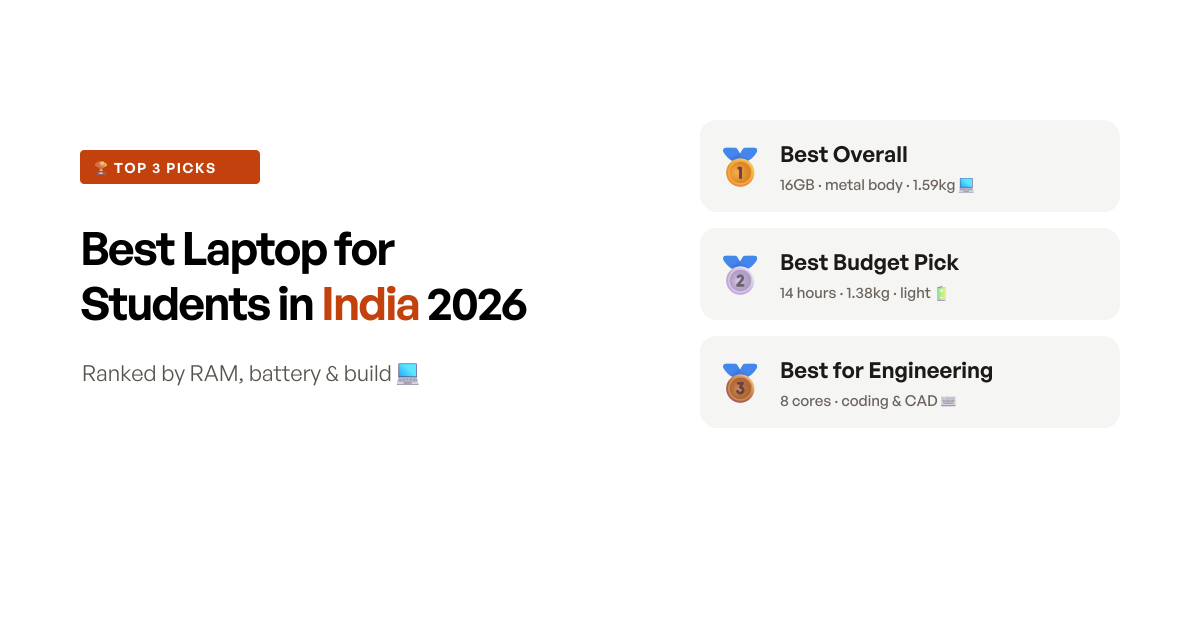
The quick answer
The Acer Aspire Lite with the Ryzen 5 5625U wins because it has the fewest of this category’s specific ways of dying. It ships with 16GB, so it never hits the Windows 11 memory wall, and it has a metal body in a field where the standard failure is plastic cracking at the hinge somewhere in year two. It is not the fastest laptop here and its TN screen is the price you pay. If your course never needs Windows software, the Android Primebook 2 Pro does the student job for roughly half the money with triple the battery life; if your syllabus lists CAD or a compiler, the 8-core ASUS Vivobook 15 is the most computer in this review, as long as you accept it lives near a socket.
Quick comparison
Six laptops side by side, ranked by score - the processor, the memory, the student each one suits, and a Buy button for the impatient.
- 9.0 scoreBest overall
Acer Aspire Lite (Ryzen 5 5625U, 16GB) 15.6-inch Metal Laptop
16GB, a metal shell and 1.59kg - the pick with the fewest of this category's specific failure modes.
Read the reviewapprox. ₹54,990 - 8.9 scoreBest budget pick
Primebook 2 Pro (Helio G99, PrimeOS) 14.1-inch Android Laptop
Half the price, 14 hours of battery and 1.38kg - superb for school and classes, as long as you never need Windows.
Read the reviewapprox. ₹26,990 - 8.8 scoreBest for engineering and coding
ASUS Vivobook 15 (Core i5-13420H, 16GB) 15.6-inch Laptop
Eight cores and 16GB - the most computer here, undone by a battery that empties before your third lecture.
Read the reviewapprox. ₹64,990 - 8.6 scoreMost processor per rupee
Lenovo V15 (Ryzen 7 7730U, 16GB) 15.6-inch Laptop
An 8-core Ryzen 7 with 16GB and an Ethernet port - just check the warranty dates the day it lands.
Read the reviewapprox. ₹59,999 - 8.5 scoreBest safety net
Lenovo IdeaPad 1 (Ryzen 5 5500U) 15.6-inch Laptop
The only laptop here with a free year of accidental-damage cover - which a laptop in a student's bag will eventually need.
Read the reviewapprox. ₹51,900 - 8.4 scoreBest backlit keyboard
Acer Aspire Lite (Core i5-12450H, 16GB) 15.6-inch Laptop
Backlit keys, an IPS panel and 8 cores - the night-work machine, if its hinges hold.
Read the reviewapprox. ₹59,990
How we shortlisted
We screened twelve laptops that dominate a “laptop for students” search between Rs20,000 and Rs70,000 - the band that runs from the Android machines a school student needs up to the 16GB Windows laptops an engineering course demands - and read fifty recent verified reviews on each.
The number that misleads in this category is the processor badge, and it misleads specifically for students. Every listing here shouts 13th Gen or Ryzen 7, and the two laptops with the most cores are exactly the two whose owners report the worst battery life: 1.5 to 3 hours on the ASUS, because an 8-core H-series chip in a thin body drains a 42Wh pack fast. A student’s day is six hours of moving between rooms that may or may not have a free socket. The badge you’re paying extra for is the reason the laptop dies before lunch. What actually predicts a happy student is duller: 16GB so it doesn’t lag by second year, watt-hours per kilo, and whether the body survives being carried.
So the picks split along the real decisions rather than the price ladder: the best-built all-rounder (Acer, metal, 16GB), the machine for a student who lives in a browser (Primebook, and it isn’t Windows), the two for courses that genuinely need cores (ASUS, Lenovo V15), the one with a safety net for a first-year who will drop it (IdeaPad 1’s accidental-damage cover), and the one for people who work at night (the backlit, IPS Acer). What moved the rankings was the failure pattern, not the spec sheet - hinges and screws loosening within months, motherboards dying at 18 to 24 months just past cover, and warranties that arrive with three months already spent. If you’re weighing this against a wider budget rather than the student use case, the best laptops under Rs50,000 cover the same Windows machines from a price angle, and the best laptops under Rs30,000 cover the bottom end where the Android machines win outright.
At a glance: 6 student laptops, what each one is best for
| Laptop | Processor | RAM | Battery | Weight | Best for | Price (approx.) |
|---|---|---|---|---|---|---|
| Acer Aspire Lite (Ryzen 5) | Ryzen 5 5625U (6c) | 16GB, to 32GB | 36Wh | 1.59kg | Overall, build | ₹54,990 |
| Primebook 2 Pro | Helio G99 (Android) | 8GB | 60.3Wh | 1.38kg | Budget, battery | ₹26,990 |
| ASUS Vivobook 15 | Core i5-13420H (8c) | 16GB | 42Wh | 1.5kg | Engineering, coding | ₹64,990 |
| Lenovo V15 | Ryzen 7 7730U (8c) | 16GB | 38Wh | 1.6kg | Processor per rupee | ₹59,999 |
| Lenovo IdeaPad 1 | Ryzen 5 5500U (6c) | 8GB, to 16GB | 42Wh | 1.6kg | Damage cover | ₹51,900 |
| Acer Aspire Lite (i5) | Core i5-12450H (8c) | 16GB soldered | 54Wh | 1.7kg | Backlit keyboard, IPS | ₹59,990 |
The 6 picks, reviewed
1. Acer Aspire Lite (Ryzen 5 5625U) - best overall student laptop
The Acer wins on the two things that decide whether a student still likes a laptop in third year, and neither of them is the chip. It ships with 16GB of RAM, which means it never runs into the Windows 11 memory wall that makes the 8GB machines in this price lag, heat and hang - and it can go to 32GB later. And it has a metal body. That sounds like a cosmetic note until you read the reviews of everything else here: plastic cracking at the edges, lids coming away, hinges failing at 13 to 18 months. Owners of this one instead single out the build as feeling a class above the plastic HP and Lenovo units at the same money, and at 1.59kg it’s light enough to actually get carried.
The six-core Ryzen 5 5625U is more than enough for the studying most students do, and further than that in practice - one IT student reports running a full front-end, back-end, database and Unity workflow on it in VS Code, which is well beyond a general-study laptop’s job description. A college buyer’s summary is representative: smooth multitasking, a clear screen, and a build that feels premium for the price.
Two honest caveats, and one of them is real. The battery is 36Wh and owners consistently get 4 to 5 hours against the 7 claimed, so this is a laptop that wants a socket by mid-afternoon. And the panel is TN rather than IPS - fine square-on, poor from an angle, and a couple of owners call it cheap outright. Acer’s after-sales is the third thing to know: a motherboard crash inside a year quoted at Rs28,000, a screen line at nine months, a Wi-Fi card replaced twice over three weeks. None of that is unique to Acer in this category, but it isn’t a reason to relax either. Buy it for the 16GB and the metal, test it hard in the return window, and keep the charger in the bag.
Key specifications
- Processor
- AMD Ryzen 5 5625U (6 cores, 2.3GHz base, 4.3GHz boost)
- RAM
- 16GB DDR4 3200MHz, upgradeable to 32GB
- Storage
- 512GB PCIe Gen3 SSD
- Display
- 15.6-inch FHD (1920x1080) TN panel
- Build
- Metal body, 1.59kg
- Battery
- 36Wh, rated up to 7 hours
- Camera
- 720p HD webcam
- Keyboard
- Chiclet with numeric keypad, not backlit
- Warranty
- 1 year manufacturer
Pros
- It ships with 16GB, so it never hits the Windows 11 memory wall that makes most student laptops lag by second year - and there's headroom to 32GB later
- The metal body matters more than it sounds: the recurring death of laptops in this price is plastic cracking at the hinge, and owners here single out the build as feeling a class above the plastic HP and Lenovo units
- At 1.59kg it's genuinely carryable, and a six-core Ryzen 5 with a fast SSD handles Office, a browser full of tabs and light dev work without complaint
- One IT student reports running a full front-end, back-end, database and Unity stack on it in VS Code, which is well past what a general-study laptop needs to do
Cons
- The 36Wh battery is the weak point - owners consistently report 4 to 5 hours of real use against the 7 hours claimed, so a full day on campus needs the charger
- The panel is TN, not IPS, and it shows: viewing angles are poor and a few owners call the display cheap or report backlight bleed
- No backlit keyboard, and the speakers are quiet enough that owners reach for earphones on calls
- Acer's after-sales draws hard criticism - a motherboard crash inside a year quoted at Rs28,000, a screen line at 9 months, and network-card repairs that took three weeks
Who should buy this
The student who wants one laptop to survive three or four years of being carried around, and who'd rather have 16GB and a metal shell than a bigger badge on the lid. It has the fewest of this category's specific failure modes - no 8GB ceiling, no plastic hinge - at a price well under the 16GB Intel machines. Best for a college student doing coursework, Office, research and light coding, who studies near a socket.
Skip if
Skip if you type in dark hostel rooms or watch a lot of video - there's no backlit keyboard and the TN panel washes out the moment you're off-axis; the Acer Aspire Lite with the i5-12450H has both a backlit keyboard and an IPS screen.
Ready to buy?
Acer Aspire Lite (Ryzen 5 5625U, 16GB) 15.6-inch Metal Laptop
2. Primebook 2 Pro (Helio G99, PrimeOS) - best budget laptop for students
The Primebook is the odd one out, and for a large slice of students it’s simply the right answer. It runs PrimeOS, an Android 15 system, not Windows - and judged as what it is, a study machine, it is the best-liked laptop in this review by a distance. Its owners complain least, and when they do complain it’s almost always “I thought this was Windows” rather than “it broke”. The numbers explain the affection: a 60.3Wh battery rated at 14 hours in a 1.38kg body, where every Windows laptop here carries 36 to 42Wh and 1.6kg. It is also the only pick under Rs30,000, and it’s made in India.
It quietly out-specs our winner in two places students actually touch. The 14.1-inch panel is FHD IPS with real viewing angles, where the Acer’s is TN, and the keyboard is backlit, where the Acer’s isn’t. For online classes, documents, research, streaming and Android apps, buyers describe it as fast to boot and smooth to use, with one running it happily for months of school work.
The limit is absolute, and you need to be honest with yourself about it before you order: no desktop Windows software. No installable MS Office, no .exe applications, no AutoCAD, MATLAB, Tally, or a local IDE. You get Android apps, a browser, and a paid cloud-PC subscription if you want to reach real desktop software remotely. Storage is a modest 128GB, and service is thin - walk-in centres only, on limited pincodes, so there’s no onsite safety net. For a school student or anyone whose work lives in a browser, none of that matters and this is superb value. For a college student with a software list, it’s the wrong machine at any price.
Key specifications
- OS
- PrimeOS 3.0 (Android 15) - not Windows
- Processor
- MediaTek Helio G99 (octa-core, 2.2GHz)
- RAM
- 8GB LPDDR4X
- Storage
- 128GB UFS 2.2, microSD expandable to 1TB
- Display
- 14.1-inch FHD IPS, 250 nits, anti-glare
- Battery
- 60.3Wh, rated up to 14 hours
- Weight
- 1.38kg
- Keyboard
- Backlit
- Made in India
- Warranty
- 1 year, walk-in centres on limited pincodes
Pros
- Battery and weight are in a different class - a 60.3Wh pack in a 1.38kg body, where the Windows laptops here carry 36 to 42Wh and 1.6kg, and owners report it genuinely lasting a school day
- It has the healthiest owner sentiment of any laptop we read in this category, and the negatives are overwhelmingly 'I expected Windows', not 'it broke'
- The 14.1-inch FHD IPS panel is sharp with real viewing angles - better than the TN screen on our winner - and the keyboard is backlit, which most of the Windows picks aren't
- At around half the price of everything else here, it's the obvious call for a school child or a first machine, and it's made in India
Cons
- It runs Android, not Windows - no desktop Office, no .exe software, so college requirements like AutoCAD, MATLAB, Tally or a local IDE are simply out
- A minority of buyers didn't grasp that before ordering and describe it as a tablet with a keyboard attached; read the OS line twice before you buy
- Storage is a modest 128GB of UFS, and reaching full desktop apps means a paid cloud-PC subscription rather than anything local
- Service is thin - walk-in centres cover limited pincodes only, so there's no onsite safety net if it fails
Who should buy this
The school student, the online-classes-and-documents user, or the parent buying a first laptop who wants the longest battery, the lightest body and the lowest price. Judged as what it is - an Android laptop for study - it's the best-liked machine in this review and the one whose owners complain least. Best for browsing, classes, documents, streaming and Android apps, by someone who does not need Windows software.
Skip if
Skip if your course lists any Windows software - engineering, architecture, commerce with Tally, or a CS syllabus that wants a local IDE - because it cannot run those at all; the Acer Aspire Lite is the right buy then, even at double the money.
Ready to buy?
Primebook 2 Pro (Helio G99, PrimeOS) 14.1-inch Android Laptop
3. ASUS Vivobook 15 (Core i5-13420H) - best for engineering and coding
If your syllabus lists software that needs real cores, this is the machine. The i5-13420H is a proper H-series chip - 8 cores and 12 threads against the six of everything else here - paired with 16GB and a PCIe 4.0 SSD, and it’s the only laptop in this review that handles heavy course software rather than merely surviving it. Owners doing exactly that agree: a CS student calls it good value for college, and the recurring note across its reviews is smooth multitasking. It’s also the lightest Windows laptop here at 1.5kg, it has a backlit keyboard with a numeric keypad, and it carries the most generous software bundle in the round - Office Home 2024 with lifetime validity plus a year of Microsoft 365 Basic.
So why isn’t it the winner? Because of a number nobody puts on the box. That 8-core chip is fed by a 42Wh battery, and owners report 1.5 to 3 hours of real use - one measured 100 to 130 minutes. For a student moving between lectures, that’s a laptop that needs a socket before the day is half done, which is exactly backwards for the use case. The same chip that wins the spec sheet loses the campus.
The build is the other worry. Owners describe loose bezels and a body that feels delicate, and one whose display failed at seven months was told by ASUS that it counted as user damage - no warranty, pay for the repair. Speakers are weak, there’s no fingerprint reader, and if your course expects you to dual-boot, note that one owner couldn’t get the Wi-Fi and Bluetooth drivers working under Linux. Buy this if the coursework genuinely demands the cores and you work at a desk. Otherwise you’re paying Rs10,000 more than the Acer for performance you won’t use and battery you’ll miss.
Key specifications
- Processor
- Intel Core i5-13420H (8 cores, 12 threads, up to 4.6GHz, 12MB cache)
- RAM
- 16GB DDR4
- Storage
- 512GB M.2 NVMe PCIe 4.0 SSD
- Display
- 15.6-inch FHD (1920x1080), 60Hz, 250 nits
- Keyboard
- Backlit chiclet with numeric keypad
- Battery
- 42Wh, 3-cell
- Weight
- 1.5kg
- Software
- Office Home 2024 (lifetime) + Microsoft 365 Basic for 1 year
- Country of origin
- China
- Warranty
- 1 year global + onsite domestic
Pros
- The i5-13420H is a proper H-series chip - 8 cores against the 6 of everything else here - and paired with 16GB and a PCIe 4.0 SSD it's the machine that handles heavy course software rather than merely surviving it
- Owners doing exactly that back it up: a CS student calls it good value for college, and the recurring note is smooth multitasking rather than lag
- It has a backlit keyboard with a numeric keypad and weighs 1.5kg - the lightest Windows laptop in this list
- The software bundle is the most generous here: Office Home 2024 with lifetime validity plus a year of Microsoft 365 Basic with cloud storage
Cons
- Battery is the deal-breaker for campus use - owners repeatedly report 1.5 to 3 hours of real use from the 42Wh pack, because an 8-core H-series chip drinks power a thin laptop can't carry
- The build draws consistent complaints - loose bezels, a body owners call delicate, and one whose display failed at 7 months and was told by ASUS it counted as user damage, so no warranty
- Speakers are weak, there's no fingerprint reader, and it heats quickly under load
- One owner reports the Wi-Fi and Bluetooth drivers not working on Linux, which is worth knowing if your course expects you to dual-boot
Who should buy this
The engineering, CS or architecture student whose syllabus lists software that actually needs the cores - IDEs and compilers, CAD, simulation, video work - and who will mostly use it at a desk with the charger in. It is the most capable machine in this review by a clear margin, and the 16GB and 8 cores are what that coursework wants. Best for a student who values raw performance over portability and battery.
Skip if
Skip if you spend the day moving between lectures - 1.5 to 3 hours unplugged means you'll hunt for sockets between classes - or if you want the money to go on build quality; the Acer Aspire Lite's metal shell survives a backpack better for Rs10,000 less.
Ready to buy?
ASUS Vivobook 15 (Core i5-13420H, 16GB) 15.6-inch Laptop
4. Lenovo V15 (Ryzen 7 7730U) - most processor per rupee
The V15 is the most chip your money buys in this review: a Ryzen 7 7730U, 8 cores with 16MB of L3 cache, with 16GB alongside it. An owner writing at 18 months puts the case as plainly as anyone could - if what you need is performance for coding, this is the one, and the display and speakers are what you trade for it. It has two practical touches the others don’t: a spill-resistant keyboard, which matters for a laptop that shares a desk with chai, and a real Ethernet port, which matters in hostels and labs where the wired connection is the one that works. It comes with a year of Lenovo onsite cover.
The trade is the screen. At 500:1 contrast, owners describe it as average at best, with colours inverting off-axis - a real problem if you do anything visual, and merely a daily annoyance if you don’t. The speakers are poor even by this field’s low standard, and the 38Wh battery is the smallest here.
The thing to actually plan around is the warranty. Several owners checked their cover after delivery and found the clock already part-spent - one had 3 months left, another 8, on a laptop sold as a year. That means the unit was registered long before it reached them. It isn’t a reason to avoid the laptop, but it is a reason to check the warranty status on Lenovo’s site the day it lands and raise it immediately if the dates are wrong. Windows and Office activation problems recur too, and a few owners found the wrong charger in the box. Buy it for the cores, and do the paperwork on day one.
Key specifications
- Processor
- AMD Ryzen 7 7730U (8 cores, 2.0GHz base, 4.5GHz boost, 16MB L3)
- RAM
- 16GB DDR4 3200MHz
- Storage
- 512GB M.2 SSD
- Display
- 15.6-inch FHD (1920x1080), 250 nits, anti-glare, 500:1 contrast
- Keyboard
- 6-row spill-resistant with numeric keypad
- Ports
- Ethernet (RJ-45), HDMI, USB-C with DisplayPort, 2x USB-A
- Camera
- 720p with privacy shutter
- Battery
- 38Wh
- Weight
- 1.6kg
- Warranty
- 1 year onsite
Pros
- The Ryzen 7 7730U is 8 cores with 16MB of L3 - the most processor per rupee in this review, and an owner 18 months in says plainly that if you need performance for coding, this is the one
- 16GB out of the box plus a spill-resistant keyboard, which for a laptop that shares a desk with chai and a water bottle is a more practical feature than most spec-sheet lines
- It's the only pick here with an Ethernet port - useful in hostels and labs where the wired connection is the reliable one
- Owners consistently report it staying smooth for video editing and everyday work, and it carries Lenovo's 1-year onsite cover
Cons
- Several owners report the warranty clock already part-spent on arrival - one found only 3 months left, another 8 - which means the unit was registered long before it reached them
- The 500:1 contrast panel is the recurring gripe: owners describe it as average at best, with colours inverting off-axis
- Speakers are poor even by this category's standards, and the 38Wh battery is the smallest here
- Windows and Office activation problems show up repeatedly, and a few owners received the wrong charger in the box
Who should buy this
The student who wants maximum processor for the money and knows what to do with 8 cores - compiling, running local servers, virtual machines, heavy multitasking - and who will check the warranty registration on Lenovo's site the day it arrives. It's the most chip you can buy in this review short of the ASUS, with onsite cover and a spill-resistant keyboard. Best for a CS or engineering student who works at a desk.
Skip if
Skip if the screen matters to you - the low-contrast panel is the most repeated complaint and it's the wrong laptop for design or media work - or if you won't check the warranty dates on arrival, because that's exactly where this one bites; the ASUS Vivobook has both a better panel and a cleaner warranty record.
Ready to buy?
Lenovo V15 (Ryzen 7 7730U, 16GB) 15.6-inch Laptop
5. Lenovo IdeaPad 1 (Ryzen 5 5500U) - best safety net
Every other laptop here gives you a year of warranty against things that go wrong on their own. The IdeaPad 1 is the only one that also covers the thing that actually happens to a student’s laptop: a free year of accidental-damage protection on top of the year of onsite service. A bag knocked off a desk, a lid closed on a pen, a cup of chai - this is the one pick where the first year of that is somebody else’s problem. For a first-year student, that’s worth more than a spec upgrade.
The hardware underneath is decent rather than exciting. The Ryzen 5 5500U is six cores and twelve threads, and one owner was pleasantly surprised at how much the machine handled on 8GB. There’s a spare memory slot, so the 8GB it ships with - the only sub-16GB Windows laptop in this list - can be lifted to 16GB for around Rs1,500, which you should budget for on day one. Rapid charge takes it to 80% in about an hour, turning a gap between lectures into a useful top-up. And it has the largest body of owner reviews of anything here, which in a category this unreliable is genuinely worth something: you buy it knowing where it breaks.
Which brings us to where it breaks. There’s a real cluster of owners reporting the motherboard or processor dying at 18 to 24 months - typically just after the warranty lapses, with repairs quoted at Rs13,000 to 15,000, which on a Rs51,900 laptop is a write-off. The plastic is the other pattern: cracks at the edges and lid trouble by year two, one owner reporting it at the hinge. The safety net, in other words, expires just before the failures cluster. That’s a strange thing to recommend and an honest thing to know - it’s the right buy for the student most likely to break a laptop early, not the one who needs it to last four years.
Key specifications
- Processor
- AMD Ryzen 5 5500U (6 cores, 12 threads, up to 4.0GHz)
- RAM
- 8GB DDR4, upgradeable to 16GB via a spare slot
- Storage
- 512GB SSD
- Display
- 15.6-inch FHD (1920x1080), 220 nits, anti-glare, 45% NTSC
- Battery
- 42Wh, rapid charge to 80% in about 1 hour
- Camera
- 720p with privacy shutter
- Weight
- 1.6kg
- Software
- Windows 11 Home + Office Home 2024 pre-loaded
- Keyboard
- Not backlit
- Warranty
- 1 year onsite + 1 year accidental damage protection
Pros
- It's the only laptop in this review that ships with accidental-damage cover - a free year of it, on top of the year of onsite warranty - which is the single most relevant warranty line for a machine that lives in a backpack
- The Ryzen 5 5500U is six cores and twelve threads, and unlike the soldered picks it has a spare memory slot, so the 8GB it ships with can be lifted to 16GB for around Rs1,500
- It has by far the largest owner review base here, so you buy it knowing precisely where it fails rather than guessing
- Rapid charge takes it to 80% in about an hour, which turns a gap between lectures into a usable top-up
Cons
- There's a real cluster of owners reporting the motherboard or processor dying at 18 to 24 months, typically just after the warranty lapses, with repairs quoted at Rs13,000 to 15,000
- The plastic is the other recurring failure - owners describe cracks at the edges and lid problems by year two, one specifically at the hinge
- It ships with 8GB where the rest of this list has 16GB, so it's the one pick that needs a day-one upgrade to keep up
- The 220-nit panel is the dimmest here, there's no backlit keyboard, and the speakers are weak
Who should buy this
The student - or the parent buying for one - who rates the safety net above the spec sheet. A year of accidental-damage cover and a year of onsite service is the most protection on offer here, and it comes on a genuinely capable six-core chip you can upgrade to 16GB cheaply. Best for a first-year student likely to drop, spill on, or over-stuff a bag with their laptop.
Skip if
Skip if you want the laptop to last past the course - the motherboard failures at 18 to 24 months are a real pattern and the cover expires right before them - or if you won't open the panel to add RAM; the Acer Aspire Lite gives you 16GB and a metal body for around Rs3,000 more.
Ready to buy?
Lenovo IdeaPad 1 (Ryzen 5 5500U) 15.6-inch Laptop
6. Acer Aspire Lite (Core i5-12450H) - best backlit keyboard
This is the night-work machine. It’s the one Acer here with a backlit keyboard, and it pairs that with an IPS panel - so where our winner’s TN screen falls apart off-axis, this one holds up. Underneath is an 8-core i5-12450H with 16GB of LPDDR5, which is serious hardware for the money; a CS engineering student reports most heavy course software running fine, with three to four hours of coding on a charge. On paper it also has the biggest battery of any Windows laptop in this review, 54Wh, and an SSD you can grow to 1TB.
The reality is thinner than the paper. That 54Wh advantage buys nothing: owners still report 3 to 4 hours, because the 8-core chip spends what the bigger battery earns. The speakers are bad enough that multiple owners can’t hear Zoom or Meet without earphones at full volume. And the 16GB is soldered - no slot, so 16GB is the ceiling for the life of the machine.
The reason it sits last is the hinge. One owner had screws working loose and the screen coming away at three to four months, repaired repeatedly without ever getting a replacement, to the point where the service technician himself suggested selling it and buying something else. Another had a hinge fail, get replaced, and fail again four months later. For a laptop that gets opened and shut a dozen times a day and lives in a bag, that’s the wrong failure mode to have. Buy this one if you specifically need the backlit keyboard and the IPS panel, treat the lid gently, and test it hard while the return window is open.
Key specifications
- Processor
- Intel Core i5-12450H (8 cores, 2.0GHz base, 4.4GHz boost, 12MB cache)
- RAM
- 16GB LPDDR5 4800MHz (onboard, not upgradeable)
- Storage
- 512GB M.2 Gen 4 PCIe SSD, expandable to 1TB
- Display
- 15.6-inch FHD (1920x1080) IPS, Acer ComfyView
- Keyboard
- Backlit
- Battery
- 54Wh
- Weight
- 1.7kg
- Camera
- 2MP webcam
- Software
- Windows 11 Home + Office 2024 + Microsoft 365
- Warranty
- 1 year manufacturer
Pros
- It's the only Acer here with a backlit keyboard, and it pairs that with an IPS panel - so unlike our winner's TN screen, the picture holds up when you're not square in front of it
- An 8-core i5-12450H with 16GB of LPDDR5 is serious hardware for the money, and a CS engineering student reports it running most heavy course software fine
- The 54Wh battery is the largest of any Windows laptop in this review - a third more than the ASUS carries
- The SSD is Gen 4 and expandable to 1TB, so storage is the one thing here you can still grow
Cons
- The hinge and chassis are the problem - one owner had screws working loose and the screen coming away at 3 to 4 months, repaired repeatedly without a replacement, and another had hinge failure recur four months after a hinge repair
- The 54Wh advantage doesn't survive contact with reality - owners still report only 3 to 4 hours, so the big battery buys back what the 8-core chip spends
- Speakers are the loudest complaint after the hinges: multiple owners can't hear Zoom or Meet without earphones even at full volume
- The 16GB LPDDR5 is onboard with no slot, so 16GB is the ceiling forever, and several owners hit trouble registering the warranty on Acer's site
Who should buy this
The student who works late in a dim room and wants a backlit keyboard and a panel with real viewing angles, on hardware strong enough for coursework - 8 cores, 16GB, and the biggest battery of the Windows picks here. Best for a desk-bound student who will use it carefully, treat the lid gently, and test it hard inside the return window.
Skip if
Skip if the laptop will be opened and shut a dozen times a day in a bag - hinges and screws loosening within months are this model's signature failure - or if you want a memory upgrade path later, because the 16GB is soldered; the winner's metal Aspire Lite is the tougher body.
Ready to buy?
Acer Aspire Lite (Core i5-12450H, 16GB) 15.6-inch Laptop
The features explained, in plain English
Student laptops are sold on processor badges and round numbers. A few less-advertised things decide whether the machine is still pleasant in third year.
Watt-hours, not “hours claimed” - the spec students should read first. Battery capacity is measured in watt-hours (Wh), and it’s the number that predicts your afternoon. Every Windows laptop here carries 36 to 42Wh except one at 54Wh; the Android Primebook carries 60.3Wh. The “up to 7 hours” on the box is a lab figure at low brightness doing nothing much - the owners of our winner get 4 to 5, and the ASUS Vivobook’s owners get 1.5 to 3. The rule of thumb that survives contact with reality: a bigger battery paired with a modest 6-core chip beats a small battery paired with a hungry 8-core one, every time, for a student who carries the thing.
8GB versus 16GB - the difference between year one and year three. Eight gigabytes is the bare minimum for Windows 11. Windows plus a browser full of tabs plus Office fills it, the machine starts swapping to disk, and you experience that as lag, heat and hanging. Sixteen is the spec that keeps a laptop pleasant for the length of a degree, and five of six picks here have it. The second question is whether you can change it: the IdeaPad 1 has a spare slot (so 8GB becomes 16GB for about Rs1,500), our winner has 16GB and room for 32, and the Acer i5-12450H solders its 16GB down forever.
IPS versus TN - why two identical “FHD” screens look nothing alike. Both are 1920x1080, and the listings call both Full HD, so the word tells you nothing. TN panels are cheaper and lose colour and contrast the moment you’re not square in front of them - our winner has one, and it’s its weakest spec. IPS panels hold their picture at an angle, which is what you want when two people lean in over one screen, which is what happens in a hostel room. Brightness is measured in nits: at 220 to 250 nits, none of these is usable in direct sunlight, so a spot by the window is the best you’ll do.
Windows versus an Android laptop - the decision under the price gap. The Primebook costs half what the others do because it isn’t running Windows: PrimeOS is Android with a laptop interface. It runs phone and tablet apps on a keyboard and trackpad, and it runs them well. It cannot run desktop programs - the installable Office, any .exe, AutoCAD, MATLAB, Tally, a local IDE. This isn’t better or worse in the abstract; it’s a different kind of machine, and the only question that matters is whether your coursework lives in a browser or in desktop software. Check your syllabus, not your instinct.
Complete buying guide
How much should you actually spend on a student laptop?
There are three honest tiers, and which one you belong in is decided by your syllabus, not your budget:
- Around Rs27,000 to 30,000 - the Android machines. The Primebook 2 Pro is superb for school, online classes, documents and browsing, with the longest battery and the lightest body in this review. It cannot run Windows software, and that’s the whole decision.
- Around Rs52,000 to 55,000 - the sensible Windows band. Our winner lives here: 16GB, metal build, a six-core chip, enough for any general degree, Office, research and light coding. This is where most students should spend.
- Around Rs60,000 to 65,000 - the 8-core machines. Worth it only if your course genuinely lists CAD, simulation, compiling or video work, because you pay for the cores in battery life and, in the ASUS’s case, build quality. If writing code is the point of the machine rather than one thing it has to do, the best laptops for programming in India weight memory headroom and screen shape ahead of portability.
The smartest money in this whole category, though, isn’t the laptop at all. If you buy the IdeaPad 1, budget the roughly Rs1,500 for a memory stick to take it to 16GB on day one - it does more for how the machine feels than any badge on the lid. If your budget is tighter than any of this, the best laptops under Rs30,000 cover the bottom of the market honestly, and if you want the same Windows machines judged purely on price, the best laptops under Rs50,000 are the ladder below.
Specs that matter, specs that don’t
The specs that drive this decision are short: 16GB of RAM, the battery in watt-hours, the panel type (IPS over TN), the build material and hinge, and whether the brand’s warranty arrives with a full year on it. The specs that are mostly noise for a student: the generation badge in isolation, the exact SSD size (512GB is plenty and most of these expand), the numeric keypad, and a long list of ports you won’t use. The one genuine exception to “cores don’t matter” is a syllabus that names heavy software - then, and only then, pay for the 8-core chip and plan your day around the socket.
Service, warranty and the traps specific to this category
This is where the decision is actually made, because a student laptop is a higher-failure buy than people expect. Three patterns run through the reviews of every brand here. The first is failures clustered right at the warranty edge: hinges and screws loosening at 3 to 4 months on the Acer i5-12450H, motherboards dying at 18 to 24 months on the IdeaPad 1 with repairs quoted at Rs13,000 to 15,000. The second is the warranty clock: HP 15 owners repeatedly find only 7 to 11 months left on a 1-year cover when they check after delivery, and Lenovo V15 owners report the same, one with just 3 months remaining - the unit was registered long before they got it. The third is channel refusal: a Dell owner was refused support outright because the laptop came from Amazon rather than Dell’s own store. All three are avoidable if you do the same five minutes of work on the day it arrives.
When to buy and when to wait
The sale swing in this category is bigger than almost anything else we cover, so if your course start allows it, wait. Owners of our winning Acer report paying around Rs27,000 for a laptop that now lists at Rs54,990. Acer i5-12450H buyers report Rs33,000 to Rs34,500 during the Great Indian Festival, against Rs59,990 today. Those aren’t different machines - they’re the same laptop at nearly half the price, and a good number of the most enthusiastic reviews in this whole category read that way precisely because the buyer caught a sale. The events worth timing are the Great Indian Festival around October and the Republic Day and summer sales. There’s rarely a next model worth holding out for, so what you’re waiting for is the discount, not the hardware. If term starts next week, buy now and test it immediately.
What we don’t recommend (and why)
Four things in this search are worth actively avoiding. The Dell 15 (Core 3 100U) looks appealing - 16GB and a 120Hz screen - but hinge and lid failures at 13 to 18 months recur through its reviews, one owner noting that many owners of the same model report the identical problem, which reads as a design issue rather than bad luck; another was refused Dell support because the unit came from Amazon. The HP 15 (Ryzen 5 7520U) is a decent laptop undone by paperwork: owner after owner reports the 1-year warranty showing only 7 to 11 months on arrival, and one found the serial number on the invoice didn’t match the unit at all. The Lenovo IdeaPad 3 with the 11th-gen i3 is simply old for 2026, and its recent reviews are dominated by keys failing after warranty and units arriving dead. And the Acer TravelLite TL04-51M is the one to be genuinely careful with: it shows a 4.6-star rating that looks like the best in this whole category, but its reviews are borrowed - open them and they’re German and Italian reviews of an Acer Nitro gaming monitor, discussing 165Hz and backlight bleeding. The rating tells you nothing about the laptop. That trick is common enough on Amazon India that it’s worth two minutes of reading reviews before you trust any star rating, on any listing.
Frequently asked questions
Which is the best laptop for students in India in 2026?
For most students the Acer Aspire Lite with the Ryzen 5 5625U is the best overall. It ships with 16GB of RAM, so it doesn't hit the Windows 11 memory wall that makes cheaper laptops lag by second year, and it has a metal body in a category where the standard failure is plastic cracking at the hinge - at 1.59kg and around Rs54,990. Its honest weaknesses are a TN panel and 4 to 5 hours of battery. If you only need classes, browsing and documents and never Windows software, the Android Primebook 2 Pro does that job for roughly half the price with triple the battery life. If your course needs real computing power, the ASUS Vivobook 15 with the 8-core i5-13420H is the most capable machine here.
How much RAM does a student laptop need in 2026?
Sixteen gigabytes, and this is the spec worth spending on. Eight gigabytes is the bare minimum for Windows 11, and it's the single biggest reason budget laptops feel slow - Windows plus a browser full of tabs plus Office fills 8GB and the machine starts swapping, which you experience as lag and heat. Five of the six picks here ship with 16GB. The exception is the Lenovo IdeaPad 1, which has 8GB but a spare memory slot, so you can add a stick for roughly Rs1,500 and reach 16GB. If you're choosing between two laptops and one has 16GB while the other has a newer processor badge with 8GB soldered, take the 16GB.
Is an i3 enough for a student, or do you need an i5 or Ryzen 5?
For general study - Office, browsing, online classes, streaming, PDFs - a six-core Ryzen 5 or i5 is comfortably enough, and that's what our winner uses. What actually decides it is your syllabus. Engineering, CS, architecture and design courses that list IDEs, compilers, CAD, MATLAB or video editing genuinely benefit from the 8-core H-series chips in the ASUS Vivobook (i5-13420H) or the Lenovo V15 (Ryzen 7 7730U). Commerce, humanities, school and general degree students will not notice the difference and are better off spending the money on RAM, battery and build. Read the core count rather than the generation badge: a six-core older chip with 16GB beats a newer four-core one with 8GB for real work.
Is the Primebook a real laptop, and can it run MS Office and Windows software?
The Primebook 2 Pro is a real laptop physically - keyboard, trackpad, a 14.1-inch FHD IPS screen, 1.38kg - but it runs PrimeOS, which is built on Android 15, not Windows. It cannot run desktop Windows software or the installable version of MS Office locally. You get the Android versions of apps, a browser, and the option of a paid cloud-PC subscription to reach full desktop apps remotely. For school students, online classes, documents, research and streaming it's excellent, and its owners are the happiest of any laptop in this review. For anyone whose course requires AutoCAD, MATLAB, Tally, a local IDE or any .exe application, it's the wrong machine - buy one of the Windows laptops instead.
Which laptop for students has the best battery life?
The Android Primebook 2 Pro, by a wide margin and not by a small one - it carries a 60.3Wh battery in a 1.38kg body and is rated at 14 hours, where every Windows laptop here has 36 to 42Wh (the one exception, the Acer i5-12450H, has 54Wh). More telling is what owners report: the Primebook genuinely lasts a school day, while the ASUS Vivobook's owners repeatedly report 1.5 to 3 hours and our winner's manage 4 to 5. This is the single biggest gap between the marketing and the reality in this category, and it's the reason a fast processor can be the wrong choice for a student - an 8-core chip in a thin body drains a small battery fast. If you move between lectures all day, weight battery over cores.
Is 15.6-inch or 14-inch better for a student laptop?
A 14-inch laptop is the better companion and a 15.6-inch is the better desk machine, and for a student who actually carries it the 14-inch usually wins. The Primebook 2 Pro is 14.1-inch and 1.38kg; the Windows picks here are all 15.6-inch and 1.5 to 1.7kg, which is a real difference across a day of moving between buildings. The 15.6-inch machines earn it back with a numeric keypad and more screen for spreadsheets and split-window work. If you'll leave the laptop in a hostel room and work at a desk, take the 15.6-inch. If it goes to campus daily, the smaller body and lighter weight matter more than you think in week eight.
Should students buy a laptop with a backlit keyboard?
It's worth more to a student than to most buyers, because a lot of student work happens at night in rooms where you can't turn a light on without waking a roommate. It's also unusually rare in this price band - our winner, the Acer Aspire Lite with the Ryzen 5, doesn't have one, and neither does the Lenovo IdeaPad 1. The picks here that do are the Primebook 2 Pro, the ASUS Vivobook 15 and the Acer Aspire Lite with the i5-12450H. It shouldn't outrank RAM or build in your decision, but if two laptops are otherwise close, the backlit one is the better student machine.
Are laptops bought on Amazon covered under the brand warranty in India?
Usually, but this category has two specific traps worth knowing. The first is the warranty clock: HP 15 owners repeatedly report the 1-year warranty showing only 7 to 11 months left when they check it after delivery, and Lenovo V15 owners report the same thing, one finding just 3 months remaining - the unit was registered long before it reached them. The second is channel refusal: a Dell owner was told support wasn't available because the laptop came from Amazon rather than Dell's own store. Protect yourself the same way every time - buy from a listing sold and shipped by Amazon or the brand's official store, keep the invoice, check the serial number on the box matches it, and register the warranty on the brand's website the day it arrives. If the dates are wrong, that's the window to raise it.
Which laptop is best for engineering students in India?
The ASUS Vivobook 15 with the Core i5-13420H, if you can live with its battery. It's an 8-core, 12-thread H-series chip with 16GB and a PCIe 4.0 SSD - genuinely more computer than anything else here - and a CS student who bought it for college says it handles the work. The Lenovo V15 with the Ryzen 7 7730U is the close alternative, with 8 cores, 16GB and an Ethernet port for lab and hostel connections; an owner 18 months in says it's the one to take if you need performance for coding. The catch on both is battery: the ASUS manages 1.5 to 3 hours in owners' hands. If your course involves CAD, simulation or compiling, buy one of these two and accept that it lives near a socket.
How long should a student laptop last, and what usually fails first?
Plan for three to four years, and know that failures in this price band cluster right at the edge of the one-year warranty rather than spreading evenly. Three patterns run through the reviews we read. Hinges and lids crack - the Acer i5-12450H had screws working loose at 3 to 4 months, and the Dell 15 we dropped from this list has owners reporting hinge failure at 13 to 18 months. Motherboards die just past cover - the Lenovo IdeaPad 1 has a real cluster at 18 to 24 months with repairs quoted at Rs13,000 to 15,000. Screens develop lines - reported at 9 months on more than one model here. That pattern is why we weight build and warranty over the processor badge, and why the metal-bodied winner is the winner.
Should I buy a student laptop now or wait for a sale?
Wait if the course start allows it. The sale swing in this category is unusually large: owners of our winner report paying around Rs27,000 for a laptop that now lists at Rs54,990, and Acer i5-12450H buyers report Rs33,000 to 34,500 during the Great Indian Festival against today's Rs59,990. Those are the same machines at nearly half the price, and several of the most enthusiastic reviews we read are enthusiastic precisely because the buyer paid a sale price. The big events are the Great Indian Festival around October, and the Republic Day and summer sales. There's rarely a next model worth holding out for in this segment, so what you're timing is the discount, not the hardware. If you need it now, buy now and test it hard inside the return window.
Do these student laptops come with MS Office pre-installed?
Most of the Windows picks bundle something, but treat it as a bonus to verify rather than a guarantee. The ASUS Vivobook 15 has the most generous bundle - Office Home 2024 with lifetime validity plus a year of Microsoft 365 Basic - and the Lenovo IdeaPad 1 and the Acer i5-12450H also ship with a version of Office. The Acer Aspire Lite with the Ryzen 5, our winner, lists no pre-installed software at all, which surprises some buyers. Across brands, owners regularly report activation problems, confusion over whether the licence is lifetime or a subscription, and product keys that don't work, so check activation on day one while you can still return the machine. The Primebook runs Android, so it uses the mobile Office apps, not the desktop suite.
The bottom line
If you want one laptop to buy for a student and stop thinking about it, buy the Acer Aspire Lite with the Ryzen 5 5625U: 16GB so it doesn’t lag by year three, a metal body in a category that cracks at the hinge, and 1.59kg so it actually gets carried. Keep the charger in the bag and accept the TN screen. If the student is at school, or lives entirely in a browser, the Android Primebook 2 Pro is the better buy at half the money and triple the battery - just check the syllabus for Windows software first. For engineering and CS, the ASUS Vivobook 15 has the cores; for the most chip per rupee, the Lenovo V15; for a first-year likely to drop it, the IdeaPad 1 and its year of accidental-damage cover; for night work, the backlit Acer i5-12450H. This is an honestly rough category - small batteries, cracking hinges, warranties that arrive part-spent - so buy from an Amazon-fulfilled listing, check the warranty dates the day it arrives, and test it hard in week one. We’ll refresh this after the Great Indian Festival, when these prices are worth a second look.